FIG. 102Senses
How a QR code is read
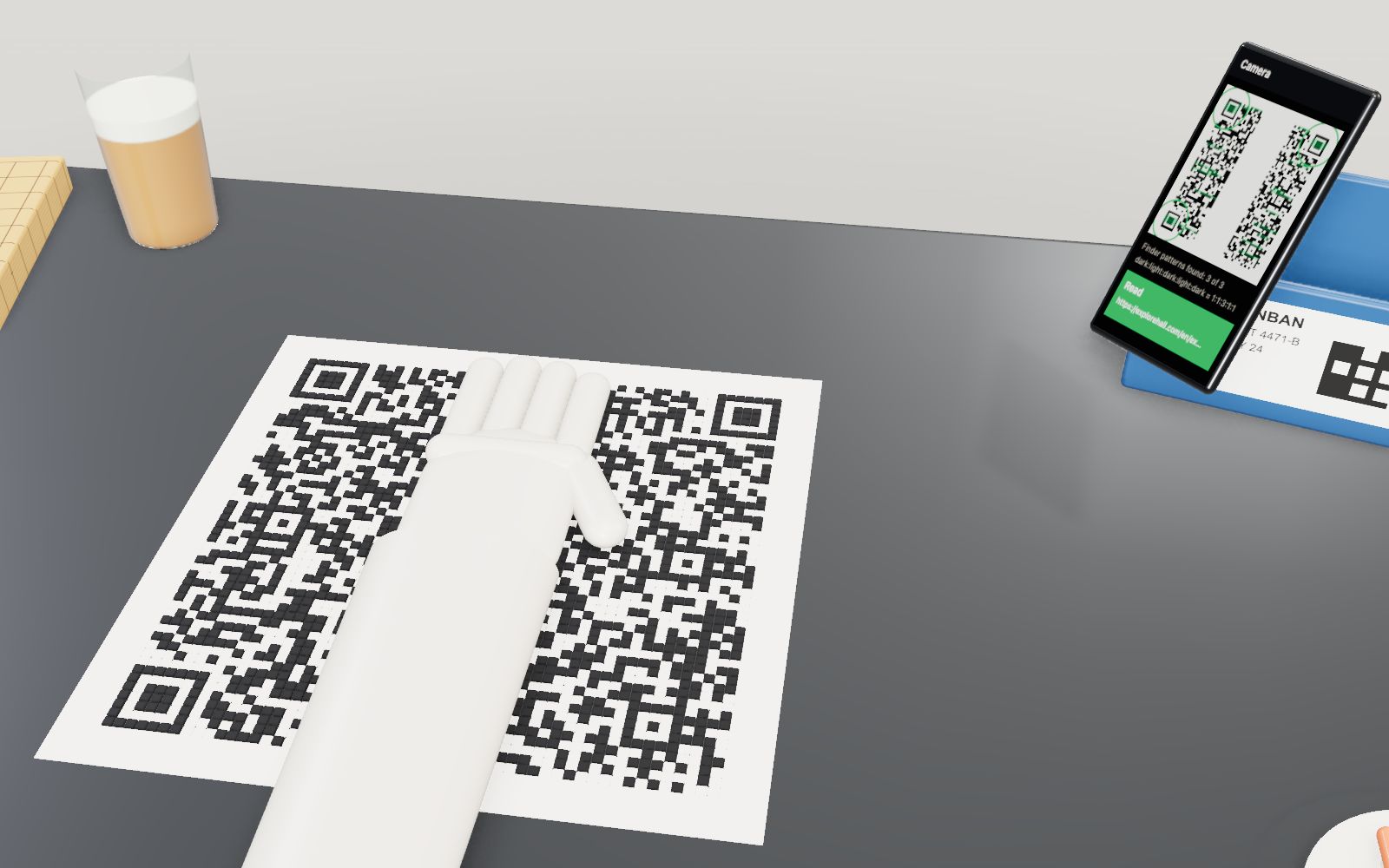
Cover 30 % of a QR code with your hand and a phone still reads it. Cover one corner and it does not.
This device cannot show the 3D model. You can read the guide steps below as text.
1 / 20 30 % under a handThis is your text as a QR code at level H, version 9: 53 x 53 modules. A mannequin hand slides over it. Watch the readout and the phone on the right: the code keeps reading while the hand covers about 30 % of the modules.
Drag to turn. Scroll or pinch to zoom.
A code you can cover with your hand
Hold a phone up to a QR code and it reads in a moment, even when a sticker has peeled, a corner is creased or a thumb is in the way. Try the same with the bar code on a cereal box and the till beeps at you. The difference is not the camera. A QR code carries extra codewords that let a reader rebuild what it cannot see, and it carries three marks that let the reader find it at any angle before it even starts.
The stage opens with your own text, or the address of this page, made into a QR code at level H, version 9: a square of 53 by 53 modules lying on a gallery table. A mannequin hand slides across it from the edge and stops when it covers 16 of the 53 columns. That is 848 of the 2,809 modules, 30.2 % of the symbol. The readout keeps saying Reads, and the phone on the right keeps finding the code and printing your text. Every one of the symbol's 8 error correction blocks is then at its limit: 12 wrong codewords each, and 12 is the most a block of this size can fix. Move the cover one column wider, to 32.1 %, and the reading stops.
Then tear a corner. The torn triangle is only 3.2 % of the symbol, much less than the hand covered, yet nothing reads at all. The rest of this page explains why both of those things happen, with the numbers the stage uses. They come from the rules in ISO/IEC 18004, the international standard for the QR code, and from what DENSO WAVE, the company that developed it in 1994, has published about its design.
The symbol on the table is not a picture of a QR code. It is encoded on the page from the text in the box, module by module, with the same Reed-Solomon arithmetic a printer driver would use, and it is read back by a decoder that follows the standard's reference steps. You can save the clean symbol as an image and read it with your own phone. The encoder was checked against two independent readers and against a second encoder: for 160 combinations of version and level the matrices were identical module for module.
How to use the stage
Type into the box at the bottom of the stage and the symbol is rebuilt as you type. The readout in the top-left corner shows the result first (Reads, or Does not read with the reason), then the version and size, the error correction level, the mask and its penalty points, the mode and the number of bits your text needs, the codewords, how much is covered and how many codewords are now wrong. The small bars under it are the error correction blocks: each fills up as its wrong codewords approach what it can fix and turns red when it is over.
The phone screen on the right shows what a camera would do with the picture: a red line sweeps down the image, green marks show every row where the stripes match 1:1:3:1:1, and circles show whether the three finder patterns were found. Under it the phone prints the text or the reason it gave up.
In the controls, Version sets the smallest version to use (the encoder grows the symbol if your text does not fit), Error correction picks L, M, Q or H, and Mask forces one of the eight masks instead of the one with the fewest penalty points. Cover width and Cover position move the hand, and Cover swaps it for a paper strip or black tape. Lift by job raises the modules into layers by what they do; Colour by job colours them without lifting. Placement order draws the path the bits follow and colours the codewords by block. Show the mask tints the modules the mask flips. Turn rotates the symbol on the table. Compare puts an EAN-13 bar code or a Micro QR symbol on the easel, or hangs versions 1 to 40 on the wall. Quiet zone removes the white margin.
Paint lets you drag across the symbol with ink, correction fluid, a hole or an eraser. Tear a corner and Oil stains are quick ways to damage it. Time now fills the symbol with the current time and redraws it every second. Click any module to see what it is: its row and column, its job, and for data modules the block, codeword and bit it belongs to. Some modules and some objects on the table open hidden cards.
Below the controls you will find your text written out as bits, the codewords of every block in hexadecimal, a table of the four levels for the current version, the eight masks side by side, a table of versions, 12 tasks, 46 cases, cards that start with Actually, a collection and links to related exhibits.
Squares in three corners
The hardest part of reading a two-dimensional code is not the data. It is finding the code in a camera picture full of other things, working out which way up it is and how big each module is. A bar code is easy to find: a laser or a row of pixels only has to cross it. A matrix code has to be found in two dimensions.
DENSO WAVE's answer was the three squares in the corners, which the standard calls finder patterns. Each is 7 by 7 modules: a dark ring, a light ring and a dark 3 by 3 centre. A line through the centre in any direction crosses dark, light, dark, light, dark in widths of 1, 1, 3, 1 and 1. The ratio does not change when the code is turned, scaled or seen at an angle, so a reader can scan rows of pixels, keep the last five runs of dark and light, and test whether they match.
Why that ratio? According to DENSO WAVE, the developers reduced pictures and characters printed on leaflets, magazines and cardboard boxes to patterns of black and white and counted which ratios appeared. The one that appeared least on printed matter was 1:1:3:1:1. In a 2024 interview published by DENSO, Masahiro Hara, who led the work, said finding it took about six months, with newspapers and magazines photographed page by page and measuring software left running overnight.
The phone on the stage does exactly this with the pixels it sees. It walks along each row, counts runs, and accepts five runs whose widths are within half a module of 1:1:3:1:1. For each hit it checks the same ratio vertically through the middle of the centre run. Hits that agree become candidate centres. It then needs three of them, and the one at the right angle between the other two is the top-left corner. That angle also tells the reader how far the code is turned. Rotate the symbol with Turn and watch the circles follow the corners.
A patch of data may form the same stripes by chance. Readers reject such strays because the grid they imply does not fit. The stage counts a finder as found only when the detection lands on the real one.
Separators, margin and the dark table
The 1:1:3:1:1 test only works if the outer dark ring has light on both sides. Inside the symbol that is guaranteed by the separators: a light ring one module wide around each finder. Outside the symbol it is the job of the quiet zone, a light margin that the standard requires to be four modules wide on every side.
On the stage the symbol is printed on a sheet of paper whose margin is exactly four modules. The table underneath is dark slate. Switch Quiet zone off and the paper margin disappears, so the outer ring of each finder runs straight into the dark table. A row through a finder now reads as one long dark run followed by light, dark, light and dark: the first run is many modules wide and the ratio fails. The phone finds no finders and the readout says Does not read, a finder pattern is missing. Nothing about the data changed.
DENSO WAVE's guidance for printing works the margin into the size of the label. Its example is 50 alphanumeric characters at level M, which needs version 3 (29 modules; version 2 at level M holds only 38). With a 400 dpi printer and 4 dots per module the module is 0.254 mm, the symbol 7.366 mm, and with 8 modules of margin the label area is 9.398 mm square. Micro QR codes, which have only one finder, need a margin of two modules instead of four.
A ruler printed into the code
Row 6 and column 6 of every QR code run from one finder to the next, alternating dark and light. These are the timing patterns. They tell the reader where each column and row lies, which matters when the print has been stretched, the paper is wavy or the camera sees the code at an angle. A reader that knows the finder positions can estimate the module size, but counting the alternating modules gives the exact number of modules between the finders.
The number of modules also tells the version. Version V is 17 + 4V modules on a side, so version 1 is 21 by 21 and version 40 is 177 by 177. On the stage the symbol always fills the same 30 cm of paper, so the module shrinks as the version grows: 5.7 mm at version 9, 1.7 mm at version 40.
Because the timing patterns sit inside the symbol, they also take up modules that could hold data. In version 1 the function patterns (finders, separators, timing, format information and the dark module) leave 208 modules for codewords: 26 codewords of 8 bits.
Targets for bent paper
The first QR code of 1994, now called Model 1, had no other guides. DENSO WAVE says Model 1 went up to version 14, 73 by 73 modules, and 1,167 digits. Model 2, which is the QR code in use today, added alignment patterns so that codes printed on curved surfaces, or seen at a steep angle, still read. It also extended the range to version 40 and 7,089 digits.
An alignment pattern is a small 5 by 5 target: a dark ring, a light ring and a dark centre module. Version 1 has none. Versions 2 to 6 have one, near the bottom-right corner, versions 7 to 13 have six, and the count grows to 46 in versions 35 to 40. Their centres sit on a grid of rows and columns listed in the standard; the same positions are used for rows and columns, and the three places where they would overlap a finder are left out. The stage computes those positions from the version: for version 9 they are 6, 26 and 46, which gives 3 x 3 = 9 places minus 3 = 6 patterns.
A reader that has found the three finders knows three corners of the code. The fourth corner is not marked, so the reader estimates it, then looks for the nearest alignment pattern to correct the estimate. With that fourth point it can undo the perspective of a tilted photo. On a large symbol, several alignment patterns let the reader follow a page that bulges.
Fifteen bits that say how to read the rest
Before a reader can read any data it must know two things: the error correction level and which of the eight masks was applied. They take 5 bits: 2 for the level (L is 01, M is 00, Q is 11 and H is 10) and 3 for the mask number.
Those 5 bits are protected far more strongly than the data. They are extended to 15 bits with a BCH code, the error correcting codes found by Bose and Ray-Chaudhuri in 1960 and independently by Hocquenghem in 1959. The 10 check bits are the remainder of the 5 bits, shifted left by 10, divided by the polynomial x^10 + x^8 + x^5 + x^4 + x^2 + x + 1. Any two of the 32 possible 15-bit codewords differ in at least 7 bits, so a reader can pick the nearest one even when 3 bits are wrong.
The 15 bits are then XORed with the fixed pattern 101010000010010. Without it, level M with mask 0 would be 15 light modules, and the reader could not tell format information from blank paper.
Format information is written twice: once around the top-left finder and once split between the other two, 8 bits beside the top-right finder and 7 beside the bottom-left one. If a cover hides one copy, the other still works. Click a format module on the stage and the hidden card opens; tear the top-left corner and only one copy survives, but by then the finder is gone as well.
Next to the bottom-left copy sits one module that is dark in every QR code: the dark module, at row 4V + 9 and column 8. It belongs to the format area and carries no information.
Versions 1 to 40
Small symbols do not need to state their version: the reader counts the modules. In a large symbol a small error in the estimated module size would give the wrong count, so from version 7 onwards the version is written out. Six bits of version number are extended to 18 with another BCH code, generated by x^12 + x^11 + x^10 + x^9 + x^8 + x^5 + x^2 + 1, and placed twice, as a 6 by 3 block beside the top-right finder and a 3 by 6 block beside the bottom-left one. Version 7 is written as 000111110010010100 and version 40 as 101000110001101001. Here too 3 wrong bits can be corrected.
How much a version holds depends on the level and the kind of characters. DENSO WAVE's tables give version 1 at level L as 41 digits, 25 alphanumeric characters, 17 bytes or 10 kanji, and version 1 at level H as 17 digits, 10 alphanumeric characters, 7 bytes or 4 kanji. At the other end, version 40 at level L holds 7,089 digits, 4,296 alphanumeric characters, 2,953 bytes or 1,817 kanji. The encoder on this page reproduces those numbers, and the table in the lab gives them for every version at the current level, with the printed width for any module size you enter.
DENSO WAVE suggests that phones should not be asked to read too much: it gives about 271 bytes, version 10 at level L, as a practical figure for phone cameras, depending on the model. Hang the versions on the wall with Compare to see why. At the module size of the table, version 40 is more than a metre wide.
From text to bits
The text you type does not go into the code as letters. It goes in as a stream of bits built from segments, and each segment starts with a 4-bit mode indicator.
Numeric mode (0001) packs digits three at a time into 10 bits, because 1,000 combinations fit in 1,024. A last group of two digits takes 7 bits and a single digit 4. Alphanumeric mode (0010) covers 45 characters: the digits, the capital letters, space and $ % * + - . / :. It packs two characters into 11 bits as 45 x first + second, because 45 x 45 = 2,025 fits in 2,048, and a last single character into 6 bits. Byte mode (0100) uses 8 bits per byte. Kanji mode (1000) takes a two-byte Shift JIS character and squeezes it into 13 bits, which is why the QR code could carry Japanese text compactly from the start.
After the mode indicator comes a character count. Its length depends on the mode and the version: for versions 1 to 9 it is 10 bits for numeric, 9 for alphanumeric, 8 for byte and 8 for kanji; larger versions use longer counts. Then come the characters. At the end the encoder adds up to 4 zero bits as a terminator, zeros up to the next byte boundary, and then pad bytes 11101100 and 00010001 (236 and 17) in turn until the data capacity is full.
The standard gives a worked example: the eight digits 01234567 at version 1, level M. Mode 0001, count 0000001000 (eight), then 012 as 0000001100, 345 as 0101011001 and 67 as 1000011. With the terminator and padding the 16 data codewords are, in hexadecimal, 10 20 0C 56 61 80 EC 11 EC 11 EC 11 EC 11 EC 11. The encoder on this page produces exactly those bytes and the error correction codewords the standard lists after them.
Byte mode does not say which character set the bytes are in. Editions of the standard from 2006 on make ISO 8859-1 the default; the first edition of 2000 used a Japanese 8-bit set. For other text the encoder can add an ECI header (Extended Channel Interpretation, mode 0111) with the number 26, which means UTF-8. The stage adds it whenever your text contains anything beyond plain ASCII, so Korean or emoji arrive intact. Type Japanese kana and the encoder switches to kanji mode instead, 13 bits a character instead of 24 in UTF-8.
The lab shows your own text broken into these segments with their bit counts. A URL in capital letters can use alphanumeric mode and save almost a third of the bits, which is one reason some printed codes use upper-case addresses.
Reed-Solomon in a QR code
The data codewords are followed by error correction codewords from a Reed-Solomon code, the code Irving Reed and Gustave Solomon described in five pages in 1960. DENSO WAVE describes it as a mathematical method used in music CDs, developed first against noise in communication with satellites and planetary probes, which corrects at the level of bytes and suits errors that come in bursts.
The arithmetic happens in a field of 256 elements, one for each byte value. Adding two bytes is XOR. Multiplying them uses a table built from the polynomial x^8 + x^4 + x^3 + x^2 + 1, which the standard fixes for the QR code. A block of data codewords is read as the coefficients of a polynomial, multiplied by x^n, and divided by a generator polynomial that has the n roots 1, a, a^2 up to a^(n-1). The remainder gives the n error correction codewords. The whole block, data plus remainder, is then a multiple of the generator, so it evaluates to zero at each of the n roots.
A reader evaluates the received block at those roots. If every result, called a syndrome, is zero, the block is clean. If not, the syndromes contain enough information to find up to n/2 wrong codewords and their correct values. The decoder on this page does that in three steps that are standard in coding theory: the Berlekamp-Massey algorithm finds the shortest error locator polynomial (Massey, 1969), a Chien search tries every position to find its roots (Chien, 1964), and Forney's formula gives the size of each error (Forney, 1965).
There is one more rule. In the smallest symbols a decoder that corrects the full n/2 errors would too often land on a wrong but valid block. The standard therefore keeps some codewords back as protection against misdecoding: version 1 keeps 3 at level L, 2 at M, 1 at Q and 1 at H, version 2-L keeps 2 and version 3-L keeps 1. A block can then correct (n - p)/2 codewords, where p is the number kept back. Version 1-L has 7 error correction codewords but corrects 2, not 3. The lab lists p next to the number each block can fix.
A codeword is wrong whether one of its bits is wrong or all eight. That is why Reed-Solomon codes suit stains and tears: damage that covers a patch of modules ruins a few whole codewords rather than many scattered bits.
Blocks and interleaving
In anything above the smallest versions the codewords are split into blocks, and each block gets its own error correction codewords. Version 9 at level H has 292 codewords in 8 blocks. Four blocks have 12 data codewords and four have 13, each with 24 error correction codewords, which is 100 data codewords and 192 for error correction. Each block can fix 12 wrong codewords, so the symbol as a whole can fix 96 of its 292 codewords.
The blocks are not placed one after another. The first data codeword of every block comes first, then the second of every block, and so on, followed in the same way by the error correction codewords. Turn on Placement order and the colours show it: neighbouring codewords on the paper belong to different blocks. A stain the size of a few codewords therefore costs each of several blocks a codeword or two, rather than costing one block all of them.
That is what the opening hand shows. The 16 columns under the hand change 96 codewords, 12 in every one of the 8 blocks. The interleaving shares the damage out so evenly that all 8 blocks reach their limit at the same moment. One more column adds wrong codewords to every block and they all fail together.
Paint a single blob of ink and watch the bars under the readout: usually several blocks rise a little. The task Overload one block asks you to make exactly one block fail while the others survive, which takes more care than it sounds, because the interleaving works against you.
Placing the codewords
Once the data and error correction codewords are interleaved, their bits are laid into the symbol along a fixed path. It starts at the bottom-right corner and moves up a pair of columns, right module first, then left, then the next row up. At the top it turns and comes down the next pair of columns, and so on across the symbol. Every function pattern is skipped, and the vertical timing pattern in column 6 is jumped over entirely so that the pairs stay in step.
The path explains some things you can see on the stage. The first four bits, the mode indicator, are always in the bottom-right corner. Most codewords take up a 2 by 4 block of modules, but where the path turns at the top or bottom, or runs around an alignment pattern, a codeword is bent into other shapes. Click a module near the bottom-right corner and its card tells you it is part of the mode indicator.
When the codewords do not fill the data area exactly, the modules left over are remainder bits: 7 in versions 2 to 6, 3 in versions 14 to 20 and 28 to 34, 4 in versions 21 to 27, and none in the others. They are light before masking and the reader ignores them.
Masks and penalty points
A symbol straight from the placement can have large dark patches, long runs, or by bad luck a patch of data that looks like a finder. Any of these makes reading harder. So the encoder applies a mask: it flips every data module where a rule about its row i and column j is true. There are eight rules, from (i + j) mod 2 = 0, a chessboard, to ((i + j) mod 2 + (i j) mod 3) mod 2 = 0. Function patterns are never masked.
The encoder tries all eight and scores each result with four kinds of penalty points from the standard. Each run of 5 or more modules of the same colour in a row or column costs 3 points, plus 1 for every module beyond 5. Each 2 by 2 block of one colour costs 3. Each pattern that looks like a finder, 1011101 with 4 light modules on one side, costs 40. And the share of dark modules costs 10 points for every 5 % it is away from half. The mask with the fewest points wins and its number goes into the format information.
The lab draws all eight versions of your symbol side by side with their scores. Choose a different mask with the Mask control and the code still reads, because the reader takes the mask number from the format information. That is also why two generators can make different-looking codes from the same text and both be correct. DENSO WAVE's FAQ makes the same point: identical data can give different patterns, depending on the mode and other choices.
Show the mask tints in orange every module the current mask flips. Compare it with the rule in the lab: it is the same rule, applied to the whole data area.
What 30 % really means
DENSO WAVE gives the four levels as restoring about 7 %, 15 %, 25 % and 30 % of codewords, and notes that level M is the most common. Two words in that sentence matter: about, and codewords.
About, because the share differs from version to version. Counted as the number of codewords all blocks together can fix, divided by the total, level L ranges from 7.7 % to 10.5 % across versions 1 to 40, M from 15.4 % to 19.2 %, Q from 23.1 % to 28.0 % and H from 30.8 % to 33.2 %. The table in the lab gives the exact figure for the version on the stage.
Codewords, because a cover is measured in area and area does not translate simply into codewords. A cover over the edge of a codeword ruins it as surely as a cover over all of it. A cover that lands on light modules changes nothing, because a hand or paper strip reads as light: on the stage, the hand over 30.2 % of the modules changes only about 16 % of them. A cover over function patterns does not cost codewords, but it may cost the finders, the timing or the format information.
So the honest summary is this. At level H the symbol can survive a cover of about 30 % of its area, if the cover lies across the data and the blocks share the damage evenly, as the hand's 16 columns do. The same area laid across rows instead of columns, 16 rows at 30.2 %, does not read at version 9. A cover of 3.2 % in the wrong place stops it. The task Break it with less than 10 % is there to find that place.
DENSO WAVE describes the choice of level in practical terms: Q or H for factories where codes get dirty, L for clean places with a lot of data. For a platform-door system on Tokyo lines, where codes on train doors face sun and rain, DENSO says it developed a special code, tQR, that tolerates 50 % damage.
How a phone finds and reads the code
The standard describes a reference decoding algorithm, and real readers follow its order even if their details differ. The quiz in the lab asks you to put the steps in order.
First the picture is turned into black and white. Real readers choose a threshold for each part of the picture, because a code on a shiny can or under a desk lamp is not evenly lit. Then come the finder patterns, found by the 1:1:3:1:1 scan described above. From the three centres the reader estimates the module size and the orientation, then the version from the distance between the finders. For version 7 and up it reads the version information to confirm. It looks for an alignment pattern near the expected position of the fourth corner and fits a perspective transform, which maps every module of the grid onto the picture.
Then it samples the centre of every module and reads the format information. Of the 32 valid format codewords it takes the one nearest to what it read, trying both copies if needed. That gives the level and the mask. It removes the mask by flipping the same modules back, walks the placement path to collect the codewords, sorts them back into blocks, corrects each block, and finally decodes the bit stream: mode, count, characters, until it meets the terminator or runs out of data.
The stage simplifies two of these steps. The phone runs the finder search on real pixels, rotated by the Turn control and with or without the margin, but it does not bend or tilt the image, and the reader then samples the grid at known positions instead of fitting a perspective. And covers are treated as light: a hand reads as white paper, black tape as dark. A real camera would see the shadow of a hand and the texture of skin, and may do better or worse.
DENSO WAVE gives one more practical limit that has nothing to do with the code: colour. Its scanners light the code with red light, so a red code on white paper reflects as much red as the paper and disappears. It recommends black on white.
Bar codes, Micro QR and rMQR
The bar code the QR code was designed to improve on is the retail bar code: UPC in North America, EAN-13 elsewhere. Norman Woodland and Bernard Silver filed the first patent for an optically read code in 1949, granted on 7 October 1952. According to the European Patent Office, the first UPC scan at a till was a pack of chewing gum in an Ohio supermarket in 1974, and such a bar code holds about 20 characters at most.
An EAN-13 bar code is 95 modules wide: a guard pattern of 3 modules at each end and 5 in the middle, and 12 digits of 7 modules each. The thirteenth digit is not printed as bars; it is encoded in the choice between two patterns for the left-hand digits. The last digit is a check digit: the digits are weighted 1 and 3 in turn and the check digit makes the total a multiple of 10. That detects most mistakes but cannot correct any. Put the bar code on the easel with Compare and cover its top half, and it still reads, because a scanner needs only one clean line across all the bars. Cover a vertical strip and it does not.
Micro QR, approved as a JIS standard in November 2004, goes the other way. It drops two finders and keeps one, uses a margin of two modules, and comes in four sizes: M1 is 11 by 11 modules and holds 5 digits, M4 is 17 by 17 and holds up to 35. It has only four masks, its format information carries a 3-bit symbol number instead of the level, and in M1 and M3 the last data codeword is only 4 bits long. The easel shows a Micro QR version of your text if it fits, at the same module size as the symbol on the table. Even M4 holds less than version 1 of the full code.
In May 2022 ISO published the rectangular Micro QR code, rMQR, for long narrow labels. DENSO WAVE describes it as using one and a half finder patterns, from 7 by 43 modules, with up to 361 digits in 17 by 139 modules. DENSO WAVE has also released iQR, a larger family with rectangular symbols, Frame QR with an empty space for a picture, and SQRC, which restricts who can read part of the data. Researchers have gone further: Chu and colleagues showed in 2013 how to make a code that looks like a halftone picture and still reads, by placing the picture's detail inside each module and leaning on the error correction.
How the model differs from real codes and readers
The encoder covers what the standard calls Model 2 in full for numeric, alphanumeric, byte and ECI segments, versions 1 to 40, all four levels and all eight masks. It uses one segment per text instead of mixing modes, which a careful encoder would do to save bits. Kanji mode is limited to kana, because the full Shift JIS table is large; for those characters the bits are the same as a full encoder's. Structured append, which spreads a message over up to 16 symbols, is not implemented.
The reader on the stage reads the grid at known positions. It checks the finders by how many of their modules survive, and requires all three, as most phone readers do. It decodes the format and version information exactly as the standard says, removes the mask, corrects every block with Reed-Solomon decoding including the misdecode protection, and parses the bit stream. A real reader also has to cope with blur, glare, perspective and printing that spreads dark modules into light ones; the stage has none of these.
The phone's finder search runs on pixels and turns with the symbol, but the picture is clean and flat. The paint and stain tools mark whole modules. The symbol is always 30 cm wide on the table so that it can be seen; real codes are usually a few centimetres.
The numbers in the readout all come from the code on the table. The two independent readers used in checking (an open-source library in JavaScript and another in C++) read all 320 test symbols of versions 1 to 10 at every level and mask, all 120 symbols of versions 11 to 40, Micro QR symbols of all eight sizes and levels, and EAN-13 bar codes.
A short history
DENSO WAVE, then a division of DENSO, began developing the QR code in 1992. Car factories were moving to many models in small batches, and parts were shipped with about 10 bar codes per product; labels smeared with oil could not be read. DENSO says the development team had two people. It took about a year and a half. The code was announced in 1994 and could hold about 7,000 digits, encode kanji and be read more than 10 times faster than other codes, according to DENSO WAVE. The European Patent Office, when it gave the team the Popular Prize of the European Inventor Award in 2014, put the speed at about 20 times that of earlier matrix codes.
The name stands for quick response, but DENSO WAVE says the official name is QR Code, not an acronym. The patent was filed in Japan on 14 March 1994 and granted as number 2938338; the matching United States patent, 5,726,435, lists Masahiro Hara, Motoaki Watabe, Tadao Nojiri, Takayuki Nagaya and Yuji Uchiyama as inventors. DENSO WAVE keeps the patent but says it does not exercise it for standardized QR codes, a policy it says was in place from the start. QR Code is a registered trademark of DENSO WAVE for the word, not for the pattern.
The car industry adopted the code first, for electronic kanban, the cards that call up parts. After food scares such as BSE, food, medicine and contact lens makers used it to trace products. Standards followed: AIM International in October 1997, JEIDA-55 in March 1998, JIS X 0510 in January 1999 and ISO/IEC 18004 in June 2000. The current edition, the fourth, was published in August 2024.
Phones that could read QR codes went on sale in Japan in 2002 and took the code out of factories. In December 2011 GS1, the body behind retail bar codes, approved it for mobile phones. EMVCo published QR payment specifications in July 2017; Singapore combined 27 payment schemes in one SGQR label on 17 September 2018; Brazil started Pix with 734 institutions on 16 November 2020. During COVID-19, Korea used QR codes for entry logs from 10 June 2020, England and Wales put NHS QR posters on venue doors from 24 September 2020, and the EU digital COVID certificate, a signed QR code, was in use from 1 July 2021 to 30 June 2023. Retailers now plan for tills to read 2D codes by the end of 2027.
Questions
Can a QR code really be read with 30 % covered?
At level H, yes, if the cover lies across the data and the damage is shared out over the blocks. On the stage the hand covers 30.2 % of the modules and the code reads; one more column, 32.1 %, and it does not. The same area across 16 rows instead of 16 columns does not read at version 9. Covering a finder stops any code.
What do the levels L, M, Q and H mean?
They are the four error correction levels. DENSO WAVE gives them as restoring about 7 %, 15 %, 25 % and 30 % of the codewords. A higher level needs more error correction codewords, so the same text makes a bigger symbol. DENSO WAVE says level M is the one most often chosen.
Why are there three squares and not four?
Three points are enough to know the position, size and orientation of a square, and the corner at the right angle tells the reader which way up the code is. A fourth identical mark would make the code look the same in two orientations. Model 2 adds a smaller alignment pattern near the fourth corner to correct perspective.
What is the small square near the bottom-right corner?
An alignment pattern. Versions 2 to 6 have one; larger versions have more, up to 46 in versions 35 to 40. Readers use them to follow codes printed on curved surfaces or photographed at an angle.
Why does a QR code need a white border?
The finder patterns are found by the stripes dark, light, dark, light, dark in the ratio 1:1:3:1:1. If the code is printed right up to a dark edge, the outer dark ring merges with it and the stripes are lost. The standard asks for a margin four modules wide. Switch off the quiet zone on the stage to see the phone fail.
How much can a QR code hold?
Version 40 at level L holds 7,089 digits, 4,296 alphanumeric characters, 2,953 bytes or 1,817 kanji. For phone cameras DENSO WAVE suggests planning on about 271 bytes, version 10 at level L.
Can a QR code hold Korean or Chinese text?
Yes. Byte mode can carry any character set; the reader has to know which one. An ECI header with the number 26 says the bytes are UTF-8, and the stage adds it for any text that is not plain ASCII. DENSO WAVE also describes a 13-bit compaction mode for Chinese GB2312 characters, which some phones may not read.
Why do two QR generators make different codes from the same text?
They may choose a different mode, add or leave out an ECI header, choose a larger version, or choose a different mask. All of these are valid, and any reader will read both codes. DENSO WAVE's FAQ notes the same.
What does the mask do?
It flips the data modules where a fixed rule about row and column is true, to break up large blocks, long runs and patterns that look like finders. The encoder tries all eight rules, scores each result with penalty points and uses the best. The mask number is stored in the format information, so the reader can undo it.
Is the QR code free to use?
Yes. DENSO WAVE says no licence or fee is needed to use QR codes made to the JIS or ISO standards. It keeps its patent but does not exercise it for standardized codes. The words QR Code are a registered trademark; the pattern is not.
How small can a QR code be printed?
DENSO WAVE gives about 0.17 mm as the smallest module for an ordinary laser printer, which makes version 1 about 3.57 mm wide, and mentions modules of 0.03 mm with special printers and readers. It also warns that very large codes may not fit the reader's view.
Can I make a QR code in colour?
Sometimes. Readers need contrast in the light they use. Many scanners use red light, so red on white disappears, and a dark background with a light code may confuse readers that expect dark modules. DENSO WAVE recommends black on white and testing anything else.
Can a QR code be dangerous?
The code itself is only data. The risk is where it leads: a code stuck over a genuine one can send you to a fake payment page. Check the address the phone shows before opening it, especially for payments.
What is a Micro QR code?
A smaller relative with one finder pattern and a two-module margin, in four sizes from 11 by 11 to 17 by 17 modules. It holds up to 35 digits and was made a JIS standard in November 2004.
Why is there always one dark module beside the bottom-left finder?
The standard fixes it at row 4V + 9, column 8. It sits in the format area and carries no information, so every QR code of a given version has it in the same place.
Did the Go board inspire the QR code?
The story is often told. In DENSO's own 2024 interview Masahiro Hara says the idea of a finder mark came to him on a train, looking at the windows of a building, and he mentions Go only when explaining why giving the patent away worked out. The grid itself is simply what a two-dimensional code needs.
Terms
- Module: one square of the grid, dark or light.
- Version: the size of the symbol, from 1 (21 by 21 modules) to 40 (177 by 177).
- Finder pattern: one of the three 7 by 7 squares in the corners, with the ratio 1:1:3:1:1.
- Separator: the light ring one module wide around each finder.
- Timing pattern: the alternating modules along row 6 and column 6.
- Alignment pattern: a 5 by 5 target used to correct perspective and curvature, from version 2.
- Quiet zone: the light margin around the symbol, four modules wide.
- Format information: 15 bits with the error correction level and mask, protected by a BCH code, written twice.
- Version information: 18 bits giving the version, from version 7, written twice.
- Codeword: a group of 8 bits, the unit of error correction.
- Block: a group of codewords with its own error correction codewords.
- Error correction level: L, M, Q or H; how many codewords can be restored.
- Reed-Solomon code: an error correcting code over a field of 256 elements that repairs whole codewords.
- Syndrome: the value of the received block at a root of the generator; all zero means no error found.
- Mask: a rule that flips data modules to avoid patterns that are hard to read.
- Mode: how characters are packed into bits: numeric, alphanumeric, byte or kanji.
- ECI: a header that names the character set of the bytes that follow; 26 means UTF-8.
- Pad bytes: 236 and 17, repeated to fill unused capacity.
- Remainder bits: modules left over after the last codeword.
- Micro QR: a smaller symbol with one finder pattern, versions M1 to M4.
Sources
- ISO/IEC 18004:2024, Information technology, Automatic identification and data capture techniques, QR code bar code symbology specification, edition 4 (published 15 August 2024). https://www.iso.org/standard/83389.html (checked 20 October 2026)
- ISO/IEC 18004:2015, edition 3 (withdrawn; Annex I worked example of 01234567 at 1-M). https://www.iso.org/standard/62021.html (checked 20 October 2026)
- ISO/IEC 23941:2022, Rectangular Micro QR Code (rMQR) bar code symbology specification (published May 2022). https://www.iso.org/standard/77404.html (checked 20 October 2026)
- DENSO WAVE, History of QR Code (two-person team, 1:1:3:1:1 survey, about 7,000 digits, more than 10 times faster, 1994 release, patent not exercised, kanban, BSE, 2002 phones, AIM 1997, JIS 1999, ISO 2000, Micro QR 2004, iQR 2008, Frame QR 2014, Good Design Award 2012). https://www.qrcode.com/en/history/ (checked 20 October 2026)
- DENSO WAVE, Error correction feature (Reed-Solomon, codewords, level M most common, CDs and space probes, burst errors). https://www.qrcode.com/en/about/error_correction.html (checked 20 October 2026)
- DENSO WAVE, Information capacity and versions of the QR Code (21 x 21 to 177 x 177, 4 modules per version, 100 digits at M in version 3). https://www.qrcode.com/en/about/version.html (checked 20 October 2026)
- DENSO WAVE, QR Code standardization (AIM October 1997, JEIDA-55 March 1998, JIS X 0510 January 1999, ISO/IEC 18004 June 2000, Micro QR JIS November 2004, GS1 December 2011; capacities; levels about 7, 15, 25, 30 %; structured append 16 symbols; patent 2938338 waived). https://www.qrcode.com/en/about/standards.html (checked 20 October 2026)
- DENSO WAVE, Micro QR Code (one finder, two-module margin, M1 to M4, capacity table, max. 35 digits). https://www.qrcode.com/en/codes/microqr.html (checked 20 October 2026)
- DENSO WAVE, QR Code Model 1 and Model 2 (Model 1 version 14, 73 x 73, 1,167 digits; Model 2 alignment patterns, version 40, 7,089 digits). https://www.qrcode.com/en/codes/model12.html (checked 20 October 2026)
- DENSO WAVE, rMQR Code (one and a half finder patterns, 7 x 43 to 17 x 139, 361 digits, ISO May 2022). https://www.qrcode.com/en/codes/rmqr.html (checked 20 October 2026)
- DENSO WAVE, Point for determining the code area (four-module margin, 50 characters at M in version 3, 0.254 mm, 9.398 mm). https://www.qrcode.com/en/howto/code.html (checked 20 October 2026)
- DENSO WAVE, Point for setting the module size (printer head density, 0.17 mm at 600 dpi with 4 dots). https://www.qrcode.com/en/howto/cell.html (checked 20 October 2026)
- DENSO WAVE, FAQ (not an acronym, sushi plates and paperbacks, 3.57 mm and 0.03 mm, 271 bytes for phones, Chinese 13-bit mode, red light, same data different patterns, trademark for the word only, no fee). https://www.qrcode.com/en/faq.html (checked 20 October 2026)
- DENSO WAVE, QR Code development story (1992 start, about 1,000 bar codes a day, two members, position detection patterns). https://www.denso-wave.com/en/technology/vol1.html (checked 20 October 2026)
- DENSO WAVE, QR Code 30th anniversary (first mission car parts, readable with oil contamination). https://www.denso-wave.com/en/system/qr/qr30th/ (checked 20 October 2026)
- DENSO DRIVEN BASE, Believing in a faint light: obstacles QR Code developer overcame and the source of his idea (interview with Masahiro Hara, as of May 2024: development from 1992, about 10 bar codes per product, the ratio found after about six months, building windows from a train, Go as a hobby). https://www.denso.com/global/en/driven-base/career-life/qr-hara_2408/ (checked 20 October 2026)
- DENSO DRIVEN BASE, QR codes powering digital transformation (tQR for platform doors, damage tolerance raised from 30 % to 50 %), 25 February 2025. https://www.denso.com/global/en/driven-base/career-life/qr_engineer-1/ (checked 20 October 2026)
- European Patent Office, Masahiro Hara, Motoaki Watabe, Tadao Nojiri, Takayuki Nagaya, Yuji Uchiyama, European Inventor Award 2014, Popular Prize (first UPC scan 1974, about 20 characters, 20 times faster). https://www.epo.org/en/news-events/european-inventor-award/meet-the-finalists/masahiro-hara-motoaki-watabe-tadao-nojiri (checked 20 October 2026)
- Japan Patent JP 2938338 B2, 2D code, filed 14 March 1994, granted 1999 (Google Patents). https://patents.google.com/patent/JP2938338B2/en (checked 20 October 2026)
- US Patent 5,726,435, Optically readable two-dimensional code and method and apparatus using the same, granted 10 March 1998 (Google Patents). https://patents.google.com/patent/US5726435A/en (checked 20 October 2026)
- US Patent 2,612,994, N. J. Woodland and B. Silver, Classifying apparatus and method, filed 20 October 1949, granted 7 October 1952 (Google Patents). https://patents.google.com/patent/US2612994A/en (checked 20 October 2026)
- I. S. Reed and G. Solomon, Polynomial codes over certain finite fields, Journal of the Society for Industrial and Applied Mathematics 8(2), 300 to 304, 1960. https://doi.org/10.1137/0108018 (checked 20 October 2026)
- R. C. Bose and D. K. Ray-Chaudhuri, On a class of error correcting binary group codes, Information and Control 3(1), 1960. https://doi.org/10.1016/S0019-9958(60)90287-4 (checked 20 October 2026)
- J. L. Massey, Shift-register synthesis and BCH decoding, IEEE Transactions on Information Theory 15(1), 1969. https://doi.org/10.1109/TIT.1969.1054260 (checked 20 October 2026)
- R. T. Chien, Cyclic decoding procedures for Bose-Chaudhuri-Hocquenghem codes, IEEE Transactions on Information Theory 10(4), 1964. https://doi.org/10.1109/TIT.1964.1053699 (checked 20 October 2026)
- G. D. Forney, On decoding BCH codes, IEEE Transactions on Information Theory 11(4), 1965. https://doi.org/10.1109/TIT.1965.1053825 (checked 20 October 2026)
- H.-K. Chu, C.-S. Chang, R.-R. Lee and N. J. Mitra, Halftone QR codes, ACM Transactions on Graphics 32(6), 2013. https://doi.org/10.1145/2508363.2508408 (checked 20 October 2026)
- EMVCo, EMVCo publishes QR code payment specifications to promote global interoperability, 31 July 2017. https://www.emvco.com/wp-content/uploads/news/EMVCo-QR-Code-Specification-Launch-FINAL-v1.pdf (checked 20 October 2026)
- EMVCo, EMV QR Codes. https://www.emvco.com/emv-technologies/qr-codes (checked 20 October 2026)
- Monetary Authority of Singapore, Singapore introduces world's first unified payment QR code, SGQR, 17 September 2018. https://www.mas.gov.sg/news/media-releases/2018/singapore-introduces-worlds-first-unified-payment-qr-code (checked 20 October 2026)
- Banco Central do Brasil, Pix starts its full operation with 734 institutions on November 16, 2020. https://www.bcb.gov.br/en/pressdetail/2361/nota (checked 20 October 2026)
- Ministry of Health and Welfare (Korea), official blog, KI-Pass electronic entry logs nationwide from 10 June, June 2020. https://blog.naver.com/mohw2016/221995921830 (checked 20 October 2026)
- GOV.UK, Businesses urged to prepare for NHS COVID-19 app, 11 September 2020 (launch and QR check-in on 24 September). https://www.gov.uk/government/news/businesses-urged-to-prepare-for-nhs-covid-19-app (checked 20 October 2026)
- Council of the European Union, EU digital COVID certificate: how it works (1 July 2021 to 30 June 2023, QR code with digital signature). https://www.consilium.europa.eu/en/policies/coronavirus-pandemic/eu-digital-covid-certificate (checked 20 October 2026)
- IATA, Bar Coded Boarding Pass (BCBP) implementation guide, version 7, 2021 (PDF417, Aztec, DataMatrix, QR code; 1D bar codes limited to about 30 characters). https://www.iata.org/contentassets/1dccc9ed041b4f3bbdcf8ee8682e75c4/2021_03_02-bcbp-implementation-guide-version-7-.pdf (checked 20 October 2026)
- GS1 US, What is GS1 Sunrise 2027? https://www.gs1us.org/industries-and-insights/by-topic/sunrise-2027 (checked 20 October 2026)
- GS1, GS1 Digital Link. https://www.gs1.org/standards/gs1-digital-link (checked 20 October 2026)
- GS1, GS1 barcodes. https://www.gs1.org/standards/barcodes (checked 20 October 2026)
More exhibits
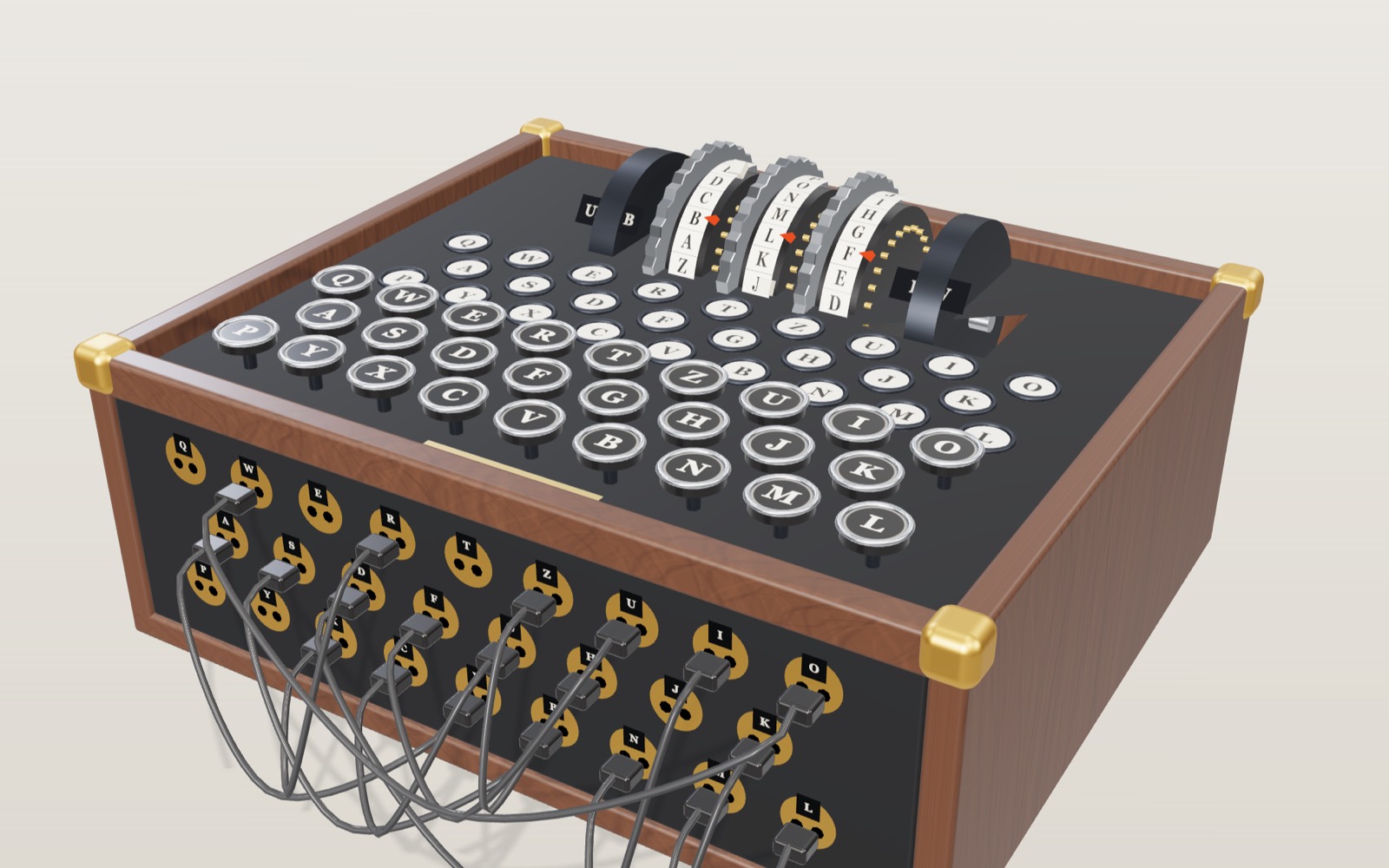
How the Enigma machine worked: rotors, reflector and plugboard
Press A five times on an Enigma set to I-II-III and AAA and the lamps light B, D, Z, G, O.
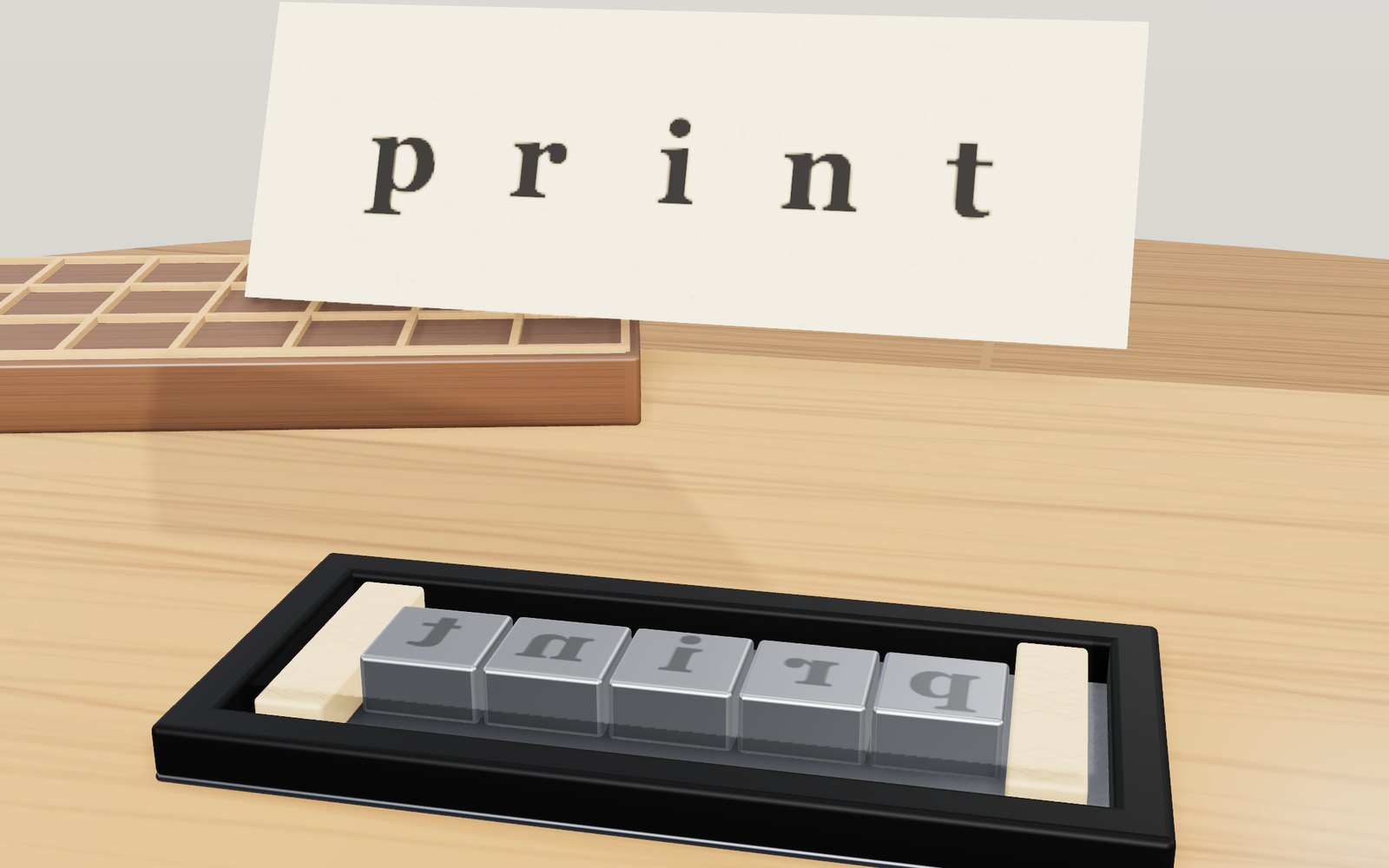
Movable type and the printing press
A piece of type carries its letter back to front. Ink it, press paper on it, turn the sheet over, and the letter reads the right way round.
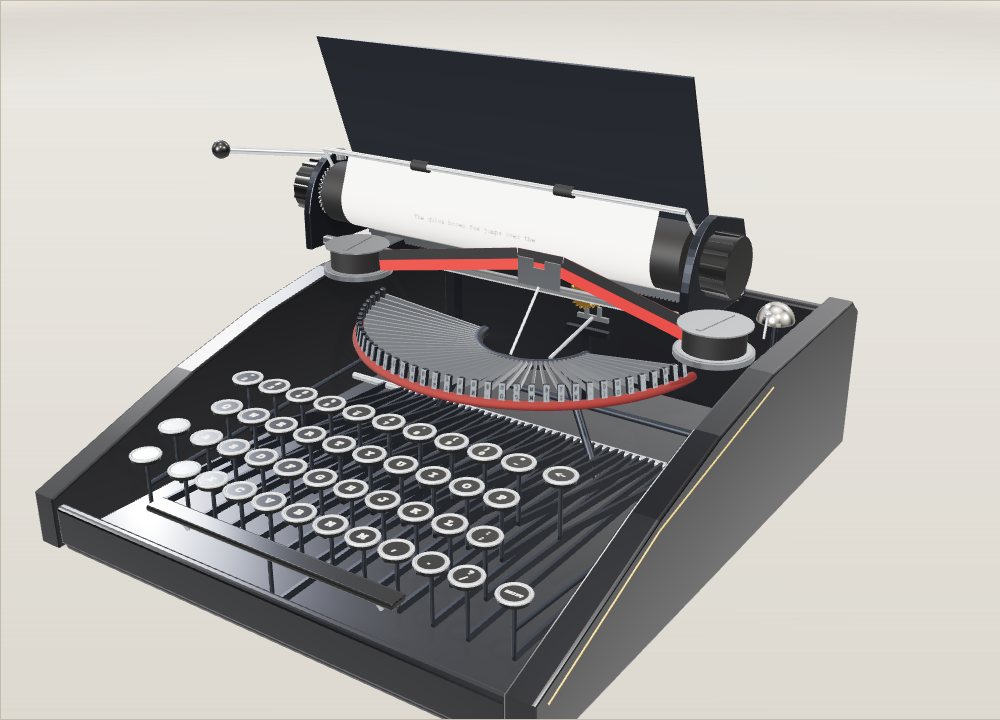
How a typewriter works: inside a manual typewriter
On a pica typewriter every letter, space and full stop moves the carriage the same 2.54 mm to the left.
Braille, semaphore and fingerspelling: how the codes work
A braille dot is 1.5 mm across, and six of them in a 2 by 3 grid give 64 patterns that Korean, English, Japanese and music braille all share.
How a 3D printer works, layer by layer
A 20 mm cube printed in 0.2 mm layers is exactly 100 layers, each drawn by a nozzle 0.4 mm wide.

Satellites orbiting Earth right now
On 20 October 2026 the public catalogue listed 16,768 working satellites, and two in every three belonged to one company's internet network.