FIG. 11Old Machines
How a typewriter works: inside a manual typewriter
On a pica typewriter every letter, space and full stop moves the carriage the same 2.54 mm to the left.
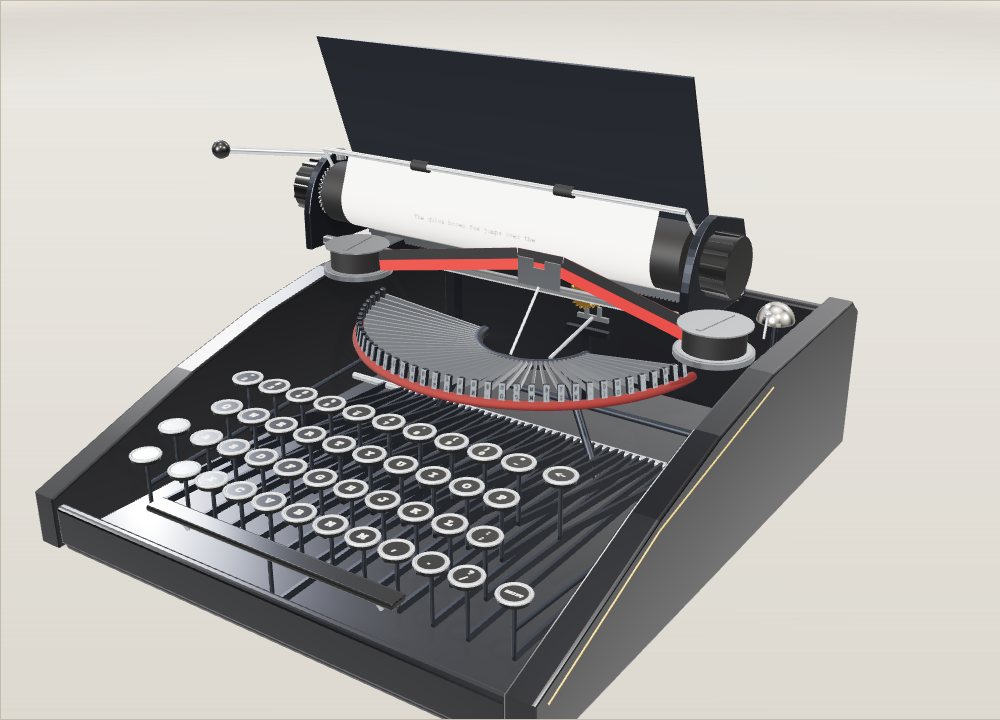
This device cannot show the 3D model. You can read the guide steps below as text.
1 / 8 A machine with no electricityEverything on this typewriter runs on the push of a finger and one spring. The model is typing two pangrams on a 40-character line. Click it and type on your own keyboard, or use the keys on screen.
Drag to turn. Scroll or pinch to zoom.
What happens between the key and the letter
How does a typewriter work? Each key is a lever linked to a steel typebar with a letter on its end. Pressing the key swings the typebar up against an inked ribbon, which prints the letter on the paper, and an escapement then lets a spring pull the carriage along by one space.
Press a key on an old office typewriter and three things happen within a fraction of a second: a steel arm leaps up from inside the machine, a letter appears on the paper with a sharp clack, and the whole roller jumps a little to the left. Nothing is plugged in. The only energy comes from your finger and from a spring you wound up yourself the last time you pushed the carriage back.
The model above is a manual front-strike typewriter of the kind that offices used for most of the twentieth century. You can type on it with your own keyboard or with the keys on screen, and the page shows each part doing its job in the order a key stroke uses it.
The parts, in the order a key stroke uses them
- Key and key lever: the round key sits on the front end of a long lever.
- Typebar: the lever pulls one of 40 steel arms that lie in a half circle called the basket.
- Slug: the small block at the tip of the typebar, with two characters cut in mirror image.
- Ribbon: a strip of inked cloth lifted between the slug and the paper.
- Platen: the rubber roller that holds the paper and takes the blow.
- Escapement: a star wheel and a rocking dog that let the carriage move exactly one character.
- Mainspring: a coiled spring in a drum that pulls the carriage along.
- Bell: rings near the end of the line.
- Return lever: turns the platen to the next line and pushes the carriage back.
- Shift: raises the carriage so the second character on the slug prints.
Why the typebar swings so far
On the earliest commercial machine, the Sholes and Glidden of 1874, the typebars hung in a ring under the carriage and struck upward against the bottom of the platen. The typist could not see the line being typed without lifting the carriage. Later "visible" machines moved the basket in front of the platen so the bars struck forward. The Daugherty Visible appeared in 1893, and the Underwood of 1896 made front striking the normal layout.
The cost of a visible machine is geometry. All 40 typebars have to hit the same small spot on the platen, but their pivots are spread along an arc. In the model each bar is 70 mm long and rests almost flat, tilted down by about 10 degrees, with its tip on a felt pad. When it is pulled it swings through about 110 degrees and arrives at the printing point from below and in front. Because the pivots sit on a circle centred on that point, every bar travels the same distance and lands in the same place. Turn on See inside and watch the bar you press: it rises out of the fan, touches the ribbon and falls back.
The bar is not pushed all the way. A typist strikes the key sharply, and the bar flies the last part of its path on its own momentum, then bounces off the platen. If you press slowly on a real machine the letter comes out faint or does not print at all.
How the ribbon puts ink on the paper
The slug never touches the paper directly. Between them runs a cloth ribbon soaked in ink, wound on two spools. Many ribbons were made in two colours, black on the upper half and red on the lower, and a lever chose which half was struck. The model uses a black and red ribbon too.
The ribbon normally sits below the printing line so the typist can read what was just typed. A thin guide, the ribbon vibrator, lifts it into the gap a moment before each blow and lowers it again afterwards. After each strike the spools turn a little so the next letter meets fresh ink. In the slow motion step you can see the order: ribbon up, slug in, slug back, ribbon down.
Why the carriage moves one space at a time
The paper has to move to the left by one character after each letter, but only by one. If the carriage were simply pulled by a spring it would run to the end in an instant. The device that lets it go one step at a time is the escapement, an idea that the Sholes and Glidden borrowed from clockwork.
In the model a rack, a straight strip of teeth, is fixed under the carriage. A small pinion meshes with it, and on the same shaft sits a star wheel with 20 pointed teeth. A rocking part called the dog holds one tooth of the star wheel. The mainspring pulls the carriage to the left all the time, so the star wheel is always trying to turn.
When a key goes down, the universal bar under all the typebars rocks the dog. One pallet lets go of the tooth while the second pallet moves in to catch the next one. When the key comes up, the dog rocks back and the star wheel advances by exactly one tooth. The carriage has moved one character and stops again. The space bar works the dog too, which is why a space takes up exactly as much room as a letter.
Checking the numbers
Typewriters in English-speaking countries settled on two common type sizes. Pica prints 10 characters per inch and elite prints 12, while this model feeds 6 lines per inch. The model is pica.
- One character: 25.4 mm / 10 = 2.54 mm. The carriage moves this far for every letter, space and punctuation mark.
- One line of the model: 40 characters × 2.54 mm = 101.6 mm.
- One line space: 25.4 mm / 6 = 4.23 mm. At 1½ spacing it is 6.35 mm, and at double spacing 8.47 mm.
- The pinion has 20 teeth and turns once for every 20 characters, so its pitch circle is 20 × 2.54 mm = 50.8 mm around, and its radius is 50.8 / 2π = 8.1 mm.
- The paper is a US letter sheet, 216 × 279 mm. With 30 mm left at the top and bottom, (279 − 60) / 4.23 = 51.8, so 52 single-spaced lines fit on the page.
- The platen in the model is 38 mm across. To feed one line it turns by 4.23 / 19 = 0.22 radian, about 12.8 degrees.
Every character on a typewriter of this kind has the same width. A narrow i gets as much room as a wide M, which is why typed pages look so even down the columns and so loose inside words.
The bell and the end of the line
A typist looks at the keys, not at the paper, so the machine has to warn when the line is nearly full. A small bell is struck a few characters before the right margin. In the model it rings six spaces before the end, at column 34 of 40. That leaves room to finish a short word or type a hyphen.
At column 40 the margin stop blocks the carriage. In the model the keys still go down but nothing prints, and a note asks you to return. On real machines a margin release key let the typist squeeze in one or two more letters past the stop.
Return and line spacing in one push
The return lever is on the left end of the carriage. Pushing it to the right does two things in order. The first short movement of the lever works a pawl against the ratchet wheel on the end of the platen and turns the platen by one, one and a half or two line spaces. Once that is done the lever comes up against its stop, and the rest of the push slides the whole carriage back to the left margin. Sliding back also winds the mainspring, ready for the next line.
Try the Line spacing slider, then press Return or the Enter key. The ratchet turns further at each setting and the typed lines spread out on the paper.
Shift: two characters on one typebar
Each slug carries two characters, one above the other: a capital above and a small letter below, or two symbols. Normally the lower one lines up with the printing point. Pressing Shift moves things so the upper character meets the ribbon instead. In the model the slug characters are 4.4 mm apart and the carriage lifts by the same amount.
The Sholes and Glidden printed capitals only. The Remington No. 2 of 1878 was the first typewriter to print both cases with a shift key, so one typebar could do the work of two. There were two ways to build it. A carriage shift machine lifts the carriage and paper; a basket shift machine lowers the whole fan of typebars instead and leaves the carriage alone, so the carriage stays lighter to move. Switch on Basket shift in the controls to see the second version. The Lock key holds the shift down for a run of capitals.
When two typebars clash
In the model the typebar pivots are only about 2.5 mm apart, and all the bars converge on one printing point. If the second one starts to rise before the first has fallen back, they can meet in the air and jam, and the typist has to reach in and pull them apart. In the model, keys that sit one above the other on the keyboard drive neighbouring typebars, so q and a, or a and z, are next to each other in the basket. Turn on Typebar clashes and type a and q quickly together to see it happen.
This is the mechanical fact behind a famous story about the keyboard layout.
Where the QWERTY layout came from
Christopher Latham Sholes, a printer and newspaper editor in Wisconsin, worked on the machine with Carlos Glidden and Samuel W. Soule. Their patent for an "Improvement in Type-Writing Machines" was issued on 23 June 1868. The first model had a keyboard like a piano with two rows of characters in alphabetical order.
Over the next five years Sholes rearranged the keys many times. By April 1870 he had a four-row, capitals-only keyboard that already looked close to the modern one. In 1873 his backer James Densmore sold the manufacturing rights to E. Remington and Sons, a maker of guns and sewing machines in Ilion, New York. Remington's mechanics finished the layout within a few months, and the Sholes and Glidden went on sale in 1874 for about $125.
The layout shown in Sholes's patent of 27 August 1878 is close to today's but not identical. It has no keys for 0 and 1, the M sits at the end of the middle row, and X and C are swapped. Typists used a capital I or a small l for the digit one and a capital O for zero, and the model keeps that habit: it has no 1 key, and typing 1 on your keyboard prints an l. QWERTY spread with the success of the Remington No. 2 and was slowly taken up by other makers.
The jamming story, and why historians disagree
The best-known explanation says Sholes spread common letter pairs apart so their typebars would not clash, and in some versions that he did it to slow typists down. Historians who have gone back to the patents and letters, such as Koichi and Motoko Yasuoka at Kyoto University, find the story of the layout more complicated than that.
Others think the story does not hold. Koichi Yasuoka and Motoko Yasuoka of Kyoto University followed the keyboard through its patents and its early users in a 2011 paper. They argue that the order grew out of feedback from telegraph operators, who used the machine to take down Morse messages, and that the mechanics of the machine did not dictate the layout. One example they give: in American Morse the code for Z is easy to confuse with the pair SE, so a receiver wants S close to both Z and E. They also note that a telegraph receiver who typed slower than the sender would fall behind, so a layout meant to slow typists down would make no sense. Critics of the story add that E and R sit side by side even though "er" is one of the most common pairs in English.
There were also machines on which clashing typebars could not happen at all: Thomas Edison's print-wheel device of 1872, the Hammond with its curved type shuttle, and the Blickensderfer of 1893 with a type wheel and its own "Ideal" keyboard. So QWERTY was not the only possible answer to the jam problem.
What happened after 1874 is easier to document. August Dvorak and William Dealey filed a patent for a new layout in 1932, granted in 1936. Early studies favoured it, but many were run by Dvorak himself, and a 1956 study by Earle Strong for the US General Services Administration found no benefit, though critics say that study was biased too. The economist Paul David used QWERTY in 1985 as a classic case of an early choice getting locked in. Stan Liebowitz and Stephen Margolis replied in 1990, in "The Fable of the Keys", that the evidence for Dvorak being clearly faster was weak. The question is still argued over, and the model lets you try the mechanical part for yourself.
How the model differs from a real machine
- The line is 40 characters long so the whole carriage fits on screen. Real carriages were much wider and took far longer lines.
- The model has 40 typebars and one shift. Real machines usually had a few more keys, a tabulator, a margin release and a backspace that pulled the carriage back by one tooth.
- The key levers, typebar links and universal bar are simplified into one lever per key, and the escapement is shown as a single star wheel with a two-pallet dog.
- Each typebar lands at a slightly different height on the paper, the way a worn machine does. The amount is made up for the look, not measured from any machine.
- The bell position, six spaces before the margin, is a fixed choice in the model. On real machines the bell is tied to the adjustable right margin stop.
- The sound is synthesised in the browser and only plays after you switch it on.
A lever calculation for the finger
A key lever does not manufacture energy. It exchanges force for distance, and the typebar adds a rotating mass that must accelerate before it can print. To see the distinction, assume a simplified linkage in which a key travels 10 mm while its output link travels 5 mm. These are teaching assumptions, not measurements of the machine above. If the finger applies an average force of 2 N, the input work is 2 N × 0.010 m = 0.020 J. With no friction and no energy stored in springs, the output could exert an average 4 N over 0.005 m. The shorter travel buys the greater force.
The slug is farther from its pivot than the attachment of its driving link. Consequently a small link movement can produce a much larger movement at the slug, but with less tangential force. One ratio cannot describe both the key lever and the entire typebar action. On a real machine the effective lever arms also change with angle during the stroke. The starting leverage that helps lift a resting bar need not equal the leverage just before impact.
In this model a bar is 70 mm long and swings through about 110 degrees. The tip therefore follows an arc approximately 70 × 110 × π / 180 = 134 mm long. That is a curved path, not a 134 mm straight displacement toward the paper. Nor should the 134 mm be combined with our assumed 10 mm key travel to claim a measured force ratio: the screen animation is not a force simulation. It does not solve the changing linkage geometry or calculate friction.
An energy estimate explains why a short, brisk stroke works better than a slow push. Suppose, only for this example, that 0.010 J of the input work remains as kinetic energy in an effective moving mass of 0.010 kg. From E = mv² / 2, its speed would be √(2 × 0.010 / 0.010) = 1.41 m/s. The effective mass is an equivalent mass at the impact point, not the measured weight of a bar. Springs, friction and other moving parts use the remaining input energy. Peak impact force still cannot be obtained from this energy alone: it depends on the stopping distance and on deformation of the ribbon, paper and platen. A hard platen and a soft platen need not produce the same impression from the same stroke.
Hangul needs more than another set of letters
Changing an English typewriter's slugs is not enough to make it write Korean naturally. Hangul groups initial consonants, medial vowels and optional final consonants into syllable blocks. A mechanism must decide where the next component belongs, rather than simply putting every component into a separate full-width box. A final consonant has a different position from an initial consonant even when their linguistic identity is related.
Ophthalmologist Kong Byung-woo developed a three-set approach, separating keys according to these roles. The National Hangeul Museum's account distinguishes development in 1948 from an award at the national science exhibition in 1949. It then describes an improved Underwood-assisted prototype in 1950. Thus 1949 is a documented milestone, not a reason to compress every stage of invention and manufacture into that year. The museum's collection essay also compares Kong's machine with Song Ki-ju's four-set machine.
The three sets refer to initial, medial and final elements, not three alphabet rows or three keystrokes for every syllable. Syllables without a final consonant do not need a final-consonant key. Kong's design favoured rapid horizontal composition; its uneven lower outlines were nicknamed a clothesline style. This was a practical compromise between regular square blocks and fast operation. The exhibit above cannot reproduce that composition: its fixed-width Latin slugs and 2.54 mm advance demonstrate another writing system. Typing Korean into this page does not turn its mechanism into a Hangul typewriter.
The Selectric changes the moving part
The 1961 IBM Selectric replaced a fan of individual typebars with a single type element. It rotated and tilted a ball-shaped head to choose among 88 characters. The head moved along the printing line while the paper remained in place horizontally; the platen still turned to feed a new line. With no neighbouring bars rising into the same gap, the old typebar-clash mechanism disappeared. Other faults were still possible, so absence of that particular jam did not mean a machine needed no maintenance.
SFMOMA's account of restoring a Selectric explains another consequence: swapping the ball changed the typeface. This did not make the original Selectric a computer. Selection and impact were electromechanical, and an electric motor supplying the work is different from electronic memory storing a text. IBM's history dates the Magnetic Tape Selectric Typewriter to 1964. Recording characters allowed text to be reused, whereas the manual machine on this page leaves its record on paper only.
Later electronic typewriters could separate entering text from printing it. IBM describes its 1978 Model 75 as storing 15,500 characters, about 10 double-spaced pages. Capacity in characters is the firmer number: page count changes with margins and line spacing. A daisy wheel is another replaceable printing element, flat rather than spherical; the Science Museum Group preserves a Legal Prestige Elite 12 wheel dated 1970-1976. A motor selects a character on the wheel and a hammer strikes its petal. It is not a basket of separately pivoted typebars, even though the printed page can look similar.
Common misunderstandings
A jam in the demonstration proves that two simulated bars can collide under the programmed conditions. It does not prove why Sholes placed every letter in QWERTY. The 2011 Yasuoka and Yasuoka paper studies documentary sequences and telegraph use; it is historical evidence of a different kind from a mechanical animation. Keyboard neighbours are not automatically basket neighbours on every real machine, either. The mapping used here is a deliberate simplification.
A typing speed is also incomplete without a test protocol. A short burst, sustained copying and corrected office work measure different things. Counts of physical strokes cannot be compared directly with words per minute unless the definition of a word and the treatment of mistakes are specified. The animation's speed setting controls playback, not a certified competition test or a measurement of finger force. Its rate should not be presented as a human typing record.
Finally, pitch and line spacing are independent. Pica's 10 characters per inch describes horizontal advance, not letter height or an obligation to feed six lines per inch. The model chooses that vertical feed; a real machine's line-space mechanism determines its available settings. Changing the line spacing does not make its 2.54 mm character advance narrower.
Try it on the screen
Click the machine before using a physical keyboard so that the exhibit receives the keystrokes. With See inside enabled, press a single letter and watch the typebar return before pressing again. Then enable Typebar clashes and press a and q close together. Compare this with separated strokes; the difference to observe is overlap in time, not the appearance of the printed characters. This test concerns the particular basket mapping in the model.
Next, hold Shift and type the same letter. Watch which assembly moves, then switch Basket shift and repeat. The printed case can remain the same while a different assembly supplies the displacement. For a separate test, change Line spacing and use Return. Look at the distance between baselines rather than the width of the letters. A return combines paper feed with horizontal travel, but these are distinct motions.
To check the margin, begin with New sheet and enter characters and spaces up to the bell. Count spaces as occupied columns. The bell leaves six positions before the model's 40-column stop; Return starts another line instead of extending the current one. None of these controls measures real wear or repairs a historical machine. They isolate motions that are difficult to see at full speed inside a closed case.
Six machines on one stage
The Machine menu above the model swaps the whole mechanism. Each machine types on the same sheet, with the same 2.54 mm step and 4.23 mm line, so only the way the letter reaches the paper changes.
- Front strike. The machine described above: typebars rise from a basket and hit the front of the platen, so the line is in view. The Science Museum Group calls the Underwood No. 1 of 1897 the first machine with the writing area facing the user and typebars out of sight until a key is struck.
- Sholes and Glidden upstrike. Here 44 typebars hang in a ring under the carriage and strike up at the underside of the platen. The line being typed is out of sight. In the model you have to type about seven lines before the first one comes round to the front, or use Lift carriage to tip the carriage back, as typists of the Remington No. 2 did. The machine prints capitals only, as the Smithsonian notes for the 1874 model.
- Type wheel. A small drum carries three rows of characters: small letters, capitals and figures. Pressing a key turns the drum to the letter and pushes it down and forward onto the paper; an ink roller brushes it on the way. Museums Victoria describes the same action on the Blick Featherweight. CAP and FIG keys slide the drum to another row instead of lifting the carriage.
- Type ball. The IBM 72 of 1961, the first Selectric, carried 88 characters on one interchangeable head, according to the Science Museum Group. In the model the ball turns and tilts to a character, then taps the paper while the carriage stays still and the ball's carrier moves along the line. The Type element control swaps the ball and the type face changes on the same line.
- Hangul three-set. This uses the front-strike body with Kong Byung-woo's keyboard idea, explained in the next section.
- Daisy wheel. An electronic machine of the 1980s style. A flat wheel with 96 petals in the model spins until the right petal is at the top, and a hammer strikes it. Back on this machine lifts the last character off the paper, the way a correction tape did. The number of petals is the model's choice; the Science Museum Group's Qume wheel is a real example of the part.
None of the extra machines is a copy of one serial number. Their sizes and colours are chosen for the screen. What follows the record is the order of events in each print action.
Kong Byung-woo's double focus
A Hangul syllable puts an initial consonant, a vowel and sometimes a final consonant into one block. On a typewriter that moves one space per key, the block would come out in three spaces. Kong's United States patent 2,625,251, filed on 8 July 1949 and granted on 13 January 1953, solves this with two printing points. The first cluster of keys prints the initial consonants at the first focus and moves the carriage. The second cluster prints vowels and finals at a second focus one space to the left, and the carriage stays still. So for the syllable han, the machine prints the initial h and moves on; the vowel a and the final n then land in the space the h just used.
In the model, the white keys are initials and the green keys are vowels and finals; the darker green column on the left holds the finals. The National Hangeul Museum describes the same grouping: initials on the right, vowels on the left, finals at the left edge. The exact key chart on the screen is the model's own, not a copy of the 1949 chart. Because each component has one shape, syllables without a final come out short and syllables with one come out tall. The museum gives the nickname for that uneven baseline, the clothesline style, and notes that a three-set face needed only 67 component shapes.
The national heritage record describes the first production model as made by Underwood for Kong and shipped to Korea; it was used during the Korean War. Try the task that types the word Hangul to see the dead keys at work.
The guide: 52 machines from museum records
The Guide button opens 52 typewriters from museum catalogues, most of them from the Science Museum Group in London, with records from the National Hangeul Museum, the Korean national heritage register, the Smithsonian and Museums Victoria. Each card gives the date as the museum dates the object, the maker, the country of making, the printing method, the keyboard and the script. Where a record does not name a country or a keyboard, the card says not recorded rather than guessing.
You can filter by method (front strike, upstrike, type wheel, index, type ball, daisy wheel and more), by period, by country and by script, or search by model and maker. A card with a 3D method opens that machine on the stage. Machines with methods the exhibit has no model for, such as the Malling-Hansen writing ball or Chinese and Japanese type-tray machines, keep their card without a 3D view. The list shows how long several methods ran side by side: upstrike Remingtons, index machines and type-wheel portables were all on sale in the 1890s.
The layout test
The Layouts button types the same sentences on six keyboards and counts how often two letters in a row come from neighbouring typebars, the only case in which two bars can clash in this model. The rule that links keys to bars is the model's: the key in column i and row r drives bar 4i + r. Real machines were wired in other orders, so the test describes this model and not any one machine.
With that rule, on a 133-letter English sample, QWERTY gives 4 neighbouring pairs out of 108 (3.7%), AZERTY 4 of 106, QWERTZ 4 of 108 and Dvorak 1 of 108. On a 50-syllable Korean sample, the two-set layout gives 2 of 108 and the model's three-set layout 0 of 107, because its vowel and final keys sit in other columns. These are small numbers and a different wiring would give different ones. They do not show why Sholes chose his layout. The historical question is a matter of documents, and the Yasuoka paper and the Liebowitz and Margolis article cited below are the place to start.
Questions
Why does the carriage move and not the typebars?
All the typebars meet at one fixed printing point, so the paper has to come to them. Moving the carriage by one character after each blow places the next letter beside the last one.
What stops the carriage from running to the end of the line?
The escapement. A star wheel geared to the carriage is held by a rocking dog, and each key stroke lets it turn by one tooth, which is 2.54 mm on a pica machine.
Why does a typewriter ring a bell?
A typist watches the copy, not the paper, so the bell gives warning that the line is nearly full. On the model it rings six spaces before the margin.
Why were there no 0 and 1 keys on early typewriters?
They were left out to simplify the design and cut the cost of making and servicing the machine. Typists used the capital letter O for zero and a capital I or small l for one. Sholes's 1878 patent drawing has no keys for either digit.
Was QWERTY designed to stop typebars jamming?
That is the popular story, but it is disputed. Some sources describe a letter-frequency study, while Yasuoka and Yasuoka argue that telegraph operators' needs shaped the layout and that the jamming explanation lacks evidence.
What is the difference between pica and elite?
Pica prints 10 characters per inch and elite prints 12. Line spacing is independent of pitch. With the same 6-lines-per-inch feed, an elite page holds more text per line but the same number of lines.
What do carriage shift and basket shift mean?
Both let one typebar print two characters. Carriage shift lifts the carriage and paper; basket shift lowers the typebars. The Basket shift switch in the controls shows both.
Why do typed pages have such even columns?
Every character takes the same 2.54 mm on a pica machine, whether it is an i or an M, so the letters line up in columns from one line to the next.
Does a longer typebar give free energy?
No. A linkage trades force against distance, and friction and springs consume part of the input work. The numerical lever example uses assumptions, not measured finger forces.
Was the first Selectric an electronic word processor?
No. The 1961 Selectric selected its ball electromechanically. IBM added magnetic-tape text recording in 1964; motor power alone does not provide text memory.
Why can I not see what I type on the Sholes and Glidden?
Its typebars strike the underside of the platen. The typed line only comes into view after the paper has turned several lines round the platen. Lift carriage in the model tips the carriage back so you can read the line.
How does a three-set Hangul typewriter fit a syllable into one space?
Kong Byung-woo's patent gives the machine two printing points. Initial consonants print at the first and move the carriage; vowels and finals print one space to the left and leave the carriage where it is.
Why does the type ball not need typebars?
The ball holds every character, 88 on the IBM 72, so the machine only has to turn and tilt it and then tap the paper. With no row of bars rising to one point there is nothing to clash.
What does the one-minute task measure?
It counts every stroke you make, including spaces, from the first stroke until the line matches the sentence or 60 seconds pass, and shows strokes per minute. It is a toy measure for the model, not a certified typing test.
Terms
- Typebar: the steel arm that carries a slug and swings up to strike the ribbon.
- Slug: the small type block at the end of a typebar, with two characters in mirror image.
- Basket (segment): the half circle in which the typebars lie and pivot.
- Platen: the rubber roller that holds the paper and takes the blow.
- Carriage: the moving frame that carries the platen and paper.
- Escapement: the star wheel and dog that let the carriage move one character per stroke.
- Rack and pinion: a straight toothed strip and the small gear that meshes with it.
- Ribbon vibrator: the guide that lifts the ribbon to the printing point for each blow.
- Line space: the distance the paper moves for a new line, 4.23 mm at single spacing.
- Pica / elite: type pitches of 10 and 12 characters per inch.
- Carriage return: pushing the carriage back to the left margin, together with the line space.
- Understrike / front strike: typebars that hit the platen from below, out of sight, or from the front, in view.
Sources
ASME, Landmark #249: Sholes & Glidden 'Type Writer' (designed 1873 with Glidden, Soulé and Schwalbach; built by E. Remington and Sons; lever-action keys, inked ribbon, shifting platen, QWERTY to reduce sticking keys). https://www.asme.org/about-asme/engineering-history/landmarks/249-sholes-glidden-type-writer (checked 17 October 2026)
The Virtual Typewriter Museum, Remington Standard 2 (1878; the shift key; upstrike machine whose carriage had to be lifted to read the line). https://typewritermuseum.org/collection/index.php?machine=rem2&cat=ku (checked 17 October 2026)
Antique Typewriters, Remington 2 Standard Typewriter (dealer page: front-strike visible machines from the Daugherty of 1893 and the Underwood of 1896). https://www.antiquetypewriters.com/typewriter/remington-2-typewriter/ (checked 17 October 2026)
The Henry Ford, Sholes & Glidden Desk Typewriter, 1874-1876 (made by Remington from 1873; first commercially successful typewriter; its keyboard layout widely adopted). https://www.thehenryford.org/collections/explore/artifact/56152 (checked 17 October 2026)
Smithsonian National Museum of American History, Sholes & Glidden Type Writer (on the market in 1874 at $125; capitals only; second model of 1878 printed both cases; QWERTY from the beginning; si.edu answers scripted requests with a 403 check). https://americanhistory.si.edu/collections/object/nmah_850542 (checked 17 October 2026)
S. J. Liebowitz and Stephen E. Margolis, The Fable of the Keys, Journal of Law and Economics 33 (1990), 1-25 (Dvorak's own studies, the 1956 Strong study for the General Services Administration, Paul David's 1985 QWERTY argument; the publisher page answers scripted requests with 403). https://doi.org/10.1086/467198 (checked 17 October 2026)
Koichi Yasuoka and Motoko Yasuoka, On the Prehistory of QWERTY, ZINBUN 42 (2011), pp. 161–174, Kyoto University Research Information Repository. https://repository.kulib.kyoto-u.ac.jp/dspace/handle/2433/139379 (checked 16 October 2026)
Google Patents, US 79,265, C. L. Sholes, C. Glidden and S. W. Soule, Improvement in type-writing machines, issued 23 June 1868. https://patents.google.com/patent/US79265A/en (checked 16 October 2026)
Google Patents, US 207,559, C. L. Sholes, Improvement in type-writing machines, issued 27 August 1878. https://patents.google.com/patent/US207559A/en (checked 16 October 2026)
Google Patents, US 2,040,248, A. Dvorak and W. L. Dealey, typewriter keyboard, filed 21 May 1932, issued 12 May 1936. https://patents.google.com/patent/US2040248A/en (checked 16 October 2026)
Calculations on this page: 25.4 mm / 10 = 2.54 mm per character, 25.4 mm / 6 = 4.23 mm per line, pinion radius 20 × 2.54 / 2π, lines per page (279 − 60) / 4.23. The model's numbers are the constants in its code.
National Hangeul Museum, Hangul typewriters in the collection. https://www.hangeul.go.kr/webzine/202203/sub2_1.html
National Hangeul Museum, Kong Byung-woo and Hangul mechanization. https://www.hangeul.go.kr/news/newsDetail.do?bbs_id=1&bbs_no=770&curr_menu_cd=0106010100
SFMOMA, Restoring a Selectric. https://www.sfmoma.org/read/keeping-it-old-school-resuscitating-sfmomas-vintage-selectric-typewriter/
Science Museum Group, Daisy print wheel, 1970-1976. https://collection.sciencemuseumgroup.org.uk/objects/co38136/daisy-print-wheel-from-automatic-typewriter-1970-1976
Smithsonian National Museum of American History, IBM Electric Model 01. https://americanhistory.si.edu/ja/collections/object/nmah_849996
IBM, The IBM Selectric. https://www.ibm.com/history/selectric
Science Museum Group, Underwood 1 Typewriter, 1897 (first machine with the writing area facing the user and typebars out of sight until a key is struck). https://collection.sciencemuseumgroup.org.uk/objects/co38171 (record read through the museum's collection API, 26 October 2026)
Science Museum Group, Underwood typewriter no.5 (made 1900 to 1932; five million sold). https://collection.sciencemuseumgroup.org.uk/objects/co38184 (26 October 2026)
Science Museum Group, Remington typewriter No.7 (c. 1896, the last machine to have invisible writing). https://collection.sciencemuseumgroup.org.uk/objects/co38238 (26 October 2026)
Science Museum Group, IBM Electric Typewriter, 1961 (IBM 72 with an interchangeable typing head holding 88 characters). https://collection.sciencemuseumgroup.org.uk/objects/co38156 (26 October 2026)
Science Museum Group, Hammond 'Ideal' typewriter, 1884 (type on two rotating sectors, struck by a small hammer). https://collection.sciencemuseumgroup.org.uk/objects/co8633975 (26 October 2026)
Science Museum Group, Mignon typewriter (model 2, c. 1905; type sleeve, index and pointer). https://collection.sciencemuseumgroup.org.uk/objects/co37733 (26 October 2026)
Science Museum Group, Hansen's Writing Ball (patented 1865; keys radiating to a common printing point). https://collection.sciencemuseumgroup.org.uk/objects/co38206 (26 October 2026)
Science Museum Group, Nippon Typewriter Company Japanese Typewriter, 1920. https://collection.sciencemuseumgroup.org.uk/objects/co38257 (26 October 2026)
Science Museum Group, Olivetti ET221 Daisywheel Electric Typewriter (1980). https://collection.sciencemuseumgroup.org.uk/objects/co38653 (26 October 2026)
Smithsonian National Museum of American History, Blickensderfer No. 5 Typewriter (1893 to 1896; type wheel; Scientific keyboard with DHIATENSOR on the bottom row). https://americanhistory.si.edu/collections/object/nmah_849910 (26 October 2026; the site answers scripted requests with 403)
Museums Victoria, Typewriter, Blick Featherweight Model, circa 1910 (type wheel with three rows; ink roller; wheel turned, then forced down and forward). https://collections.museumsvictoria.com.au/items/388118 (26 October 2026; scripted requests get 403)
Google Patents, US 2,625,251, Pyung Woo Kong, Korean typewriter, filed 8 July 1949, issued 13 January 1953 (two focuses; carriage stationary for the second cluster of keys). https://patents.google.com/patent/US2625251A/en (26 October 2026)
Korea Heritage Service, Kong Byung-woo three-set typewriter (2013-1) (first production model, made by Underwood; registered cultural heritage). https://www.heritage.go.kr/heri/cul/culSelectDetail.do?ccbaCpno=4411105520100&ccbaKdcd=79&ccbaAsno=0005520000100&ccbaCtcd=11 (26 October 2026)
National Hangeul Museum webzine, Song Ki-ju typewriter and Kong Byung-woo typewriter (four-set and three-set machines; 67 components; clothesline nickname). https://www.hangeul.go.kr/webzine/202203/sub2_1.html (26 October 2026)
More exhibits
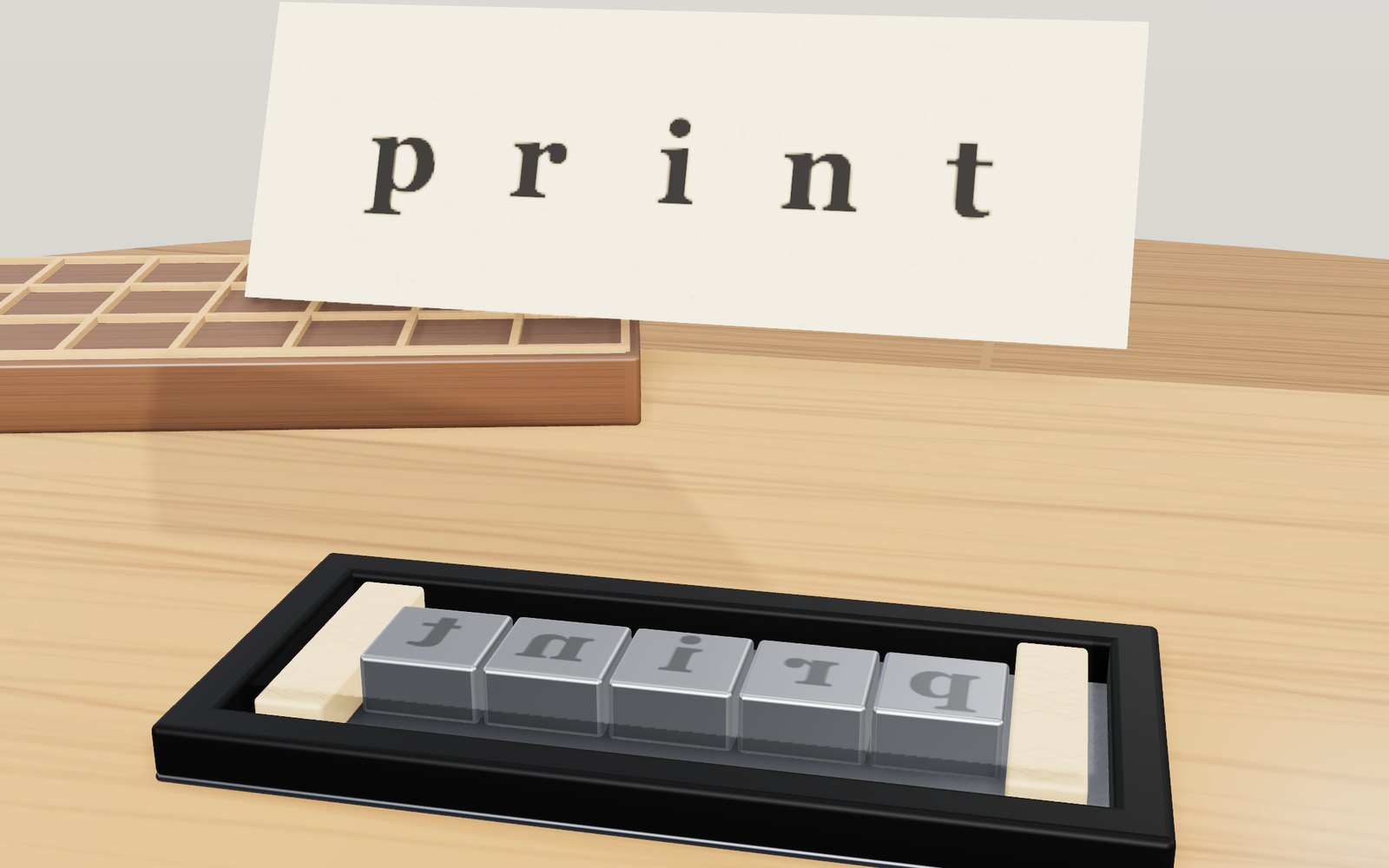
Movable type and the printing press
A piece of type carries its letter back to front. Ink it, press paper on it, turn the sheet over, and the letter reads the right way round.
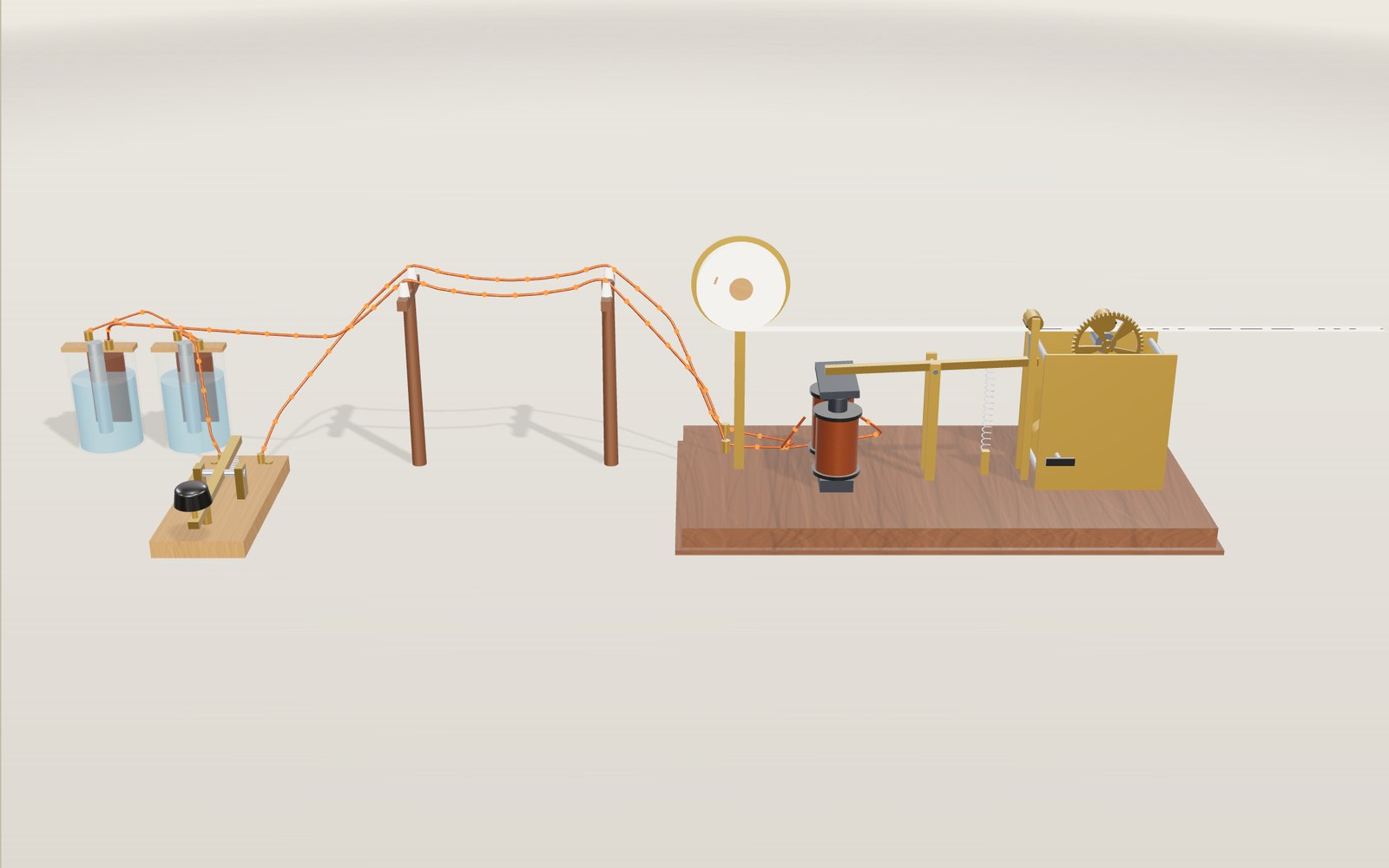
Morse telegraph: key it yourself, step by step
On 24 May 1844 a key in the US Capitol pressed dots and dashes into a paper tape in Baltimore, about 40 miles (64 km) away.
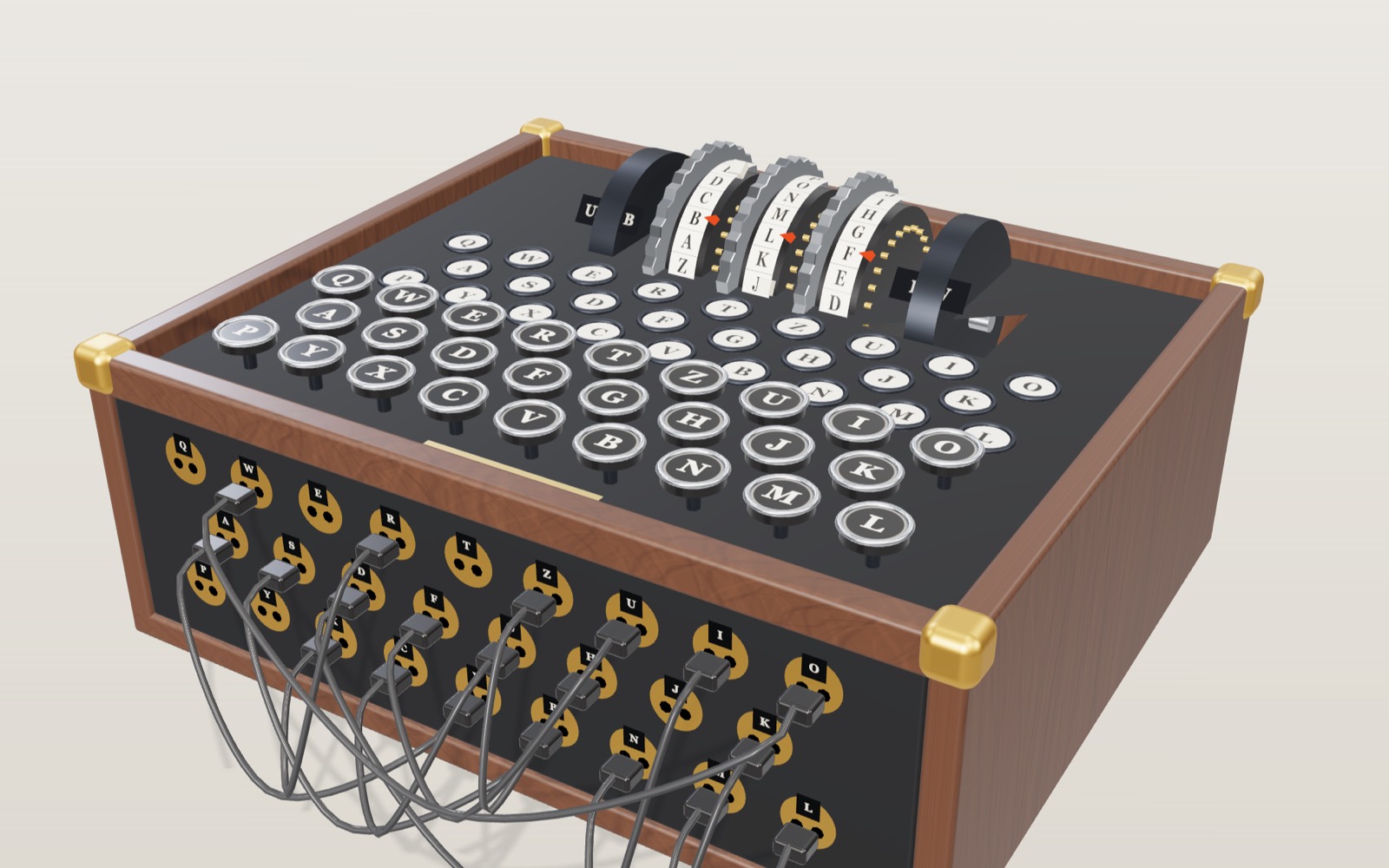
How the Enigma machine worked: rotors, reflector and plugboard
Press A five times on an Enigma set to I-II-III and AAA and the lamps light B, D, Z, G, O.
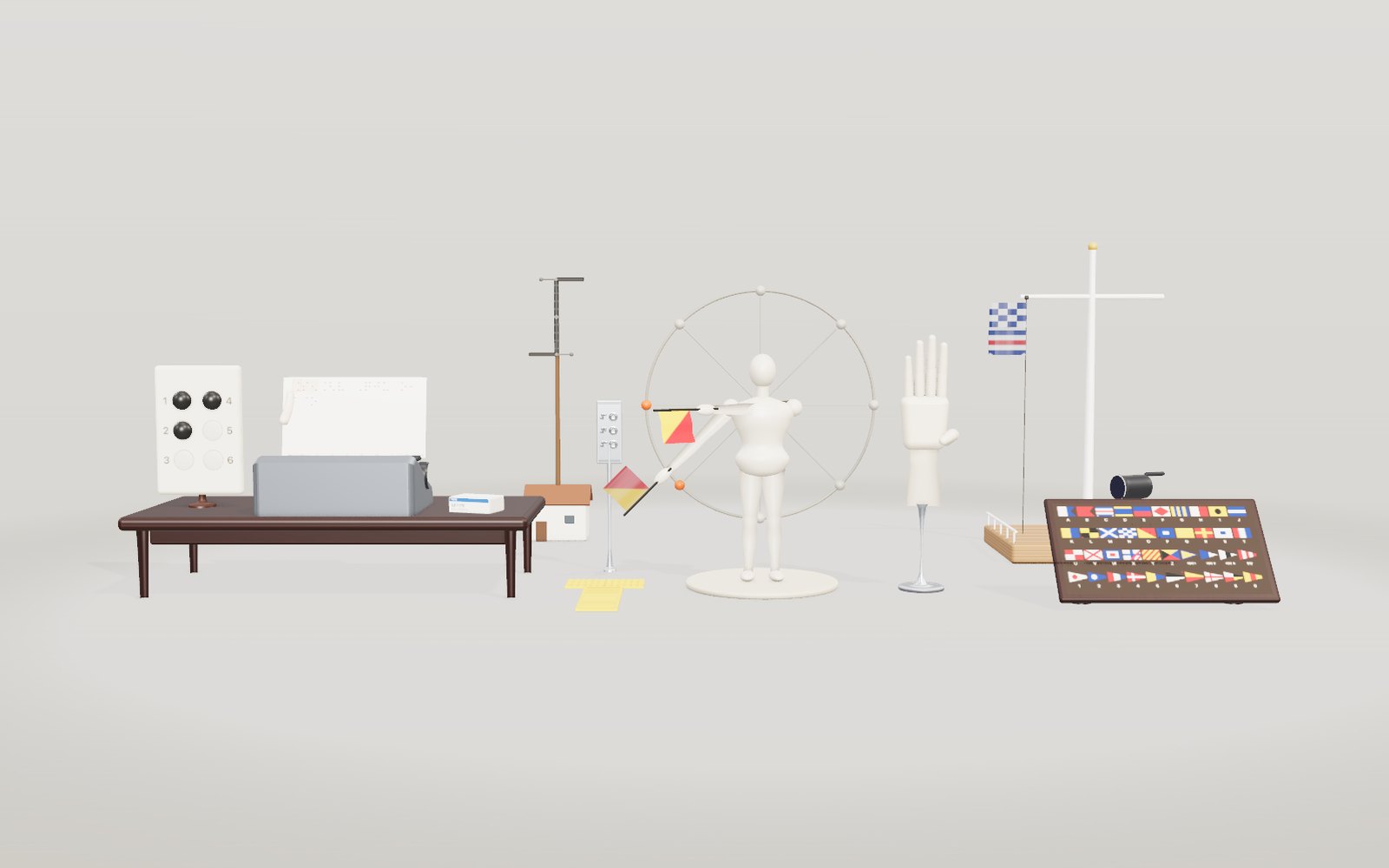
Braille, semaphore and fingerspelling: how the codes work
A braille dot is 1.5 mm across, and six of them in a 2 by 3 grid give 64 patterns that Korean, English, Japanese and music braille all share.
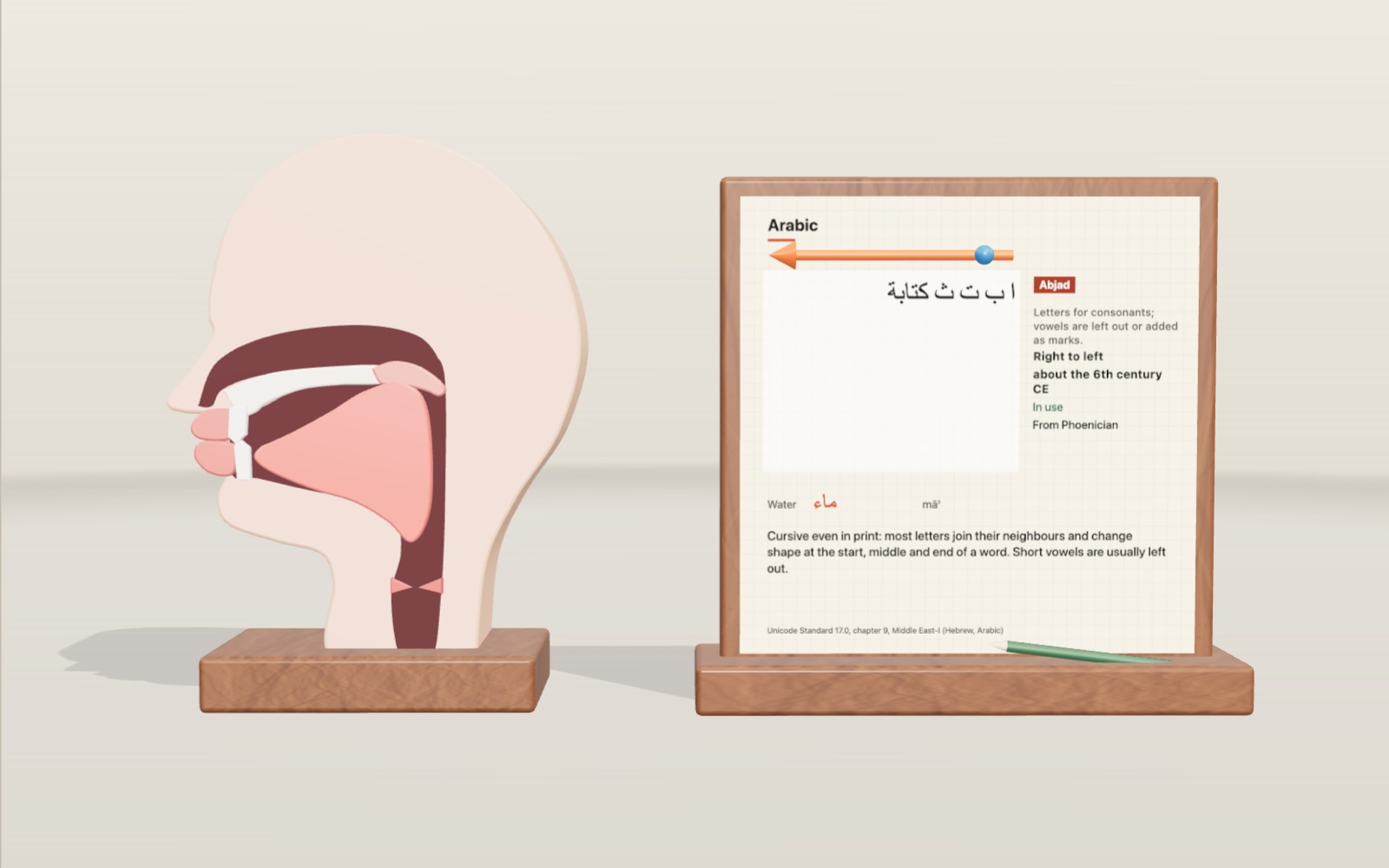
Writing systems of the world: Hangul and 22 more scripts
The 1446 book that announced Hangul says ㄱ draws the tongue root closing the throat. Here it stands beside 22 other scripts, from clay wedges to Braille.
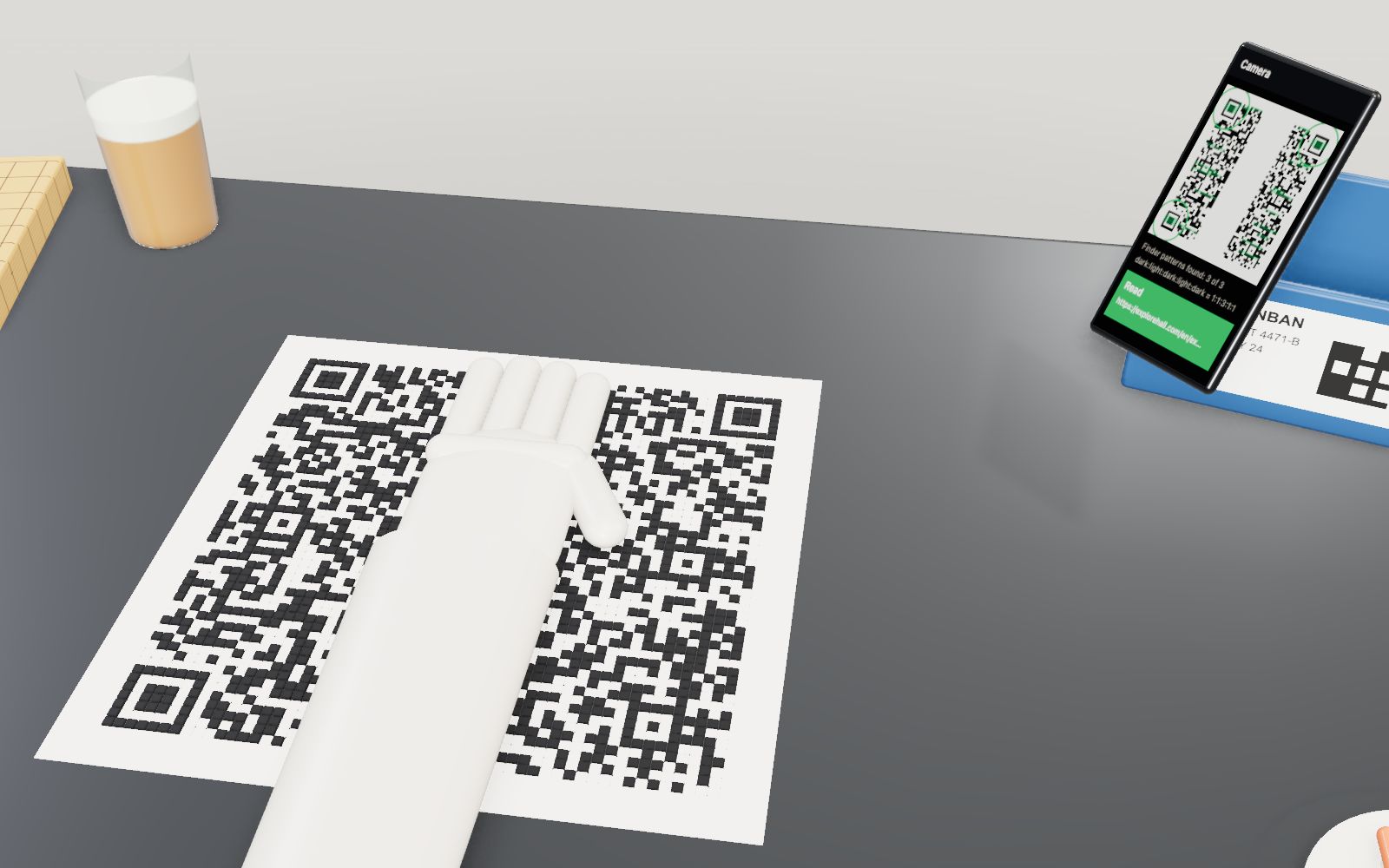
How a QR code is read
Cover 30 % of a QR code with your hand and a phone still reads it. Cover one corner and it does not.
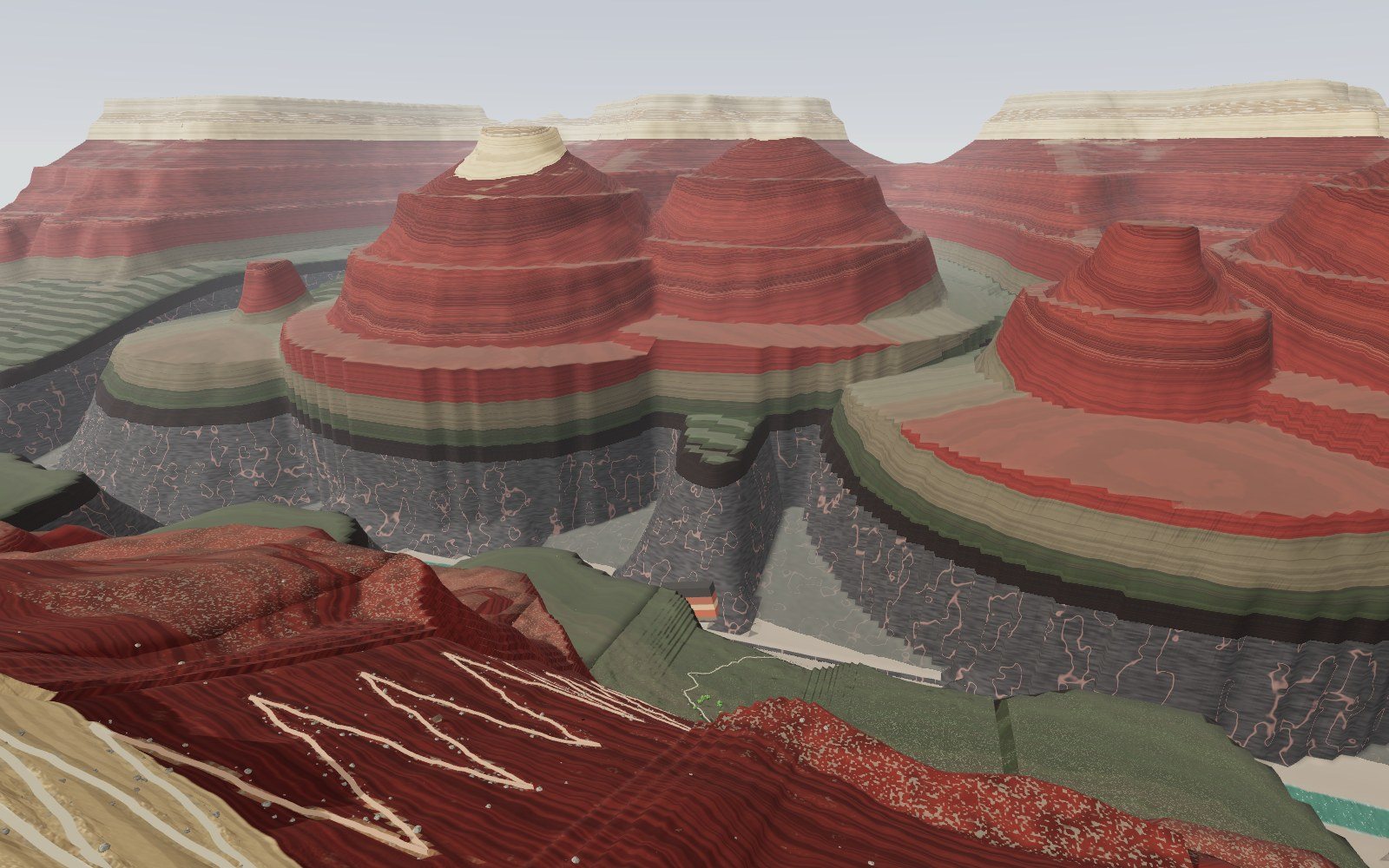
Walk down the Grand Canyon rock layers
Walk 1,360 m down the Bright Angel Trail through 13 rock layers, from a 270-million-year-old sea floor on the rim to 1.75-billion-year-old schist by the river.
How a steam locomotive works
Mallard's driving wheels are 2.03 m across, taller than most people, and at its record 126 mph they turned almost nine times a second.
Walk through Machu Picchu
Most of the work that holds Machu Picchu on its ridge, 60 per cent by one estimate, lies under the ground in foundations and drains nobody sees.

Satellites orbiting Earth right now
On 20 October 2026 the public catalogue listed 16,768 working satellites, and two in every three belonged to one company's internet network.
How does a vending machine recognise coins?
A 100 won coin is not attracted to a magnet, yet the magnet inside a vending machine is what tells it from a copper fake.
Walk through the Terracotta Army
Pit 1 of the Terracotta Army is 230 m long and holds an estimated 6,000 figures and horses, and every one of them was painted once.