FIG. 105Follow Along
How a 3D printer works, layer by layer
A 20 mm cube printed in 0.2 mm layers is exactly 100 layers, each drawn by a nozzle 0.4 mm wide.
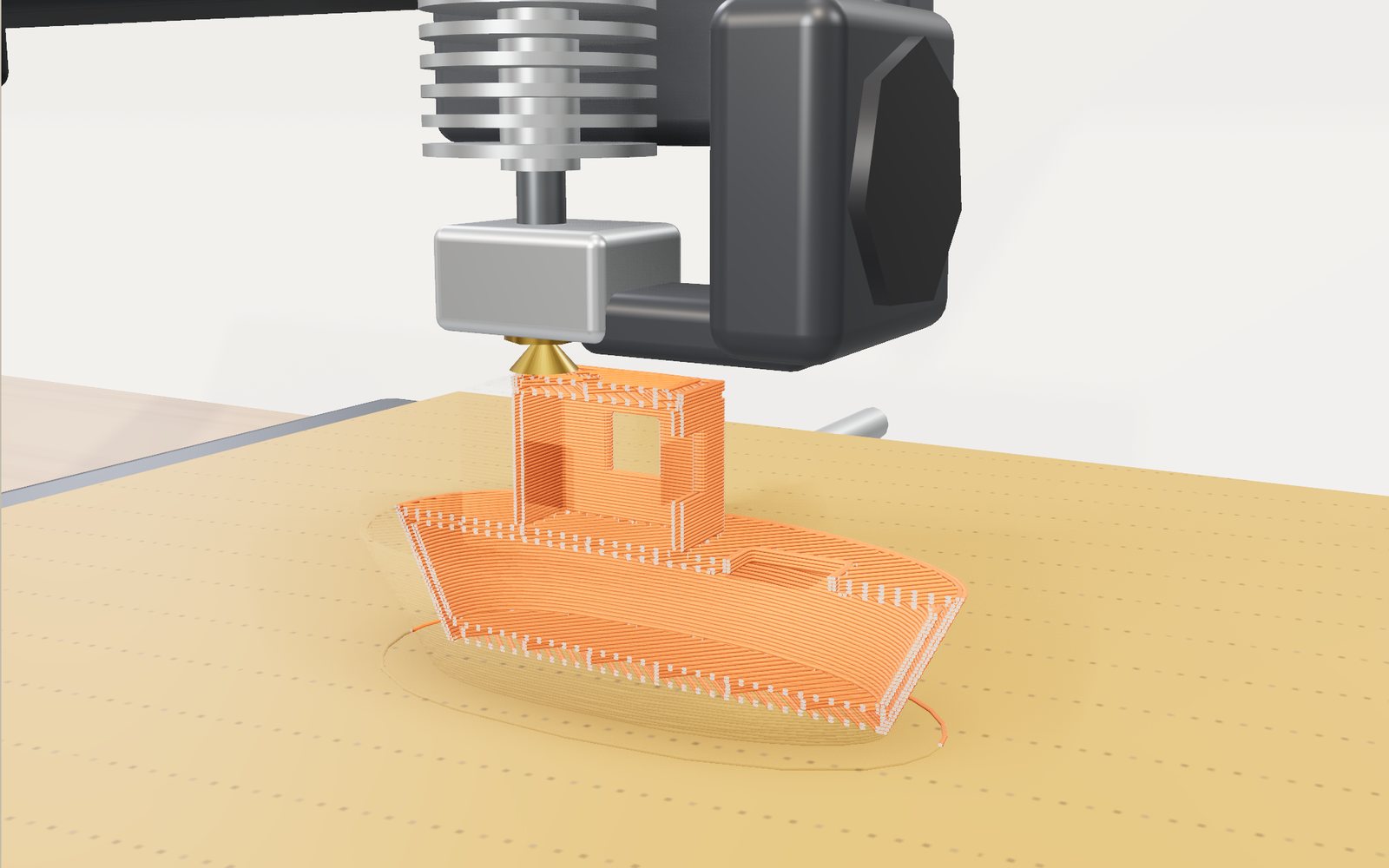
This device cannot show the 3D model. You can read the guide steps below as text.
1 / 16 A boat grows layer by layerMelted plastic comes out of a 0.4 mm nozzle and is laid down one line at a time. The front half is cut away so you can watch the infill grow inside the walls.
Drag to turn. Scroll or pinch to zoom.
A boat that grows from the bed up
Put a desktop 3D printer on a table, start a print and come back ten minutes later: there is a thin, flat shape on the bed. Come back after an hour and there is a small boat. Nothing was carved away. The printer pushed a plastic wire through a hot nozzle and drew the boat one flat slice at a time, each slice 0.2 mm thick, each one stuck to the slice below while it was still warm.
That is what the stage shows. A generic open-frame printer stands on a workshop bench. Its bed slides front to back, its head slides left to right, and the beam that carries the head climbs one layer at a time. The part on the bed is not a finished model being revealed. It is laid down line by line, in the order a real printer would print it: support first, then the wall loops, then the solid skin and the sparse infill inside. The newest lines glow orange for a moment, the way fresh plastic does under a nozzle, and with Section on the front half of the part is cut away so you can watch the infill grow inside the walls.
You can pick 14 shapes, from a 20 mm test cube to a rocket nozzle and a figure of yourself, and change the settings a slicer would ask you about: layer height, walls, infill and its pattern, support, bed adhesion, material, speed and a cooling fan. The page slices the shape again each time and estimates the layers, the filament and the print time. Other views show the nozzle path as G-code, seven common failures reproduced on the bed, a resin printer and a powder-bed machine building the same shape, and a yard with printed objects several metres long next to a 1.7 m person.
The numbers come with labels. Layer counts, filament length and mass follow directly from geometry and density. Print time, strength and the overhang limit come from models written for this page, labelled "model" on the stage, and the last part of this article says what those models leave out.
What the printer is doing
The kind of printer on the bench is the most common one in homes, schools and libraries. Most people call it an FDM or FFF printer. The international standard for the field, ISO/ASTM 52900, calls the process material extrusion: material is selectively dispensed through a nozzle or orifice. S. Scott Crump filed the patent for building objects this way, by extruding thermoplastic from a moving dispensing head, in October 1989; it was granted in June 1992.
Follow the plastic from the spool. The filament is a plastic wire 1.75 mm thick, wound on a spool that usually holds a kilogram. Two toothed gears in the extruder grip it and push it down into the hot end. The top of the hot end is a heat sink with fins, and between the heat sink and the heater sits a thin tube called the heat break. Their job is to keep the filament solid until the very last moment: if it softened too early it would bend inside the tube instead of being pushed, and the nozzle would jam. Below the heat break is an aluminium heater block with a heater cartridge and a temperature sensor, and screwed into it is a brass nozzle with a hole 0.4 mm across. Plastic leaves that hole at around 200 °C or more, depending on the material.
Turn on "Inside the hot end" and the casing of the head turns clear: the solid filament runs down the centre, and in the last few millimetres it turns into a glowing melt.
Three motors move the nozzle relative to the bed. On this design one motor slides the bed front to back, one pulls the head left and right with a toothed belt, and lead screws lift the whole beam, the gantry, by exactly one layer height each time a layer is finished. Other printers move the bed down instead of the head up, or move the head in all three directions; the result is the same, a nozzle that can be put at any point in a box about 22 cm on a side.
Next to the nozzle is a small fan with a duct. It blows on the line that has just come out, so that the line sets before the next one is laid on top of it. That fan matters more than it looks: overhangs and bridges, which come up below, depend on it.
The bed is a heated plate with a textured sheet on top. The warmth keeps the first layer soft enough to grip the sheet and keeps the bottom of the part from shrinking away from it while the rest is printed.
From a 3D model to layers: what a slicer does
A printer does not understand shapes. It understands a list of moves. The program that turns a 3D model into that list is called a slicer, and it does four things.
It cuts the model with horizontal planes, one per layer, and works out the outline of the model in each plane. It then decides what to draw inside each outline: loops along the edge (walls), solid areas where the layer is near the top or bottom of the part (skin), a sparse pattern everywhere else (infill), and a breakaway scaffold under parts that hang in the air (support). It orders those lines and the travel moves between them. Finally it writes every move as a line of G-code and adds the temperatures, the fan and the speeds.
The slicer on this page does the same steps in a simplified way. Each shape is described as a signed distance function: for any point in space it gives the distance to the surface, negative inside and positive outside. The page samples that function on a grid, about 112 cells across and up to 150 slices high. Each slice is then turned into a two-dimensional distance map of its own outline, which is what lets it place a wall loop exactly 0.21 mm inside the edge (half a line width), the next one 0.42 mm further in, and so on. The outlines themselves come from that map by marching squares, a standard way of tracing a contour through a grid.
Pick a shape and the readout says "Slicing" for a moment while this is done. On a fast computer it takes a fraction of a second; on an old phone about a second.
Layer height and layer count
The first setting in any slicer is the layer height. The number of layers follows directly:
layers = height ÷ layer height, rounded up
A 20 mm cube printed at 0.2 mm is exactly 100 layers. The small boat on the stage is 42 mm tall: 210 layers at 0.2 mm, 350 at 0.12 mm, 525 at 0.08 mm and 132 at 0.32 mm. That is why the cube is the usual first print. If it comes out 20 mm tall, the printer moves the right distance per layer; if the readout and the calipers disagree, the steps per millimetre of the vertical axis need checking.
Thinner layers look smoother, because the steps between layers on a curved or sloping surface are smaller. They also take longer, roughly in proportion to the number of layers: on the model the boat takes 52 minutes at 0.2 mm, 86 at 0.12 mm and 128 at 0.08 mm. Thicker layers go faster, but only up to a point, as the section on print time explains.
Layers cannot be thicker than the nozzle allows. A line squashed onto the one below has to be wider than it is tall, and a common rule of thumb puts the limit at about three quarters of the nozzle diameter. The slider stops at 0.32 mm for a 0.4 mm nozzle.
On the stage, a boat of 210 layers would mean thousands of small lines per layer, more than a phone can draw smoothly. So the page draws the part with up to 120 visible layers on a fast computer and fewer on slower devices, each drawn bead standing for one or two real layers. The readout says so ("drawn 1.8 layers per line"). All the numbers in the readout use the real layer count.
Walls, skin and infill
Look at a printed part with Section on and you see three kinds of plastic.
The walls are loops around the outline of each layer. Two walls from a 0.4 mm nozzle make a shell about 0.8 mm thick. The outer loop is printed at half speed because it is the surface you see; the inner loops go faster. More walls make a part stronger and heavier. In a small part most of the plastic ends up in the walls: in the small boat the wall loops add up to about 45 metres of path, against 4 metres of sparse infill.
The skin is the solid top and bottom of the part. The slicer fills a layer solidly wherever the part ends within a set distance above or below it; this page uses 0.8 mm on top and 0.6 mm at the bottom, so at 0.2 mm that is four top layers and three bottom layers. The skin lines run at 45 degrees and turn 90 degrees each layer.
The infill is everything else: a sparse pattern that holds the walls apart and carries some of the load. At 15 % infill, about 15 % of the space inside the walls is plastic. Five patterns are on the stage:
- Lines: parallel lines that turn 90 degrees every layer. Fastest, and weakest sideways.
- Grid: two directions in every layer. The lines cross at the same points each layer, so the nozzle passes over its own lines.
- Triangles: three directions 60 degrees apart, stiff in every direction within the layer.
- Gyroid: wavy lines that shift with height, following a surface named by Alan Schoen in a 1970 NASA report on minimal surfaces. It divides space into two tangled halves without crossing itself, so it is similarly strong in all directions and the nozzle never crosses its own lines.
- Honeycomb: hexagonal cells. Strong for their weight, slower because of the corners.
How much does infill matter? A 2016 study by Fernandez-Vicente and colleagues printed tensile test bars with different infill densities and patterns and found that the share of infill changed their strength much more than the choice of pattern. On the stage the 20 mm cube at 15 % infill uses 3.4 g of filament; at 100 % it uses 9.9 g and takes more than twice as long (40 minutes against 18, model values). At 15 % the cube is about a third plastic; the rest is air.
The strength index on the stage is a model value: the share of the part's cross-section that is load-bearing plastic, with infill counted at less than its full share depending on the pattern, times a factor for the material. It is useful for comparing settings on the same shape, not for predicting the breaking load of a real part.
Why a printed part is weaker across its layers
A printed part is not one block of plastic. It is a stack of lines, each welded to its neighbours and to the layer below while it was still hot. Those welds are rarely as strong as the lines themselves.
The effect has been measured many times. In 2002 Sung-Hoon Ahn and colleagues tested printed ABS and found that its strength depends strongly on the direction of the lines relative to the load: pulled along the lines, the bars were far stronger than when the load pulled the lines apart. In 2017 Chacón and colleagues printed PLA bars lying flat, standing on edge and standing upright; the upright bars, pulled across their layers, were the weakest. A 2016 NIST roadmap for polymer additive manufacturing lists the strength of these welds among the properties that are hard to measure and predict.
The wall hook on the stage shows the consequence. Print it standing up and the load from a coat pulls the layers of its stem apart; the readout gives a strength of 29 under load. Lay it on its side and the load runs along the lines: 48, for the same weight of plastic. The model's factor between the two directions is 0.6 for PLA, a round number in the range such tests report; the real factor depends on temperature, speed, cooling and the part itself.
Hidden in the workshop is a hook that split cleanly between two layers. That is what an upright print usually looks like when it breaks.
Overhangs, bridges and supports
Every layer has to be printed on something. On a vertical wall each line sits squarely on the line below. On a sloping wall each layer sticks out a little beyond the one below and rests partly on air. How far can that go?
The usual rule of thumb is 45 degrees from vertical. At that angle, with 0.2 mm layers and 0.42 mm lines, each new line overlaps about half of the line below it, enough to be held while it cools. Steeper than that and the lines start to droop; much steeper and the plastic has nothing to stand on and falls in strands. A 2018 review of support structures by Jiang, Xu and Stringer gives 45 degrees as the common threshold and lists the many kinds of support that slicers build when a model goes past it.
The overhang test on the stage is an arm that leans out at an angle you choose. The page compares each downward-facing surface with a critical angle and reports the area left hanging in the air. For PLA with the fan on at 0.2 mm layers the model limit is 45 degrees. With the fan off it falls to 33 degrees, because the line stays soft longer. Thinner layers raise it a little: at 0.12 mm each layer sticks out less, and the model allows about 48 degrees. These are model values, chosen to match the usual rule of thumb; a real printer's limit depends on the plastic, the temperature, the speed and the fan, which is why people print overhang tests in the first place.
Bridges are the exception. A horizontal span between two pillars is the steepest overhang there is, yet printers bridge 20 or 30 mm without support. A bridge line is anchored at both ends: the nozzle drags it across the gap like a rope, and the fan cools it before it can sag. The bridge on the stage has a 26 mm deck that prints cleanly; the page treats spans up to 30 mm as bridgeable (a model value). The tops of the windows on the small boat and the house are bridges too.
When a model goes past the limit, the slicer adds support: sparse columns of lines under the overhang, printed so they can be broken off afterwards. "Touching the bed" builds support only where it can stand on the bed; "everywhere" also builds it on top of the part itself. Support costs filament and time, and leaves marks. On the stage the 40 mm ball fails without support (its lower half overhangs more and more toward the bed) and prints with it. The rocket nozzle fails too: above its narrow throat the wall swings outward, and supporting it adds about 22 minutes and 6 g to the print.
The cheapest support is no support. Turning a part over, splitting it in two or changing a flat ceiling into a 45 degree chamfer often removes the need. The small boat on the stage was drawn with that in mind: its hull never leans out more than 25 degrees.
The first layer and bed adhesion
If the first layer does not stick, nothing above it will. The first layer is printed slowly (25 mm/s on the model) and pressed a little onto the bed so that it spreads and grips. The heated bed helps: around 60 °C for PLA, 80 °C for PETG and 100 °C for ABS are typical.
Plastic shrinks as it cools, and a printed part cools unevenly from the bottom up. The upper layers are laid down hot onto layers that have already shrunk; as they cool they shrink too and pull on the layers below. In a long, flat part the pull adds up at the corners, and the corners curl up off the bed. That is warping. Wang and colleagues modelled it in 2007 and traced it to that shrinkage and to the temperature difference between layers, with the length of the part and the material's shrinkage making it worse. ABS shrinks much more than PLA, which is why ABS is printed in an enclosure on a hot bed.
Slicers offer three aids, all on the "Bed adhesion" slider:
- A skirt is a loop drawn a few millimetres around the part before it starts. It primes the nozzle and shows whether the first layer is level; it does not touch the part.
- A brim is several loops drawn right around the first layer, touching it, like the brim of a hat. It widens the area that holds the corners down and is cut off afterwards.
- A raft is a thick platform of a few layers printed under the whole part. It holds best and costs the most.
Print the small house in ABS with only a skirt and the model's warping risk is 1.28: the corners lift, and the stage shows it. Add a brim and the risk falls to 0.58, below the model's threshold of 0.7. In PLA the same house is at 0.27 with nothing but a skirt.
Print time: where the minutes go
The readout's print time is the part of this page that is most clearly a model, and also the number people most want to know.
The slicer knows how long every line is, so a first estimate is simple: add up all the lengths and divide by the speed. On the model the small boat has about 45 m of wall loops, 36 m of skin lines and 4 m of sparse infill, plus about 21 m of travel. At the starting speed of 60 mm/s (walls slower, infill faster) that is most of its 52 minutes.
Three things make a print slower than that.
Acceleration. A print head cannot change direction instantly. Short lines and sharp corners mean it rarely reaches full speed. The model adds 25 % to all printing time for this.
Layer changes. At the end of every layer the head lifts, moves and starts again. The model adds 1.4 seconds per layer, which for the 210-layer boat is about five minutes.
The flow limit. A hot end can only melt so much plastic per second. A common hot end with a 0.4 mm brass nozzle manages something like 10 to 15 cubic millimetres per second (a typical figure, not a measurement); the model uses 15 for PLA. The plastic in one millimetre of line is the line width times the layer height, 0.42 × 0.2 = 0.084 mm³, so at 0.2 mm layers the hot end keeps up with up to about 179 mm/s. At 0.32 mm layers the same flow allows only 112 mm/s. This is why thicker layers save less time than you might expect, and why turning the speed up past the limit buys nothing: the readout warns when that happens.
The house task shows the trade. At the starting settings the small house takes about 70 minutes. At 0.28 mm layers it takes about 51, and at 100 mm/s about 47. Infill hardly matters for the house, because its walls are thin and almost all of it is wall.
The readout also gives the clock time at which a print started now would finish. Playback speed, at the top of the controls, sets the time-lapse factor: at "×100" one second on the stage is 100 seconds of printing, and at "real speed" the nozzle moves as fast as a real printer would.
Filament: grams and metres
The plastic in a print is the total length of its lines times the line width times the layer height. From that volume the filament length and mass follow from two numbers.
Filament 1.75 mm across has a cross-section of π × 0.875² = 2.405 mm². One metre of it holds 2,405 mm³ of plastic, 2.405 cm³. The density of PLA is about 1.24 g/cm³, so one metre weighs about 2.98 g, and a 1 kg spool holds about 335 m. The boat uses 2.98 m, 8.9 g; a full spool would print about a hundred of them.
The other materials on the stage use typical densities: about 1.27 g/cm³ for PETG, 1.04 for ABS and 1.21 for TPU. They vary from brand to brand, so the stage labels them as typical values. The same boat weighs 7.5 g in ABS, because ABS is lighter.
Every gram also has to pass through the extruder. The "E" numbers in the G-code are millimetres of filament pushed in: a line 1 mm long at 0.2 mm layers needs 0.084 mm³ of plastic, which is 0.0349 mm of filament.
G-code: the printer only follows straight lines
The printer never sees the boat. It receives a text file with one move per line, in a language called G-code. A typical line is
G1 X120.50 Y98.20 E3.2104
which means: move in a straight line to X = 120.5 mm, Y = 98.2 mm, and while moving push the filament until the extruder has fed 3.2104 mm in total. A line starting with G0 is a travel move without extrusion, and lines like M104 S210 set the nozzle temperature. Curves are made of many short straight moves.
The language is older than 3D printing. It was standardised for numerically controlled machine tools, which cut metal with the same kind of moves, and NIST published a reference interpreter for one version of it, RS274/NGC, in 2000. 3D printers use a small part of it and add their own commands for temperatures and fans.
Open "Nozzle path" and the head is hidden except for the nozzle. Blue lines mark where the nozzle will push plastic in the current layer and dashed lines the travel moves between them; the panel at the bottom left scrolls through the G-code as it is produced. The caption names what the nozzle is doing: outer wall, inner wall, skin, infill, support or travel.
When prints fail
Most failed prints fail in a handful of ways. Reviews of process monitoring for material extrusion, such as one by Oleff and colleagues in 2021, list the same defects and the sensors and cameras used to catch them. "Failures" on the stage reproduces seven of them on the bed, each with a shape and settings that make it easy to see.
- Warping: the corners lift off the bed. Shrinkage on cooling, worst for ABS and long flat parts. A brim or raft, a hotter bed and still air help.
- Stringing: fine hairs between two parts of a layer. Molten plastic oozes out while the nozzle travels across a gap. Retraction (pulling the filament back a little before the move) and a lower temperature reduce it. PETG strings more than PLA.
- Spaghetti: the part comes loose or is knocked over, and the printer carries on extruding into the air. The result is a heap of tangled strands. A clean bed, a correct first-layer height and a brim keep the part stuck.
- Printing in mid-air: an overhang past the limit with nothing under it. The first lines droop, the following layers have nothing to stand on, and the region turns into a tangle. Support, a better orientation or a gentler angle fix it.
- Layer shift: from one layer up, everything is offset sideways. A motor skipped steps because the head hit a curled-up corner, a belt slipped or the acceleration was too high. Everything above is printed in the wrong place.
- Under-extrusion: thin lines with gaps. Less plastic comes out than the slicer asked for: a partial clog, filament that has absorbed moisture, a temperature that is too low, or a speed above the flow limit.
- Elephant's foot: the first few layers bulge outward. They are squashed onto the bed on purpose and stay soft on the warm bed under the weight of the layers above.
The failure quiz under the controls shows one of these at random and asks for the cause.
Resin printers: a whole layer at once
Switch the view to "Resin (SLA)" and the bench holds a different machine. Instead of a spool there is a shallow vat of liquid resin with a clear film at the bottom, and under the film a screen. Above the vat a flat build plate is lowered into the liquid until only one layer's thickness is left between the plate and the film.
The screen then lights up in the shape of the layer. Ultraviolet or violet light passes through the film, and wherever it falls the resin hardens in a few seconds. The plate lifts, peeling the new layer off the film, and comes back down one layer higher. The part grows hanging upside down from the plate.
The process is called vat photopolymerization in ISO/ASTM 52900, and it is the oldest kind of 3D printing. In 1981 Hideo Kodama of the Nagoya Municipal Industrial Research Institute published a method for building a solid model from layers of light-hardened polymer in Review of Scientific Instruments. In August 1984 Charles Hull filed a US patent for stereolithography, in which UV light traces each layer on the surface of a liquid resin; it was granted in March 1986. Early machines lit the resin from above with a laser and lowered the part into the vat. Most desktop resin printers today light it from below with a screen; the review by Bagheri and Jin (2019) describes both arrangements.
Two things are different from the filament printer. Resin layers are thinner (0.05 mm is common), so the small boat is 840 layers instead of 210. And every layer takes the same time whatever its area, because the whole layer is lit at once. On the model, 2.5 seconds of light and 6 seconds of lifting and settling per layer give the boat about 1 hour 59 minutes; a cube twice as wide would take exactly as long as a thin rod of the same height.
Uncured resin irritates skin and eyes. NIOSH, the US institute for occupational safety and health, advises gloves, eye protection and ventilation; resin parts are washed in a solvent and cured under UV light afterwards. The bottle and gloves on the bench are one of the hidden cards.
Powder bed fusion: no supports at all
"Powder (SLS)" shows a third kind of machine, cut away. The build chamber is filled with fine nylon powder. A blade spreads a fresh layer about 0.1 mm thick, a laser traces the shape of the layer and melts the grains together, the bed drops by one layer and the blade spreads the next. When the build is finished the parts are dug out of a block of loose powder and blasted clean.
ISO/ASTM 52900 calls this powder bed fusion. Selective laser sintering was developed at the University of Texas at Austin by Carl Deckard, who had the idea as an undergraduate in 1984 and developed it as a graduate student with professor Joe Beaman. His patent was filed in October 1986 and granted in September 1989. Laser melting of metal powder works the same way and is one way rocket engine parts are printed.
The surprise is that plastic parts made this way need no supports. The unmelted powder around the part holds every overhang, so a chain can be printed with its links already joined, or a box with a working hinge. Goodridge, Tuck and Hague's 2012 review of laser sintering of polyamides describes the process and why nylon dominates it.
The time per layer has two parts on the model: about 9 seconds to spread the powder, and the laser time, which grows with the area to be melted (1,250 mm² a second, a laser moving at 5 m/s with 0.25 mm between passes). The boat is 420 layers of 0.1 mm and takes about 64 minutes.
With Section on, the powder turns clear so you can see the part under the surface; with it off, the part is hidden in the powder until the end, as it is in a real machine.
The seven kinds of additive manufacturing
"3D printing" is the everyday name. The standard name is additive manufacturing: making parts by joining material, usually layer upon layer, as opposed to cutting material away. ISO/ASTM 52900 sorts the processes into seven categories:
- Material extrusion: material pushed through a nozzle (the filament printer).
- Vat photopolymerization: liquid resin hardened by light (the resin printer).
- Powder bed fusion: powder melted by a laser or an electron beam (the powder machine).
- Binder jetting: a liquid glue dropped onto powder such as sand, metal or ceramic.
- Material jetting: droplets of material jetted like ink and cured by light.
- Directed energy deposition: metal powder or wire melted by a laser, an electron beam or an arc as it is fed.
- Sheet lamination: sheets bonded and cut one at a time.
The codex under the controls has a card for each, and three of them change the stage.
Big prints: boats, barracks and rocket nozzles
"Big prints" moves the camera out of the workshop into a yard, with the bench and the desktop printer at one end and a 1.7 m person for scale.
The boat is 3Dirigo, a patrol boat printed at the University of Maine's Advanced Structures and Composites Center. It is 25 feet (7.62 m) long and weighs 5,000 pounds (2,268 kg), and it was printed in 72 hours, from 19 to 22 September 2019. In October 2019 Guinness World Records recognised it as the largest 3D-printed boat and the largest solid 3D-printed object, and its printer as the largest prototype polymer 3D printer. That printer is designed for parts up to 100 feet long, 22 feet wide and 10 feet high (30.5 by 6.7 by 3 m) and can lay down 500 pounds (227 kg) of material an hour. The same centre went on to print BioHome3D, a 600-square-foot house (about 56 m²) whose floor, walls and roof are all printed from wood fibre and bio-based resin.
The wall is concrete, laid down in thick beads by a gantry printer in the same way the desktop printer lays plastic. In 2024 the US Army was finishing three 3D-printed barracks at Fort Bliss, Texas, each with 36 bunk beds for up to 72 soldiers. NASA's 3D-Printed Habitat Challenge ended in May 2019 with teams printing one-third scale habitats for the Moon or Mars in 30 hours over four days; the winning team received 500,000 dollars.
The rocket nozzle stands for NASA's RAMPT project, which printed a copper combustion chamber by laser powder bed fusion and large nozzles by directed energy deposition. NASA reports that the method cut nozzle production from years to months or weeks and that the hardware has run more than 16,000 seconds of hot-fire tests. RAMPT made a nozzle at 65 % of the size of an RS-25 nozzle; the size on the stage is an estimate and is marked as one.
The smallest record is on a shelf in the workshop. In November 2014 the printer on the International Space Station made its first part, a faceplate for its own extruder casing. In December 2014 it printed a ratchet wrench from a file sent up from the ground: 104 layers, 4 hours, 4.48 inches (11.4 cm) long.
You and the printer
Open "You" and enter your height and weight. The page prints a faceless figure of you at 1:20 (85 mm for a height of 170 cm) on the desktop printer and estimates its time and filament from the same slicer.
It also does the sum the other way. Your body volume is roughly your weight divided by the density of water, about 1 kg per litre (an estimate). A 65 kg person is about 64 litres; filled solid with PLA that is about 80 kg of plastic. At this printer's flow limit of 15 mm³ a second that would take about 50 days of printing without a break. The University of Maine printer, at 500 pounds an hour, would need about 21 minutes. Real statues are printed hollow, so both numbers are only a sense of scale.
Heat, fumes and resin
A desktop printer is a heater, a set of moving parts and a source of fumes in one box, and NIOSH lists all three among the hazards of 3D printing, along with lasers, electrical faults during maintenance, solvents and noise.
The nozzle runs at roughly 190 to 260 °C and the bed at up to about 100 °C. Both burn; let them cool before reaching in. Keep hair, fingers and sleeves away from belts and moving axes while the printer runs.
Melting plastic releases ultrafine particles (smaller than 100 nanometres) and volatile organic compounds. In a 2013 study, Stephens and colleagues measured desktop printers releasing about 20 billion ultrafine particles a minute with PLA and about 190 billion with ABS. A larger 2016 study by Azimi and colleagues tested several printers and filaments and found emissions differing by orders of magnitude between them, with styrene among the compounds from ABS. Print in a ventilated room, keep the printer out of bedrooms, and do not lean over it while it runs. Resin needs gloves and eye protection as well.
How the models on this page work
What is calculated directly:
- The layer count, from the height and the layer height.
- The volume of plastic, from the length of every line times its width (0.42 mm, for a 0.4 mm nozzle) times the layer height, plus support and bed adhesion.
- Filament length and mass, from that volume, the 1.75 mm filament and the density.
- Which surfaces face downward more steeply than a limit, from the shape itself.
What is a model, labelled "model" on the stage:
- Print time: speeds per kind of line, a volumetric flow limit (15 mm³/s for PLA, 12 for PETG, 14 for ABS, 4 for TPU), 25 % for acceleration and corners, 1.4 s per layer change and travel at 150 mm/s. Real slicers simulate acceleration move by move and would give different times for the same part.
- Strength index: the share of load-bearing plastic, infill counted at 70 to 100 % depending on the pattern, a material factor, and a factor of 0.55 to 0.75 for loads across the layers.
- Overhang limit: 45 degrees for PLA with the fan at 0.2 mm, 12 degrees less without the fan, about 4 degrees more or less per 0.1 mm of layer height; bridges up to 30 mm; flat lips up to 1.6 mm count as carried by the lines beside them.
- Warping risk: material shrinkage times the size of the footprint, reduced by a brim or a raft.
The shapes are sampled on a grid of about 0.3 to 1.2 mm per cell, so very fine details are smoothed. The drawn part merges layers when there are more than the device can draw, as the readout states. The failures on the stage are pictures of what happens, not simulations of plastic flow.
Things to try
- The steepest arm: pick the overhang test, turn support off and lean the arm as far as it will still print cleanly. Then try thinner layers and the fan off.
- A house in under an hour: the small house starts at about 70 minutes; bring the estimate under 60 without making it fail.
- A strong, light gear: at most 11 g with a strength index of 50 or more. Walls matter more than infill.
- A hook that holds: the same hook, laid on its side.
- ABS without warping: the small house in ABS, with the right bed adhesion.
- A ball that does not fail, and a figure of yourself.
- Three quizzes: count the layers, name the cause of a failure, pick the kind of printer for an object.
The codex has 48 cards (the shapes, the failures, the seven processes, big prints, materials, infill patterns and history), and 15 things are hidden on the shelves, the bench and the floor of the workshop.
Questions
How long does a 3D print take?
From minutes to days. On the model a 20 mm cube takes about 18 minutes at 0.2 mm layers, the small boat about 52 minutes and the 80 mm cup more than four and a half hours. Time grows with the number of layers and the total length of lines, and falls with speed until the hot end's flow limit is reached.
What does layer height change?
The number of layers, the smoothness of curved and sloping surfaces, and the time. Halving the layer height makes a print take 1.5 to 2 times as long. Strength changes much less.
What is infill, and how much do I need?
Infill is the sparse pattern inside the walls. Decorative parts are often printed at 10 to 20 %; parts that carry load use more, and more walls. The 20 mm cube at 15 % infill is about a third plastic.
Which infill pattern is strongest?
In tests the amount of infill matters more than its pattern. Triangles, gyroid and honeycomb are stiff in more directions than lines, and gyroid also avoids crossings. The strength index on the stage is a model value for comparing settings, not a measured strength.
Why is my part weak between layers?
Each layer is welded to the one below while it is still hot, and that weld is weaker than the lines themselves. Turn the part so that the load runs along the layers, as with the hook on its side.
What is the 45 degree rule?
Overhangs up to about 45 degrees from vertical usually print without support, because each new line rests on about half of the line below. The real limit depends on material, temperature, cooling and layer height.
Do overhangs always need supports?
No. Bridges between two points, slopes under the limit, a different orientation or a chamfer instead of a flat ceiling often avoid them. Powder-bed machines need none for plastic parts, because the loose powder holds the part.
Why do corners lift off the bed?
That is warping. The plastic shrinks as it cools, and the upper layers pull the corners up. A clean, level, heated bed, a brim or raft, and an enclosure for ABS help.
What is the difference between PLA, PETG, ABS and TPU?
PLA is easy to print and barely warps but softens at about 55 to 60 °C. PETG is tougher and strings more. ABS takes heat better but warps and gives off more particles. TPU is rubbery and has to be printed slowly.
Is filament measured in metres or grams?
Both. One metre of 1.75 mm PLA weighs about 3 g, so a 1 kg spool holds about 335 m. Slicers give both numbers for each print.
What is G-code?
A text file of moves and settings, one per line, such as G1 X120.5 Y98.2 E3.21. The printer follows it line by line. The language comes from numerically controlled machine tools.
Is 3D printing safe indoors?
With care. Printers release ultrafine particles and volatile compounds while they run, more with ABS than with PLA in measurements, so print in a ventilated room and not where people sleep. The nozzle and the bed burn, and uncured resin needs gloves and eye protection.
Why do resin printers print upside down?
Most desktop resin printers light the resin from below through a clear film. The part has to hang from a plate above, and the plate lifts after each layer to make room for the next.
Can you print metal?
Yes, with different machines. Laser powder bed fusion melts metal powder layer by layer, and directed energy deposition melts powder or wire as it is fed. NASA printed rocket combustion chambers and nozzles that way.
What is the biggest 3D-printed object?
In the 2019 Guinness records, the largest solid 3D-printed object was 3Dirigo, a boat 7.62 m long and 2,268 kg, printed in 72 hours at the University of Maine. Printed buildings are larger but are made of many printed pieces or printed in place in concrete.
Are the numbers on the stage real?
Layer counts, filament length and mass come straight from geometry and density. Print time, strength, the overhang limit and the warping risk are models written for this page and labelled as such. Record figures (3Dirigo, the ISS wrench, NASA's challenge) are from the sources below.
Terms
- Additive manufacturing: making a part by joining material, usually layer upon layer; the standard name for 3D printing.
- Material extrusion: the process of the filament printer; FDM and FFF are other names for it.
- Slicer: the program that cuts a model into layers and writes the G-code.
- Layer height: the thickness of each layer.
- Wall (perimeter): a loop around the outline of a layer.
- Skin: the solid top and bottom layers.
- Infill: the sparse pattern inside the walls.
- Overhang: a part of a layer that sticks out beyond the layer below.
- Bridge: a line printed across a gap between two supports.
- Support: a breakaway scaffold printed under overhangs.
- Skirt, brim, raft: a loop around the first layer, loops touching it, and a platform under it.
- Hot end: the heated part of the head (heat sink, heat break, heater block, nozzle).
- Extruder: the gears that push the filament.
- Flow limit: the most plastic a hot end can melt per second.
- Retraction: pulling the filament back a little before a travel move.
- Warping: corners lifting off the bed as the plastic shrinks.
- Vat photopolymerization: hardening liquid resin with light, layer by layer.
- Powder bed fusion: melting powder with a laser or an electron beam, layer by layer.
- G-code: the text language of moves that the printer follows.
Sources
- ISO, "ISO/ASTM 52900:2021 Additive manufacturing, general principles, fundamentals and vocabulary": https://www.iso.org/standard/74514.html (checked 2026-10-19)
- National Institute of Standards and Technology (NIST), "Additive manufacturing": https://www.nist.gov/additive-manufacturing (checked 2026-10-19)
- NIST, "AM Bench, additive manufacturing benchmark test series": https://www.nist.gov/ambench (checked 2026-10-19)
- Migler, K. and Ricker, R. (2016), "Measurement science roadmap for polymer-based additive manufacturing", NIST AMS 100-5: https://doi.org/10.6028/NIST.AMS.100-5 (checked 2026-10-19)
- Kramer, T., Proctor, F. and Messina, E. (2000), "The NIST RS274NGC interpreter, version 3", NIST: https://www.nist.gov/publications/nist-rs274ngc-interpreter-version-3 (checked 2026-10-19)
- Kodama, H. (1981), "Automatic method for fabricating a three-dimensional plastic model with photo-hardening polymer", Review of Scientific Instruments 52, 1770: https://doi.org/10.1063/1.1136492 (checked 2026-10-19)
- Hull, C. W., US patent 4,575,330, "Apparatus for production of three-dimensional objects by stereolithography" (filed 1984, granted 1986): https://patents.google.com/patent/US4575330A/en (checked 2026-10-19)
- Crump, S. S., US patent 5,121,329, "Apparatus and method for creating three-dimensional objects" (filed 1989, granted 1992): https://patents.google.com/patent/US5121329A/en (checked 2026-10-19)
- Deckard, C. R., US patent 4,863,538, "Method and apparatus for producing parts by selective sintering", University of Texas repository: https://repositories.lib.utexas.edu/items/812bc383-47cb-42fe-9ad6-beee556f4f1d (checked 2026-10-19)
- University of Texas at Austin, Walker Department of Mechanical Engineering, "Selective laser sintering, from a Texas idea to a global industry": https://me.utexas.edu/news/619-selective-laser-sintering-from-a-texas-idea-to-a-global-industry (checked 2026-10-19)
- Jones, R. et al. (2011), "RepRap, the replicating rapid prototyper", Robotica 29, 177 to 191: https://doi.org/10.1017/S026357471000069X (checked 2026-10-19)
- Ahn, S.-H. et al. (2002), "Anisotropic material properties of fused deposition modeling ABS", Rapid Prototyping Journal 8, 248 to 257: https://doi.org/10.1108/13552540210441166 (checked 2026-10-19)
- Ngo, T. D. et al. (2018), "Additive manufacturing (3D printing): a review of materials, methods, applications and challenges", Composites Part B 143, 172 to 196: https://doi.org/10.1016/j.compositesb.2018.02.012 (checked 2026-10-19)
- Fernandez-Vicente, M. et al. (2016), "Effect of infill parameters on tensile mechanical behavior in desktop 3D printing", 3D Printing and Additive Manufacturing 3, 183 to 192: https://doi.org/10.1089/3dp.2015.0036 (checked 2026-10-19)
- Chacón, J. M. et al. (2017), "Additive manufacturing of PLA structures using fused deposition modelling: effect of process parameters on mechanical properties", Materials & Design 124, 143 to 157: https://doi.org/10.1016/j.matdes.2017.03.065 (checked 2026-10-19)
- Oleff, A. et al. (2021), "Process monitoring for material extrusion additive manufacturing: a state-of-the-art review", Progress in Additive Manufacturing 6, 705 to 730: https://doi.org/10.1007/s40964-021-00192-4 (checked 2026-10-19)
- Wang, T.-M., Xi, J.-T. and Jin, Y. (2007), "A model research for prototype warp deformation in the FDM process", International Journal of Advanced Manufacturing Technology 33, 1087 to 1096: https://doi.org/10.1007/s00170-006-0556-9 (checked 2026-10-19)
- Jiang, J., Xu, X. and Stringer, J. (2018), "Support structures for additive manufacturing: a review", Journal of Manufacturing and Materials Processing 2, 64: https://doi.org/10.3390/jmmp2040064 (checked 2026-10-19)
- Schoen, A. H. (1970), "Infinite periodic minimal surfaces without self-intersections", NASA Technical Note D-5541: https://ntrs.nasa.gov/citations/19700020472 (checked 2026-10-19)
- Bagheri, A. and Jin, J. (2019), "Photopolymerization in 3D printing", ACS Applied Polymer Materials 1, 593 to 611: https://doi.org/10.1021/acsapm.8b00165 (checked 2026-10-19)
- Goodridge, R. D., Tuck, C. J. and Hague, R. J. M. (2012), "Laser sintering of polyamides and other polymers", Progress in Materials Science 57, 229 to 267: https://doi.org/10.1016/j.pmatsci.2011.04.001 (checked 2026-10-19)
- Farah, S., Anderson, D. G. and Langer, R. (2016), "Physical and mechanical properties of PLA, and their functions in widespread applications", Advanced Drug Delivery Reviews 107, 367 to 392: https://doi.org/10.1016/j.addr.2016.06.012 (checked 2026-10-19)
- Stephens, B. et al. (2013), "Ultrafine particle emissions from desktop 3D printers", Atmospheric Environment 79, 334 to 339: https://doi.org/10.1016/j.atmosenv.2013.06.050 (checked 2026-10-19)
- Azimi, P. et al. (2016), "Emissions of ultrafine particles and volatile organic compounds from commercially available desktop three-dimensional printers with multiple filaments", Environmental Science & Technology 50, 1260 to 1268: https://doi.org/10.1021/acs.est.5b04983 (checked 2026-10-19)
- NIOSH (CDC), "Safe 3D printing is for everyone, everywhere": https://www.cdc.gov/niosh/bulletin/2024/safe-3d-printing.html (checked 2026-10-19)
- NASA (2014), "Open for business: 3-D printer creates first object in space on International Space Station": https://www.nasa.gov/missions/station/open-for-business-3-d-printer-creates-first-object-in-space-on-international-space-station (checked 2026-10-19)
- NASA (2014), "Space station 3-D printer builds ratchet wrench to complete first phase of operations": https://www.nasa.gov/missions/station/space-station-3-d-printer-builds-ratchet-wrench-to-complete-first-phase-of-operations/ (checked 2026-10-19)
- NASA, "Rapid Analysis and Manufacturing Propulsion Technology (RAMPT)": https://www.nasa.gov/rapid-analysis-and-manufacturing-propulsion-technology (checked 2026-10-19)
- NASA (2019), "Teams 3D print planetary habitats, awarded $700K in NASA challenge": https://www.nasa.gov/news-release/teams-3d-print-planetary-habitats-awarded-700k-in-nasa-challenge (checked 2026-10-19)
- University of Maine Advanced Structures and Composites Center (2019), "UMaine Composites Center receives three Guinness World Records related to largest 3D printer": https://composites.umaine.edu/2019/10/11/umaine-composites-center-receives-three-guinness-world-records-related-to-largest-3d-printer (checked 2026-10-19)
- University of Maine Advanced Structures and Composites Center, "BioHome3D": https://composites.umaine.edu/advanced-manufacturing/biohome3d/ (checked 2026-10-19)
- US Army (2024), "New innovative Army effort builds 3D printed barracks": https://www.army.mil/article/274036/new_innovative_army_effort_builds_3d_printed_barracks (checked 2026-10-19)
- US National Institutes of Health, "NIH 3D": https://3d.nih.gov/ (checked 2026-10-19)
More exhibits
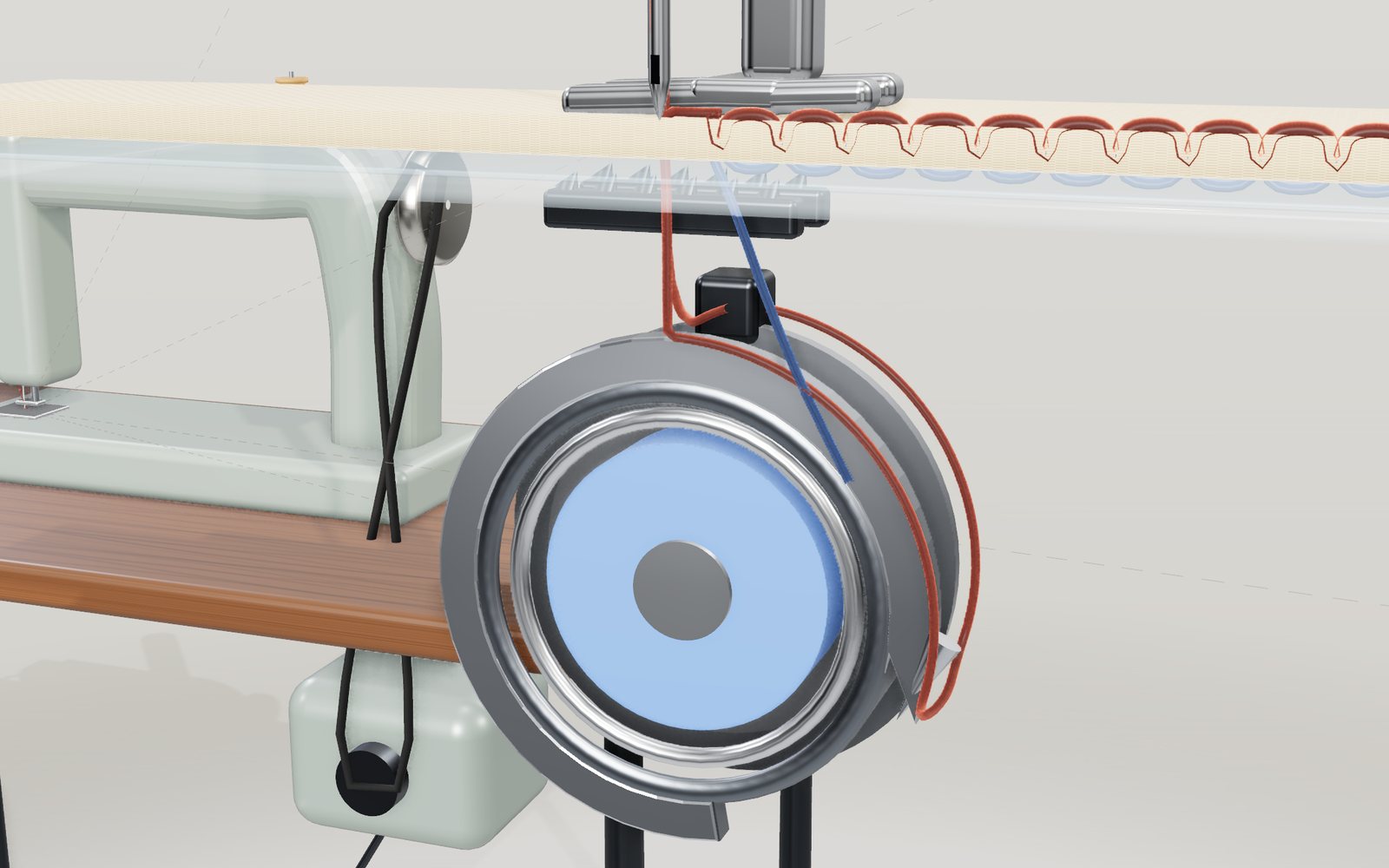
How a sewing machine makes a stitch
A sewing machine needle never goes through the cloth: at every stitch the hook drags its thread right round the bobbin instead.
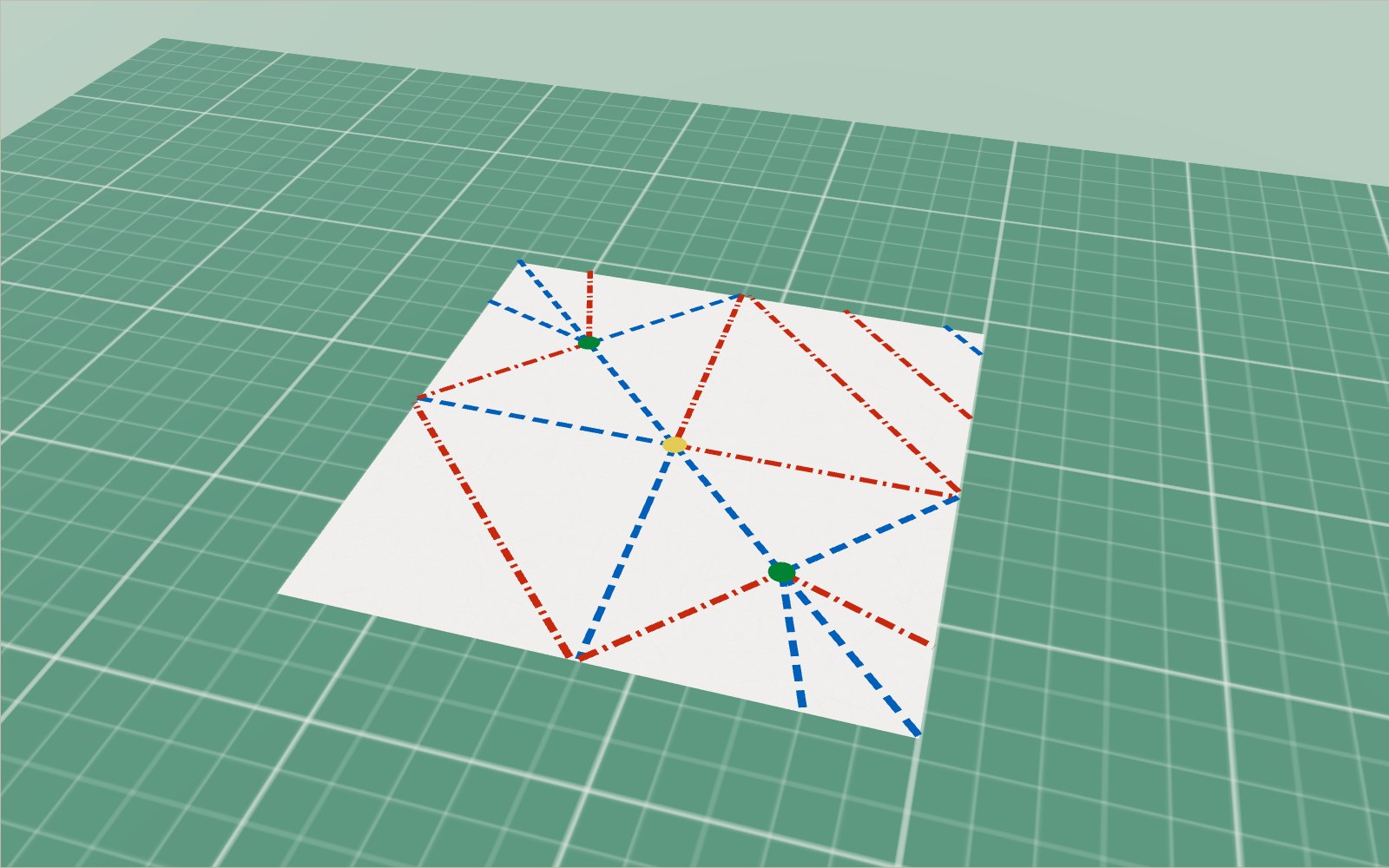
Origami: 20 models to fold step by step and unfold
A crane uses about 30 folds, a cup six; every flat-folded point you make has mountains and valleys that differ by exactly two.
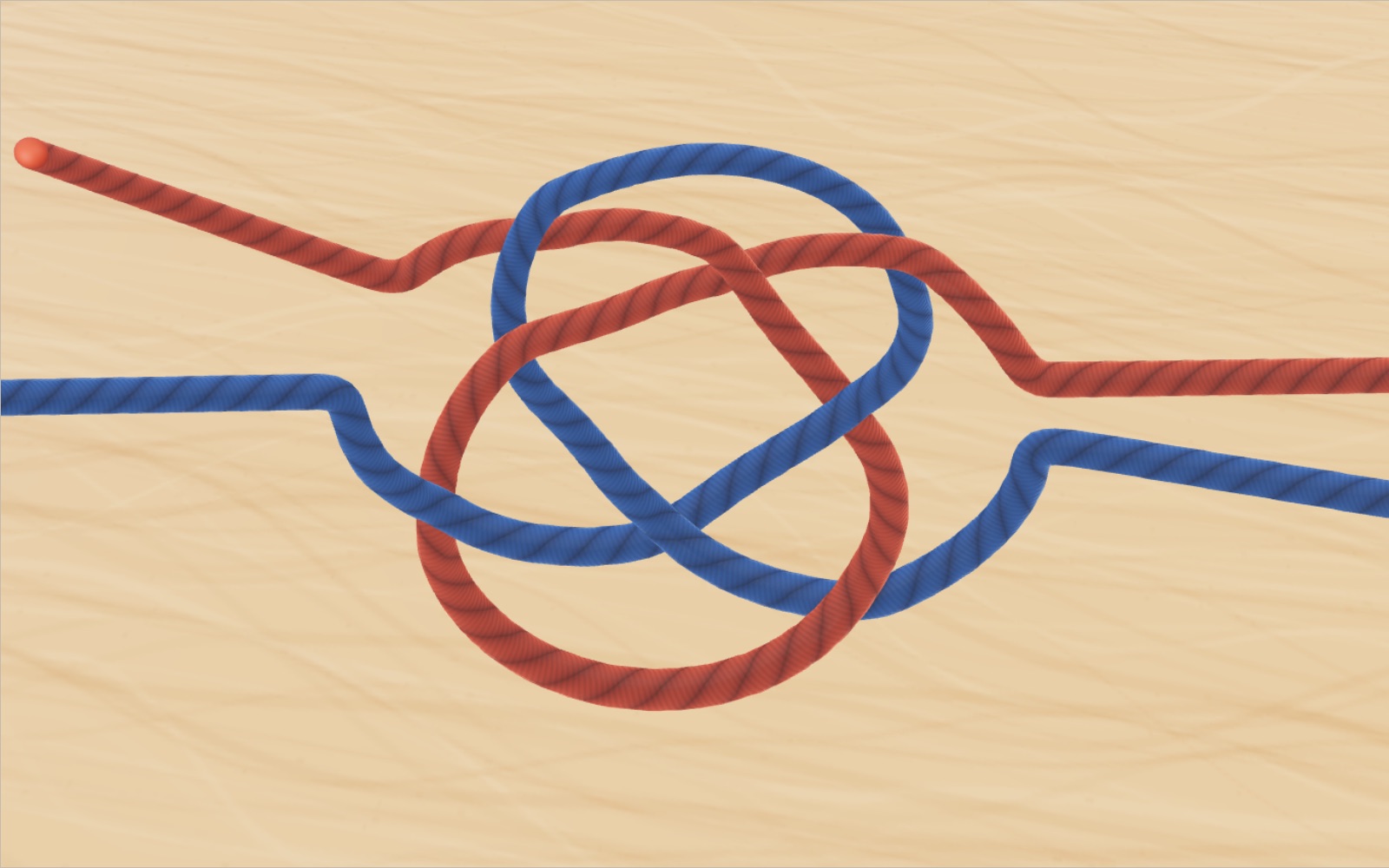
How to tie knots: 40 knots step by step
In one set of break tests a bowline kept about 63% of the rope's strength and a sheet bend about half.
Writing systems of the world: Hangul and 22 more scripts
The 1446 book that announced Hangul says ㄱ draws the tongue root closing the throat. Here it stands beside 22 other scripts, from clay wedges to Braille.
How a QR code is read
Cover 30 % of a QR code with your hand and a phone still reads it. Cover one corner and it does not.
Slide rule: how to use one, with an interactive model
On a 25 cm slide rule the 2 sits 75.3 mm from the 1, because 250 × log 2 = 75.3, and laying two such lengths end to end multiplies the numbers.