FIG. 89Senses
Reaction time test: how many milliseconds do you take?
Light from the screen reaches your eye almost at once, yet your finger moves about a fifth of a second later. Most of that time passes inside your head.
This device cannot show the 3D model. You can read the guide steps below as text.
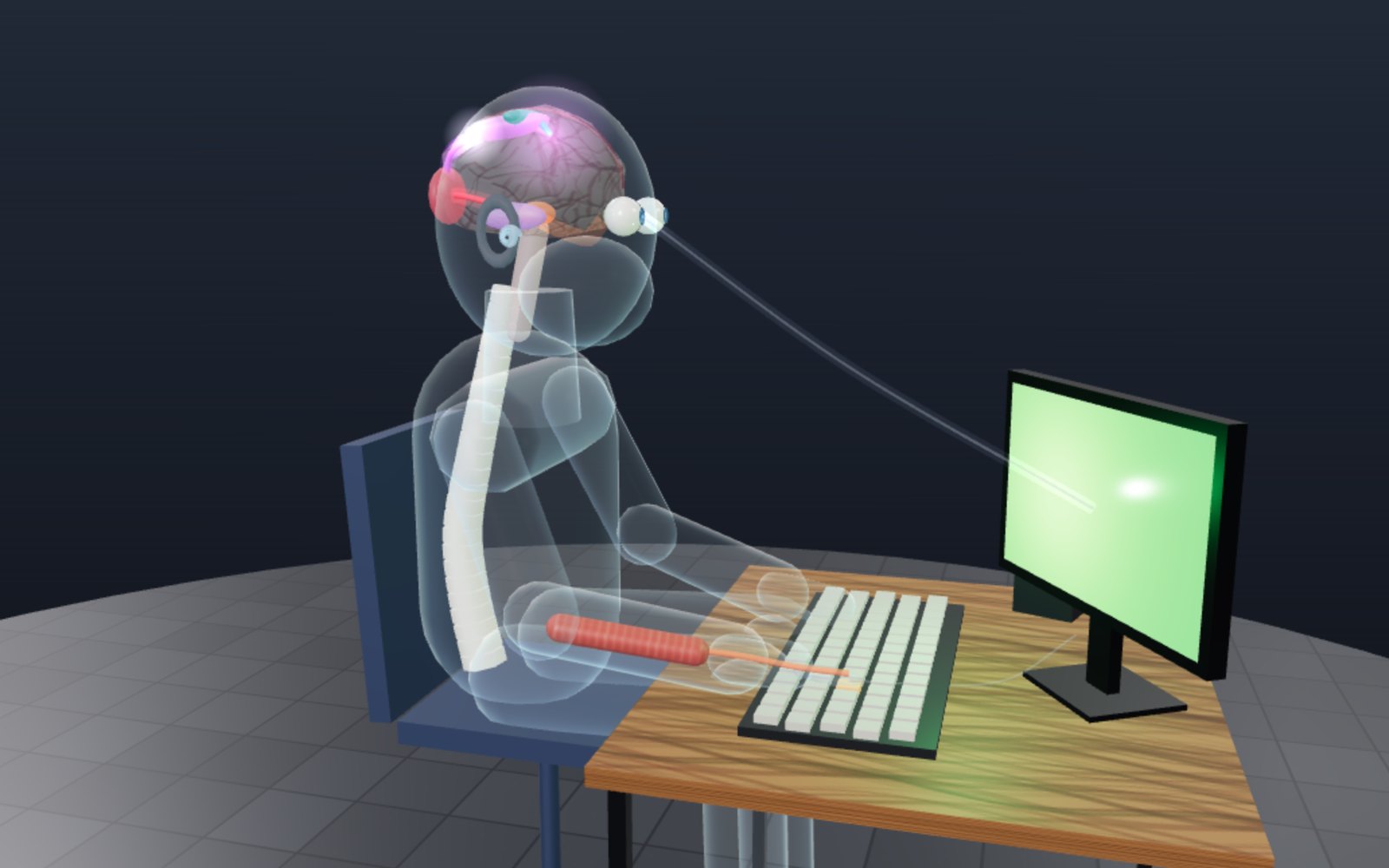
1 / 12 About a fifth of a secondPress the test strip above the stage and wait for green. Most people need 200 to 250 ms. The pulse below shows where those milliseconds go, slowed 20 times.
Drag to turn. Scroll or pinch to zoom.
A light turns green
Light from a screen reaches your eye in a few billionths of a second. Your finger, pressing a key in reply, moves about a fifth of a second later. In a careful study of 1,469 adults by David Woods and colleagues at the University of California, Davis, the average was 231 milliseconds for a simple press when a spot appeared on a screen. That gap is long enough to measure on almost any computer, and short enough that it feels like no time at all.
This exhibit measures your own reactions and then shows where the time goes. The figure on the stage is a see-through diagram of a person at a desk. A bright pulse runs from the screen into the eye, back through the brain, down the spinal cord and along the arm to the finger, and each stop takes the share of time that experiments suggest it takes.
How to use the test and the stage
The strip above the stage is the test. In Sight mode, tap the dark panel (or press Space) and wait. The panel turns red, and after a random wait of 1.5 to 4 seconds it turns green. Press as soon as you see green. After five good tries the page shows your median, your mean, your fastest press and how much your tries spread.
Sound mode does the same with a short beep instead of a colour. The browser needs your permission before it plays sound, so the first tap turns sound on. Choice mode lights one of 2, 4 or 8 boxes, and you press the key printed under the lit box (or tap the box). Colour word mode shows a colour name printed in coloured ink, and you pick the ink, not the word.
The stage below follows the test you are doing. The pulse runs slowly, 20 times slower than life unless you change Slow motion, and the bar along the bottom shows each stop with its time. When Use my time is on, the bar stretches to your own median, and the difference between you and the model goes into the deciding stop, which is where people differ most. In the Controls pane you can change the path (sight or sound), the number of choices, your age, the screen's refresh rate and the rate at which a mouse or keyboard is read. Under the sliders there are four charts: where your median falls among other people, your choice times against Hick's law, your colour-word times and the frame gaps measured on your screen.
Where the 230 milliseconds go
The stage splits a simple visual reaction into nine stops. The times are round figures. They are chosen so that they add up to measured totals, and each boundary sits on a published measurement where one exists.
| Stop | Starts | Ends | What sets it |
|---|---|---|---|
| Retina | 0 ms | 20 ms | the chemical cascade in photoreceptors |
| Optic nerve | 20 ms | 35 ms | conduction to the thalamus |
| Thalamus | 35 ms | 40 ms | one relay synapse |
| Visual cortex | 40 ms | 48 ms | first cortical response at about 48 ms (MEG) |
| Deciding | 48 ms | 131 ms | stimulus detection time, about 131 ms |
| Motor cortex | 131 ms | 160 ms | building up the command |
| Spinal cord | 160 ms | 167 ms | corticospinal fibres to the neck |
| Arm nerve | 167 ms | 180 ms | about 20 ms from cortex to hand muscle |
| Muscle and key | 180 ms | 231 ms | force builds up and the key travels |
These allowances are illustrative, not a hardware calibration. The 231 ms baseline already includes the study apparatus, so adding new device allowances is not an exact prediction for your computer. Before the retina there is one more stop that belongs to the computer: the screen has to draw the new colour. After the key there is another: the keyboard or mouse reports the press. With a 60 Hz screen and a mouse read 125 times a second these add about 12 ms, which is why the model shows 243 ms rather than 231 ms.
The eye is a slow starter
Light does not trigger a nerve signal directly. In a rod or cone, a photon changes the shape of a pigment molecule, which sets off a chain of enzymes that closes channels in the cell membrane. Each step takes time, and the retina then passes the result through bipolar and ganglion cells before anything leaves the eye. All of this takes tens of milliseconds, and the model gives it 20.
The ganglion cell fibres form the optic nerve. At the optic chiasm, just under the brain, the fibres from the inner half of each retina cross to the other side. From there the signal reaches the lateral geniculate nucleus, part of the thalamus, which relays it to the primary visual cortex at the back of the head. In magnetoencephalography (MEG) recordings published in 2024, the primary visual cortex started to respond about 48 ms after a visual stimulus, as a median across subjects. The C1 wave recorded over the back of the head with EEG peaks a little later, between 60 and 100 ms. In monkeys, recordings from single cells show the same order: the thalamus first, then the primary visual cortex before any other cortical area.
Most of the time goes on deciding
At 48 ms the visual cortex has the news, but you have not moved. Woods and colleagues estimated stimulus detection time by subtracting the time needed to start a finger movement (measured in a separate tapping test) from each person's reaction time. It came out at about 131 ms and did not change with age. In the model, the stretch between 48 ms and 131 ms is called deciding. It covers the visual areas beyond the first one, the parietal and frontal regions that link what you see to what you plan to do, and the decision itself that the change has happened.
This is the most variable part of a reaction. Attention, expectation and fatigue change it, and it is also the part that grows when the task asks for a choice. That is why the model puts the difference between your time and its own into this stop when Use my time is on.
The command goes down: motor cortex to finger
The motor cortex is a strip across the top of the brain. Its fibres run down through the brainstem, where most of them cross to the other side, and on down the spinal cord. The nerves for the hand leave the cord between the lowest vertebrae of the neck and run along the arm to the forearm muscles that bend the fingers.
How long does that trip take? Doctors measure it with transcranial magnetic stimulation: a magnetic pulse over the motor cortex makes a hand muscle twitch, and the electrical response in the muscle appears about 20 ms after the pulse. The model uses exactly that, 7 ms in the spinal cord and 13 ms along the arm. Then comes the slowest mechanical part. The muscle's electrical activity starts before it produces force, force has to build until the finger moves, and the key has to travel and close its switch. The model gives these 51 ms, the remainder up to Woods's measured 231 ms.
Why sound is faster here
Turn the Path slider to sound and the route changes at the start. Sound moves tiny hair bundles on cells in the inner ear, and the movement opens ion channels directly, without the chemical cascade that photoreceptors need. The auditory nerve carries the signal through several stations in the brainstem to the medial geniculate nucleus of the thalamus and on to the auditory cortex in the temporal lobe.
The same 2024 MEG study that timed the visual cortex measured the auditory cortex too: it started responding at about 25 ms, more than 20 ms ahead of vision. The model keeps the later stops the same for both senses, so its sound path finishes 23 ms sooner. Real comparisons often show a larger gap. A small study by Shelton and Kumar with a laptop test found an average of 284 ms for sound and 331 ms for light. Sprint starts use an auditory signal; this comparison does not establish that hearing is faster than every other sense under all conditions.
Choices and Hick's law
A simple reaction has one possible answer. Choice mode asks you to press one of 2, 4 or 8 keys, and the time goes up. In the early 1950s William Hick and then Ray Hyman showed that choice time grows with the amount of information in the choice. In practice that means it grows by about the same step every time the number of equally likely options doubles. Two choices are one doubling from one, four are two, eight are three.
The model adds 100 ms for each doubling. That slope is a round figure; Hick's and Hyman's slopes depended on how the keys were laid out and how much people had practised. The chart in the Controls pane fits a straight line through your own medians against the number of doublings, so you can read your slope directly. Lights that map straight onto the fingers under them, as in this test, usually give smaller slopes than arbitrary codes.
When the word fights the colour
In 1935 John Ridley Stroop asked people to name the colour of the ink in which colour words were printed. When the word named a different colour, people slowed down. Reading is so practised that it runs whether you want it to or not, and the word then competes with the colour for the same answer.
The Colour word test gives you ten words, half printed in their own colour and half in a different one, and the chart compares the two averages. The difference is often tens of milliseconds even when you know exactly what is coming. Knowing about the effect does not switch it off.
False starts and the 100 ms rule
Pressing before the signal is a false start, and this test counts them. So does pressing within 100 ms of the signal. The rule comes from athletics. If a sprinter pushes on the blocks less than 0.100 s after the gun, the start information system flags a false start, on the assumption that nobody can hear the gun and react that fast. A study commissioned by the IAAF (now World Athletics) with Finnish sprinters found some auditory reactions as fast as 80 ms and suggested lowering the limit, while an analysis of the Beijing 2008 Olympics estimated that men reach 0.109 s and women 0.121 s about once in 1,000 starts.
On a computer, a press under 100 ms after a colour change is almost certainly a guess. The test also waits a random time before each signal so that rhythm does not help.
What your screen, mouse and browser add
Your result includes delays that have nothing to do with you. The biggest is usually the screen. A display redraws at a fixed rate, 60 times a second on many screens, so a new colour can appear only at the next refresh. On average it waits half a frame, 8.3 ms at 60 Hz and 2.1 ms at 240 Hz. The panel itself then takes a few milliseconds to change its pixels.
Input devices add their own wait. A USB mouse or keyboard is read at a fixed report rate. At 125 Hz that is every 8 ms, so a press waits 4 ms on average; gaming mice at 1,000 Hz wait about 0.5 ms. Touch screens can add much more: Microsoft researchers measured 50 to 200 ms between a touch and the display responding on devices of 2012. Woods and colleagues measured their own setup and found 18 ms of hardware delay, which is why their 231 ms becomes 213 ms when corrected.
The test strip shows how often your screen actually draws frames, measured while you wait, and the frame chart in the Controls pane shows the spread. Try the Screen refresh slider to see how much a 30 Hz screen would add.
How this page measures
When a try starts, the page stops drawing the 3D stage so that the frames stay regular. At the chosen moment it changes the colour inside a requestAnimationFrame callback, the function the browser calls just before drawing a frame. The clock starts at the timestamp of the next animation frame. That is a browser timing reference, not a sensor measurement of when the pixels emit light. Your press uses the input event's own timestamp, reducing the effect of waiting for its handler to run, but not removing display, operating-system or input-device delays.
For sound, the beep is scheduled on the audio clock, and the page converts that time to page time with the browser's output timestamp, which includes the delay of the audio hardware as far as the browser knows it. Nothing is saved. The times stay in memory until you leave the page.
Age, sleep and practice
Reaction time changes slowly with age. In the 2015 study it rose by about 0.55 ms per year between 18 and 65, from 217.8 ms in the youngest group to 239.1 ms in the oldest. The slowing came from movement initiation, not from detection, so the Age slider in this exhibit adds its change to the motor stop. Woods and colleagues found no effect of sex or education in that sample.
Being tired matters more. Ann Williamson and Anne-Marie Feyer tested 39 transport and army workers over 28 hours without sleep and compared them with the same people after drinking alcohol. After 17 to 19 hours awake, performance on some tests was as poor as at a blood alcohol concentration of 0.05% or worse, and response speeds were up to 50% slower on some tests. These are research results about groups. They are not a way to judge whether a particular person is fit to drive.
Practice helps up to a point. Your first two or three tries are often slower, and the median of five is steadier than any single try because it ignores one slow outlier.
What the model simplifies
The stage is a diagram. The body has no face, organs are simple shapes, and the nerve paths are drawn as single lines where the real ones are bundles of millions of fibres. The figure is not to scale inside the head: the thalamus and cortex areas are enlarged so the pulse can be followed.
The stop times are round numbers fitted to a few measurements, and the real stages overlap. The motor cortex starts preparing before detection is complete, and different measurements of when the cortex responds (single cells in monkeys, MEG, EEG) give different values. The split between the motor cortex stop and the muscle stop is the least certain part. The model also treats every reaction as one pulse, while the brain sends many signals in parallel.
A short history
In the 1880s Francis Galton tested visitors in London and reported visual reaction times below 190 ms in young people. Some researchers later argued that people have slowed down since then. Woods and colleagues pointed out that modern computers add delays of their own. With their hardware delay measured, their average came out slightly faster than the value they predicted for Galton's subjects.
Hick published his law in 1952 and Hyman's experiments followed in 1953. In 1996 Simon Thorpe and colleagues showed that brain signals distinguished pictures with and without animals 150 ms after the picture appeared, which set a limit on how much processing fits into a fraction of a second. Recent work has been as much about the tools as about the brain: computers, screens and online tests can add tens of milliseconds, and careful studies now measure and subtract them.
Calculating nerve travel and a falling ruler
A conduction speed is not a reaction time. To see the difference, assume a 1 m nerve path and, for this arithmetic example, a conduction speed of 50 to 100 m/s. The travel time is distance divided by speed: 1/50 = 0.020 s, or 20 ms, at the slower value; 1/100 = 0.010 s, or 10 ms, at the faster value. These are assumed path lengths and speeds, not measurements of your arm. They cover travel along a fibre, not the time to detect a signal, select a response or develop enough muscle force to close a key. Nor does a signal travel through every nerve in the body at one common speed.
A falling ruler measures a different interval. A helper holds a ruler vertically with its zero beside your open fingers and releases it without warning. If it starts from rest and air resistance is negligible, its fall distance is d = ½gt². Taking g = 9.81 m/s² gives t = √(2d/g). Read the distance from the initial zero to the catching point, not the length of ruler still above your hand.
| Ruler falls | Calculated catch time |
|---|---|
| 5 cm | 101 ms |
| 10 cm | 143 ms |
| 20 cm | 202 ms |
| 30 cm | 247 ms |
| 40 cm | 286 ms |
These values are calculated and rounded to the nearest millisecond. At 200 ms a ruler falls about 19.6 cm; at 300 ms it falls 44.1 cm. That more than twofold distance increase comes from squaring time. A short school ruler can therefore run out before a slow catch. Use a light ruler over a clear surface, never a heavy falling object. Release cues, finger opening and the movement needed to grip all affect the result. A ruler catch and a Space press are different tasks, so their disagreement is not proof that either clock is wrong.
Putting numbers into the choice model
The equation used here is T = a + b log₂(N), where N is the number of equally likely responses. The intercept a contains the simple-response baseline, while b is the extra time per doubling. This exhibit chooses b = 100 ms as an illustrative setting, not a universal human constant. With the age setting at 46, Sight selected and Use my time off, its body baseline is 231 ms.
| Possible responses N | log₂(N) | Added model time | Body model total |
|---|---|---|---|
| 1 | 0 | 0 ms | 231 ms |
| 2 | 1 | 100 ms | 331 ms |
| 4 | 2 | 200 ms | 431 ms |
| 8 | 3 | 300 ms | 531 ms |
Screen and input allowances are added after this calculation. Going from four to eight choices adds one step, not twice the whole reaction time. If your measured medians were 340 ms for two choices and 460 ms for eight, the fitted slope between those points would be (460 − 340)/(3 − 1) = 60 ms per doubling. Those two numbers are invented to demonstrate the calculation; they are not a research result.
Equal probabilities matter. If one box appears much more often, a prepared response can be fast while the rare alternative is slow. Practice and the correspondence between the box and its key also matter. Record wrong presses alongside time: a lower median gained by guessing is not the same improvement as a lower median with accuracy unchanged. Five accepted trials per condition give a useful demonstration, not a precise personal estimate of Hick's law.
How far a car travels before braking
A laboratory button press begins with an expected signal and an already prepared finger. A driver may first need to recognise an unexpected hazard and decide whether to brake. Do not insert your best test result into a road-safety calculation as though it were your emergency response time.
For an illustrative calculation, assume a constant speed during a 1.5 s perception-and-response interval. This is an assumption for the example, not a guaranteed maximum or a legal standard. Convert km/h to m/s by dividing by 3.6, then multiply by 1.5 s.
| Road speed | Speed in m/s | Distance in 1.5 s before braking |
|---|---|---|
| 50 km/h | 13.89 m/s | 20.8 m |
| 100 km/h | 27.78 m/s | 41.7 m |
These are reaction distances only. Total stopping distance also includes the distance travelled while the brakes slow the car. Under an ideal constant deceleration A, that part is v²/(2A), whereas reaction distance is vt. Doubling speed doubles the latter but quadruples the former if A stays fixed. Real tyre grip and road slope can change the deceleration.
The UK Highway Code, Rule 126, tells drivers to stay far enough back to stop within the distance they can see to be clear. It advises at least a two-second gap on high-speed roads, at least double on wet roads and up to ten times greater on ice. A following gap is not a measurement of your nervous system. It also leaves room for the vehicle and road conditions. The age and screen sliders cannot model these hazards, and this page cannot decide whether you are safe to drive after poor sleep or alcohol.
Common misunderstandings about a fast score
The 100 ms cut-off is a test rule, not an anatomical barrier. The World Athletics research report describes auditory responses as short as 80 ms in seven Finnish sprinters and recommends reconsidering the threshold. A start measured through force on blocks is also not the same action as pressing a keyboard. Here an under-100 ms result is rejected to discourage anticipation; that rejection alone cannot establish exactly what your nervous system did.
A faster sound trial does not establish a fixed ranking of sight, hearing and touch. Signal intensity, where a stimulus is applied and which movement is required affect comparisons. This page has no tactile-stimulus test. The 25 ms auditory and 48 ms visual figures describe cortical onset in one study, not complete button responses, and their 23 ms difference is the model's chosen head start. It is not a measured tactile latency or a promise about every person.
A high-refresh screen cannot make nerves conduct faster. Changing a model slider changes its allowance, not the physical display. Nor is subtracting a convenient 12 ms from every result a calibration. The Woods study measured its own hardware; the display, operating system and input device in front of you may differ. Keep the apparatus constant when comparing sessions and avoid interpreting a few milliseconds as a biological change.
Holding back: the go/no-go test
Pressing is only half of reacting. In the Go/no-go test a green circle means press and a red square means do nothing. 20 shapes make one set: 14 go shapes and 6 no-go shapes in a shuffled order, so you cannot count your way through. If nothing is pressed for 900 ms after a red square, that shape counts as held. A press on a red square is a mistake, and the page counts those separately from false starts.
The idea is old. In 1868 the Dutch physiologist Franciscus Donders timed three kinds of reaction: a simple one (always press), a choice one (press the matching key) and the kind he called the c-reaction, where you press for one signal and hold still for another. By subtracting one time from another he tried to measure how long the extra mental step took. The method has known weak points, because adding a step can change the others, but the go/no-go task itself is still used everywhere from sleep research to studies of impulsivity.
A 2007 study by Pablo Gomez, Roger Ratcliff and Manuel Perea fitted one decision model, a diffusion model in which evidence builds up until it reaches a threshold, to go/no-go and two-choice versions of the same tasks. The best fit kept the way evidence is gathered the same in both versions and changed only the response criteria and the parts of the time that are not decision. In plain terms: your brain judges the shape in the same way, and what differs is how it decides to let a press go.
What to look for in your own set: the go median is usually close to your Sight median, sometimes a little slower, because each press now carries a small check. If you speed up, the mistakes appear. If you slow right down, the mistakes vanish but the median grows. That trade between speed and accuracy is the same one a goalkeeper or a batter has to manage.
Out of the corner of your eye
The Edge test keeps your eyes on a cross in the middle of the panel and puts a dot either in the centre or near one of the four borders, at random. Ten dots make a set, five in each place. The side panel then shows a centre median and an edge median.
On a laptop the panel covers only a few degrees of your view, so the difference you see is small and may be within the noise. The centre of the retina, the fovea, is packed with cones and is where you see detail. Away from it the cones thin out and rods take over; the edge of vision is good at noticing movement and light but poor at shape. A dot that suddenly appears is easy to notice anywhere, which is why a simple edge dot costs little time on a small screen.
Real life uses a much wider field. In a 2014 study from Bern, 117 people aged 20 to 78 searched pictures of everyday scenes projected onto a dome and pressed a button when a target appeared. Targets 10° from the centre took about 0.62 s, targets 30° out about 0.74 s and targets 50° out about 0.88 s. Those times are far longer than a simple reaction because the task included finding the target in a busy picture and telling it apart from a distractor. Detection also fell with age at the far edge, from about 41 years on at 50°. The cards for 10°, 30° and 50° under the stage carry those values.
Touch and the buzz test
On an Android phone the Buzz test asks the phone to vibrate at a random moment and times your tap. Many browsers let a page ask for a vibration, but none of them reports when the motor actually starts turning. The clock therefore starts when the page sends the request, and the motor's start-up time stays inside your result. Treat Buzz times as an upper bound for touch. iPhones and desktop computers do not offer vibration to web pages, so the button explains that instead of running.
Touch itself is a fast sense. In a 2009 study from the University of Bradford, five trained observers reacted to a light in 206.9 ms, to a sound in 161.3 ms and to a tap on the skin in 192.3 ms on average, all measured with the same equipment. When the observers had to watch for signals in two or three senses at once, light and sound slowed down markedly, while touch hardly changed. The authors suggest that touch may be handled with priority by the nervous system.
Catching the ruler on the screen
The Ruler test turns the classic school experiment into a screen version. A 50 cm ruler hangs with its zero mark at the orange bar, which stands for your fingers. At a random moment it starts to fall, and it falls exactly as a real ruler would: d = ½gt², with the standard acceleration of gravity g = 9.80665 m/s². Press and it stops; the mark at the bar is the distance it fell, and the time follows from t = √(2d/g).
The same formula gives the catch times on the cards: 10 cm takes 142.8 ms, 20 cm 202.0 ms, 30 cm 247.4 ms and the full 50 cm 319.3 ms. If you have not pressed after 319 ms the ruler has gone, and the try is not counted. The first few milliseconds of a fall are hard to see because the ruler barely moves, 1.4 mm in the first 16.7 ms frame. That is no different from the real experiment, where the first movement is also slow. The screen version also includes your screen and mouse delay, so it usually reads a few centimetres further than a ruler caught by hand. The calculator in the Controls pane converts a real ruler catch the other way.
Taking out what the device adds
Press Check this device under the test. For 2 seconds the page records the gap between the frames your browser draws and, if you move a mouse over the panel, the gaps between the raw pointer reports that the browser collects between frames. A mouse reports at a fixed rate, commonly 125, 500 or 1,000 times a second, and the median gap reveals which. Rates below 100 per second are not reported, because they mean the mouse was not moving steadily.
The page then takes the known parts out of your median: half a frame for the screen (a new colour waits on average half a frame for the next refresh) and, with a measured mouse, half a report interval. The result is shown as Median minus known device delay. It is an honest correction, not a full one. Several delays remain that a web page cannot see at all: the time the screen's pixels take to change colour, the scanning of a keyboard matrix or a touch panel, and the operating system's handling of the event. Woods and colleagues measured 18 ms of such delay in their own lab set-up with a photodiode, and Microsoft researchers measured 50 to 200 ms between a touch and the screen responding on touch devices of 2012. A corrected value from this page is therefore still on the high side.
For the Sound test the clock already starts when the beep leaves the speaker, using the audio clock and the output timestamp that the browser reports. Bluetooth headphones can add a long output delay; when the browser reports it, the device check shows the value.
Slow tries, lapses and practice
A few very slow tries can pull an average a long way, which is why the test reports the median. The Your record panel in the Controls pane goes a step further and marks slow outliers. It uses the median absolute deviation: the distance of each try from the median, then the median of those distances, divided by 0.6745 so that it matches a standard deviation for normally spread data (the NIST definition of the scaled MAD). A try more than three of those above your median is marked in red, and the panel shows the median with and without the marked tries. Fast tries under 100 ms are not outliers in this sense; they are already rejected as false starts.
There is no single correct rule for outliers. A 2021 simulation by Alexander Berger and Markus Kiefer compared ten common methods. Removing nothing gave the largest bias, and cuts based on the spread of the data gave small biases. The page shows both medians so you can see how much the choice matters for your own run.
The panel also counts lapses, tries of 500 ms or more. Sleep researchers use the same threshold in the Psychomotor Vigilance Test, a 10 minute test in which a counter appears at random and the subject presses as fast as possible. In the review by Mathias Basner and David Dinges, lapses were the measure that rose most clearly with lost sleep. A few lapses in a short online test usually mean a distraction, not tiredness, but a run of them is worth noticing.
The Try by try chart plots every try with the median of the last five as a line. Most people get a little faster over the first dozen tries as they learn the rhythm of the wait, and the panel prints the difference between the second half and the first. If you switch on Keep a record on this device, each try is also saved in this browser only, for up to 60 days, and the Day by day chart shows one dot per day. Nothing is sent anywhere, and Delete my record removes it at once.
Time budgets in real life
The cards under the stage now hold 61 times, and pressing a card puts its time on the stage timeline next to the model, so you can see how a road or a ball compares with the signal's route.
On roads, the time that matters is much longer than a button press. US road design, following the AASHTO Green Book, allows 2.5 s between a driver seeing a hazard and starting to brake. The Federal Highway Administration explains the value with a study by Johansson and Rumar: 321 drivers who expected to brake took 0.66 s on average, and the same drivers took about 1.0 s longer when the need to brake was a surprise. In an FHWA trail study, cyclists who saw a stop sign appear started braking after 0.9 s on average. The Highway Code table works with about 0.67 s, which at 30 mph is 9 m of thinking distance before 14 m of braking.
In sport the time is set by the field. Over the 23.77 m length of a tennis court a 200 km/h serve would take 0.43 s if it kept its speed; it slows, and it travels diagonally, so the real time is longer. Over the 18.44 m between the pitching rubber and home plate, a 160 km/h fastball takes about 0.41 s, and less than that from the pitcher's real release point. Those are calculations from the official dimensions, worked out on this page. Sprint starts are the one place where a rule sets the reaction itself: the World Athletics rules treat any reaction under 0.100 s on the blocks as a false start, the same 100 ms limit this test uses.
Try it on the screen
Begin with Sight and use the same Space key for five accepted trials. Note Median, Mean and False starts. A slow outlier can move the mean without changing the middle-ranked result. Repeat without changing devices before deciding that one unusually good score represents a lasting change.
Next switch to Choice and complete sets at 2, 4 and 8 boxes. Use the keys printed under the boxes. Compare your medians with the doubling pattern above and inspect the chart, including Wrong presses. If you change to tapping halfway through, the movement and input path change too, so label that as a separate comparison.
Finally turn Use my time off and compare Screen refresh at 60 and 240 Hz with the input rate held at 125 Hz. The model's screen allowance changes from 8.33 to 2.08 ms, a reduction of 6.25 ms. Then hold refresh fixed and change input rate from 125 to 1,000 Hz: that allowance falls from 4 to 0.5 ms. These calculations explain the bars. The measured frame-gap chart describes actual browser frame intervals, not the slider setting, and neither display is a direct measurement of pixel response or keyboard-switch delay.
Questions
What is a good reaction time?
For a simple visual test on a computer, most adults land between about 200 and 280 ms, and the average in the careful 2015 study was 231 ms. Online tests often report higher numbers because screens, mice and browsers add their own delay. Compare yourself with results from the same device rather than with someone else's phone.
Why are my times slower on my phone?
Touch screens usually add more delay than a mouse, and phones often take longer to process a touch and update the display. A phone screen running at 60 Hz also waits longer for the next frame than a 120 Hz one. Your nervous system is the same on both devices.
Why is the sound test faster?
The inner ear turns sound into nerve signals mechanically and quickly, and the auditory cortex starts responding about 25 ms after a sound, compared with about 48 ms for the visual cortex after light. The later steps are much the same, so the head start carries through to the finger.
Why does the test count presses under 100 ms as false starts?
A press that soon after the signal is almost certainly a guess. Athletics uses the same limit for sprint starts: reacting within 0.100 s of the gun counts as a false start.
Why median instead of average?
One slow try, when you blinked or looked away, pulls the average up a lot. The median of five tries ignores it. The page shows both.
Can I train my reaction time?
Practice with a task makes you faster at that task, mostly by improving the deciding part and by learning when the signal is likely to come. The nerve conduction parts change little. Sleep and attention make a large difference on any given day.
Does age slow reactions?
Slowly. In the 2015 study simple reaction time rose by about 0.55 ms per year between 18 and 65, roughly 25 ms over the whole range, and the slowing was in starting the movement rather than in noticing the signal.
Is my result saved anywhere?
Not unless you ask for it. By default the times stay in your browser's memory while the page is open and are gone when you leave. If you switch on Keep a record on this device in the Controls pane, each valid try is saved in this browser's local storage for up to 60 days, so you can see your medians day by day. Nothing is sent to the site or anyone else, and Delete my record removes it immediately.
Why does the model say 243 ms when the study says 231 ms?
The model adds the average screen and mouse delays for the settings in the Controls pane: half a frame at 60 Hz (8.3 ms) and half a USB report interval at 125 Hz (4 ms). Set the refresh slider to 240 Hz and the mouse rate to 1,000 Hz and it drops close to the study's value.
Can I use this score to decide whether I am safe to drive?
No. An expected button press omits hazard recognition, braking and road conditions. The 1.5 s example is an assumed calculation interval, not a personal safety threshold. Never use the test to clear yourself to drive after alcohol or sleep loss.
Does the refresh slider change my actual screen?
No. It changes the model's delay allowance. The frame-gap chart measures browser frame intervals separately; it does not measure when each pixel emits light.
Why are some of my tries marked as outliers?
A try is marked when it is more than three scaled median absolute deviations slower than your median, which usually means you looked away or the wait caught you off guard. The panel shows your median with and without those tries so you can judge for yourself. Tries under 100 ms are not outliers; they are false starts and are never counted.
How does the ruler catch compare with pressing a key?
They measure similar things but not the same thing. A ruler caught by hand involves no screen or keyboard, so it often reads faster; closing the fingers is a different movement from pressing a key. The formula t = √(2d/g) turns a catch distance into a time: 20 cm is 202 ms.
Can the page remove my device's delay completely?
No. It can measure your screen's frame rate and, with a mouse, how often the mouse reports, and it takes half of each off your median. Pixel switching, key or touch scanning and the operating system cannot be measured from a web page, so the corrected value is still a little high.
Terms
- Simple reaction time: the time to respond to a single expected signal with a single response.
- Choice reaction time: the time to respond when the correct response depends on which signal appears.
- Foreperiod: the wait between the start of a try and the signal. This test makes it random so you cannot follow a rhythm.
- Hick's law: choice time grows by about the same step every time the number of equally likely choices doubles.
- Stroop effect: slower colour naming when a word names a different colour from its ink.
- Refresh rate: how many times per second a screen draws a new picture, in hertz (Hz).
- Go/no-go task: a test in which one signal calls for a press and another for no response; pressing on the no-go signal is a commission error.
- Eccentricity: how far from the centre of gaze something appears, measured as an angle in degrees.
- Median absolute deviation (MAD): the median distance of the values from their median; divided by 0.6745 it estimates the standard deviation of normal data.
- Lapse: in vigilance testing, a response of 500 ms or more.
- Motor evoked potential: the electrical response in a muscle after the motor cortex is stimulated, used to measure the time from cortex to muscle.
Sources
All addresses were checked on 2026-10-17.
David L. Woods, John M. Wyma, E. William Yund, Timothy J. Herron and Bruce Reed, Factors influencing the latency of simple reaction time. Frontiers in Human Neuroscience 9:131 (2015). Means of 231 ms (213 ms corrected), SD 27 ms, 0.55 ms per year, detection time 131 ms, Galton's results. https://pmc.ncbi.nlm.nih.gov/articles/PMC4374455/
Tommi Raij and colleagues, Onset timing of letter processing in auditory and visual sensory cortices. Frontiers in Integrative Neuroscience (2024). Auditory cortex onset at 25 ms, visual cortex at 48 ms. https://pmc.ncbi.nlm.nih.gov/articles/PMC11602476/
Hiromasa Takemura, Kenichi Yuasa and Kaoru Amano, Predicting neural response latency of the human early visual cortex. eNeuro (2020). C1 peak latency 60 to 100 ms. https://pmc.ncbi.nlm.nih.gov/articles/PMC7333978/
K. Sasaki and colleagues, A transcranial magnetic stimulation trigger system. JMIR Biomedical Engineering (2021). Motor evoked potential in a hand muscle about 20 ms after stimulation. https://pmc.ncbi.nlm.nih.gov/articles/PMC11041464/
M. T. Schmolesky and colleagues, Signal timing across the macaque visual system. Journal of Neurophysiology 79 (1998) 3272 to 3278. Order of responses in the thalamus and visual cortex.
Jose Shelton and Gideon Praveen Kumar, Comparison between auditory and visual simple reaction times. Neuroscience and Medicine (2010). https://www.scirp.org/html/4-2400003_2689.htm
A. M. Williamson and Anne-Marie Feyer, Moderate sleep deprivation produces impairments in cognitive and motor performance equivalent to legally prescribed levels of alcohol intoxication. Occupational and Environmental Medicine 57 (2000). https://pmc.ncbi.nlm.nih.gov/articles/PMC1739867/
World Athletics, IAAF Sprint Start Research Project: Is the 100ms limit still valid? https://worldathletics.org/news/news/iaaf-sprint-start-research-project-is-the-100
David B. Lipps, Andrzej T. Galecki and James A. Ashton-Miller, On the implications of a sex difference in the reaction times of sprinters at the Beijing Olympics. PLOS ONE (2011). https://journals.plos.org/plosone/article?id=10.1371/journal.pone.0026141
The Highway Code, typical stopping distances (GOV.UK). https://assets.publishing.service.gov.uk/media/65f97642aa9b760011fbda4e/the-highway-code-stopping-distances.pdf
Ray Hyman, Stimulus information as a determinant of reaction time. Journal of Experimental Psychology 45 (1953). https://psycnet.apa.org/doi/10.1037/h0056940
J. Ridley Stroop, Studies of interference in serial verbal reactions. Journal of Experimental Psychology 18 (1935). https://psycnet.apa.org/doi/10.1037/h0054651
Simon Thorpe, Denis Fize and Catherine Marlot, Speed of processing in the human visual system. Nature 381 (1996). https://www.nature.com/articles/381520a0
Albert Ng and Paul Dietz, Applied Sciences Group: High-Performance Touch (Microsoft Research, 2012), with the UIST 2012 paper Designing for low-latency direct-touch input. https://www.microsoft.com/en-us/research/video/applied-sciences-group-high-performance-touch/
Gwyneth Card and Michael Dickinson, Visually mediated motor planning in the escape response of Drosophila. Current Biology (2008). https://faculty.fiu.edu/~theobald/wp-content/uploads/2016/01/Card-and-Dickinson-2008-Visually-Mediated-Motor-Planning-in-the-Escape-Res.pdf
Kenneth C. Catania, Evolution of brains and behavior for optimal foraging: a tale of two predators. PNAS (2012). Fish C-start and tentacled snake timings. https://pmc.ncbi.nlm.nih.gov/articles/PMC3386870/
Catania Lab, Vanderbilt University, Star-nosed mole. https://as.vanderbilt.edu/catanialab/research/star-nosed-mole/
Alix M. B. Lacoste and colleagues, A convergent and essential interneuron pathway for Mauthner-cell-mediated escapes. Current Biology (2015). https://pmc.ncbi.nlm.nih.gov/articles/PMC4452389/
The sources for each card in the list under the stage are linked from the card.
UK Highway Code, Rule 126. Following gaps and stopping within visible clear distance. https://www.gov.uk/guidance/the-highway-code/general-rules-techniques-and-advice-for-all-drivers-and-riders-103-to-158
Woods et al., publisher full text (2015). Hardware-corrected and uncorrected reaction times. https://www.frontiersin.org/journals/human-neuroscience/articles/10.3389/fnhum.2015.00131/full
Addresses added on 2026-10-27 were checked that day.
- Nicole Gruber and colleagues, Effects of age and eccentricity on visual target detection. Frontiers in Aging Neuroscience (2014). Reaction time 0.62, 0.74 and 0.88 s at 10°, 30° and 50°. https://pmc.ncbi.nlm.nih.gov/articles/PMC3893571/
- James V. M. Hanson, David Whitaker and James Heron, Preferential processing of tactile events under conditions of divided attention. NeuroReport (2009). Simple reaction time 206.9 ms (light), 161.3 ms (sound) and 192.3 ms (touch). https://pmc.ncbi.nlm.nih.gov/articles/PMC3364445/
- Mathias Basner and David F. Dinges, Maximizing sensitivity of the Psychomotor Vigilance Test (PVT) to sleep loss. Sleep (2011). Lapses as responses of 500 ms or more. https://pmc.ncbi.nlm.nih.gov/articles/PMC3079937/
- Pablo Gomez, Roger Ratcliff and Manuel Perea, A model of the go/no-go task. Journal of Experimental Psychology: General (2007). https://pmc.ncbi.nlm.nih.gov/articles/PMC2701630/
- Franciscus C. Donders, On the speed of mental processes, translated by W. G. Koster. Acta Psychologica 30 (1969), from the 1868 original. https://doi.org/10.1016/0001-6918(69)90065-1
- Alexander Berger and Markus Kiefer, Comparison of different response time outlier exclusion methods: a simulation study. Frontiers in Psychology (2021). https://pmc.ncbi.nlm.nih.gov/articles/PMC8238084/
- NIST/SEMATECH, Dataplot reference manual: median absolute deviation (MADN = MAD/0.6745). https://www.itl.nist.gov/div898/software/dataplot/refman2/auxillar/mad.htm
- NIST, CODATA value: standard acceleration of gravity, 9.80665 m/s². https://physics.nist.gov/cgi-bin/cuu/Value?gn
- Federal Highway Administration, Characteristics of emerging road and trail users and their safety (FHWA-HRT-04-103), chapter 6. AASHTO perception-reaction time of 2.5 s, 0.66 s for drivers expecting to brake. https://www.fhwa.dot.gov/publications/research/safety/04103/06.cfm
- World Athletics, Book of Rules (Technical Rules on starts and false starts). https://worldathletics.org/about-iaaf/documents/book-of-rules
- International Tennis Federation, Rules of Tennis (court dimensions). https://www.itftennis.com/en/about-us/governance/rules-and-regulations/
- Major League Baseball, glossary: pitching rubber (60 feet, 6 inches to home plate). https://www.mlb.com/glossary/rules/pitching-rubber
- MDN Web Docs: Navigator.vibrate(), PointerEvent.getCoalescedEvents(), AudioContext.outputLatency and Event.timeStamp. https://developer.mozilla.org/en-US/docs/Web/API/Navigator/vibrate
More exhibits
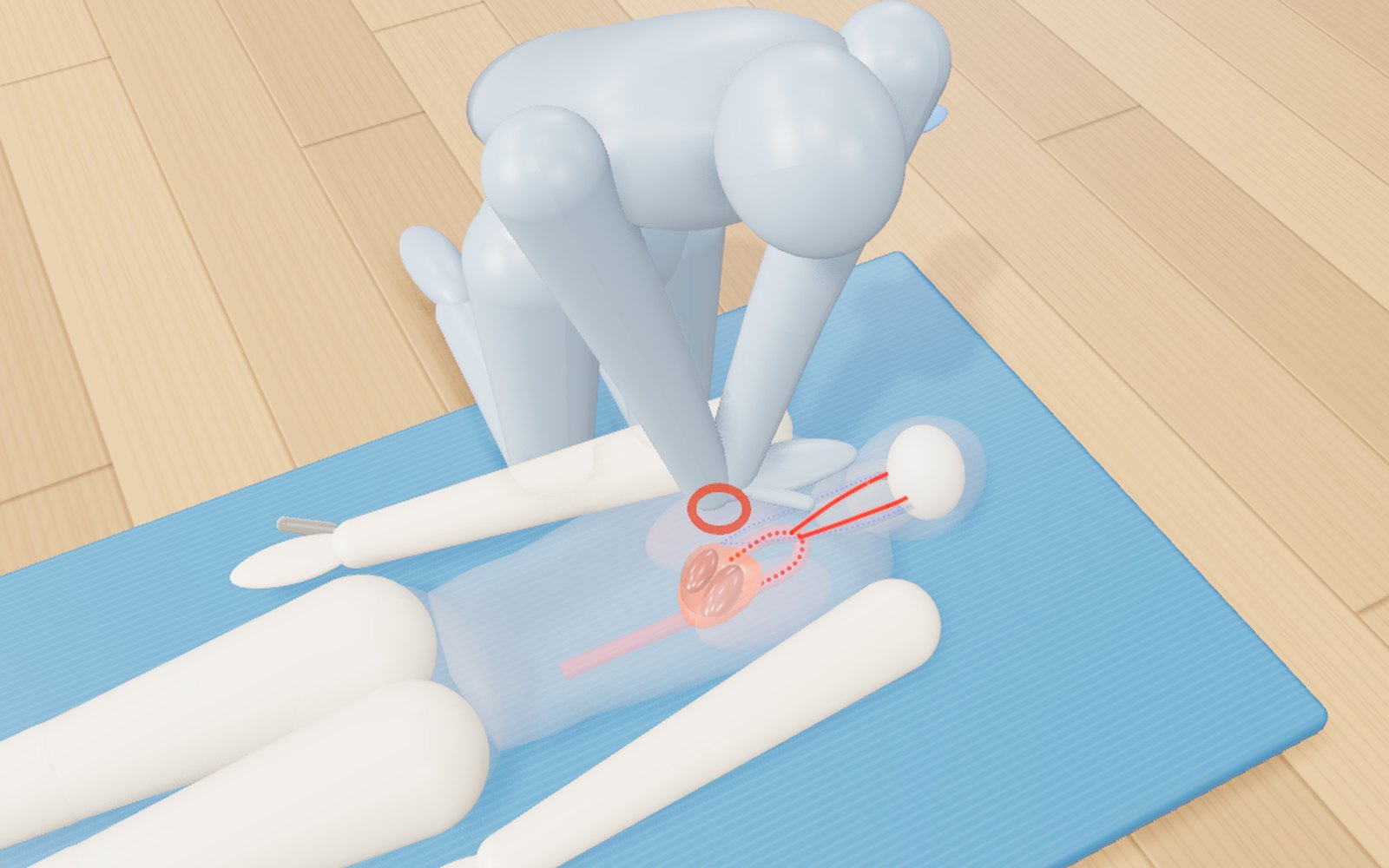
How to do CPR, use an AED, help someone choking and use a fire extinguisher
Push 100 to 120 times a minute, about 5 cm deep: with a bystander doing that, survival in Korea in 2024 was 2.36 times higher.
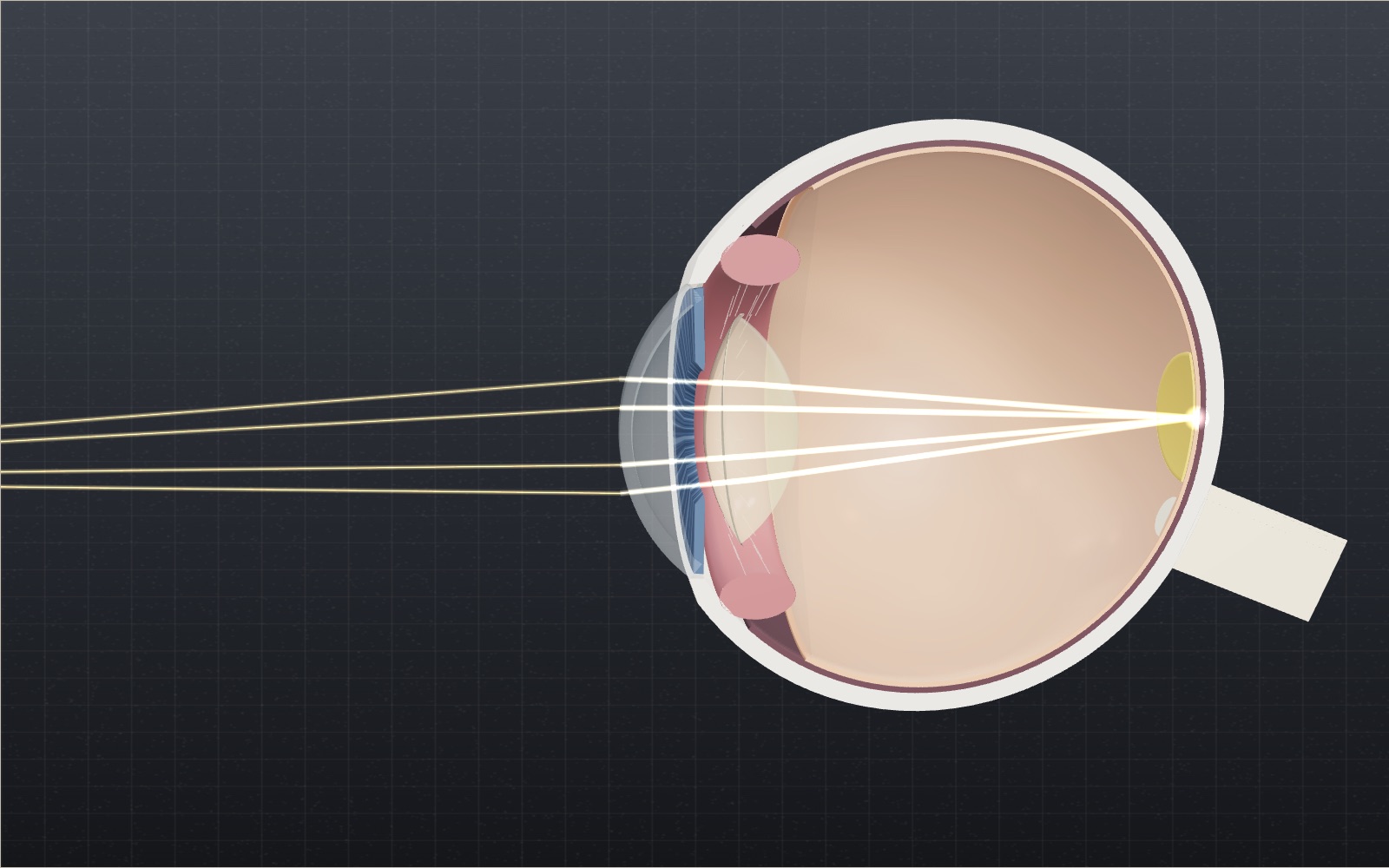
How does the eye focus on near and far objects? Try it in 3D
The cornea supplies about 43 of the eye's 60 dioptres, so why does the small lens behind it get all the credit for focusing?
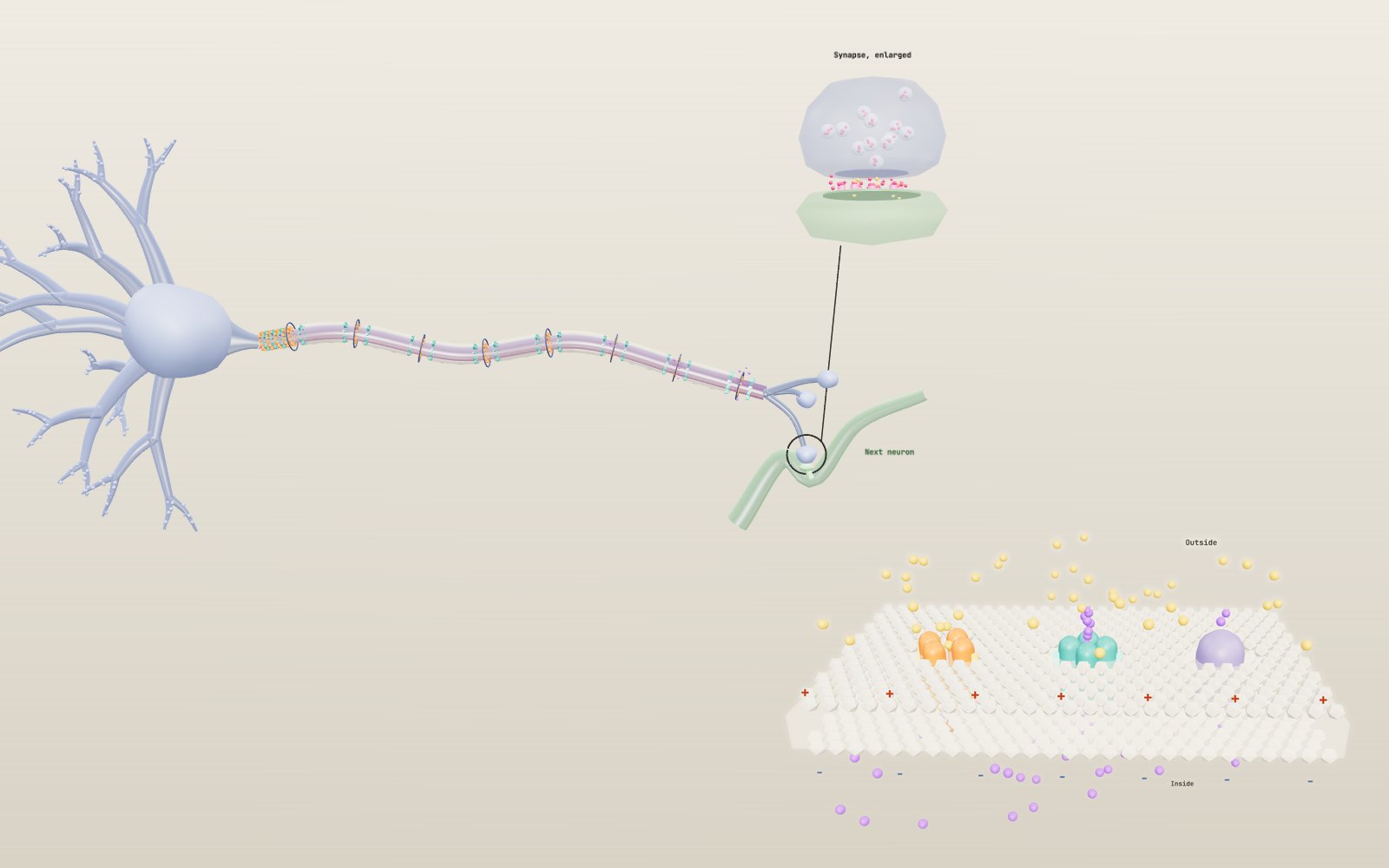
How nerve signals travel
A nerve cell sits at about −70 mV, and when a stimulus lifts it to about −55 mV it fires a spike that is always the same size.
Heart beating: interactive model of the heart, step by step
Your heart pushes out about 70 mL of blood with each beat, and at a resting pace it does that about 108,000 times a day.
Sundial: interactive model, how to read the time
In Seoul a sundial reads about half an hour behind the clock, because the city lies 8° west of the meridian that sets Korean time.
Optical illusions: why equal grey tiles look different
Tile A looks dark and tile B looks light, yet your screen sends the same grey to your eye from both.