FIG. 71Senses
How a touchscreen works: how the glass finds your finger
Under the glass of a phone lies a grid of transparent electrodes, and your finger shows up as a small dip in the charge passing between them.
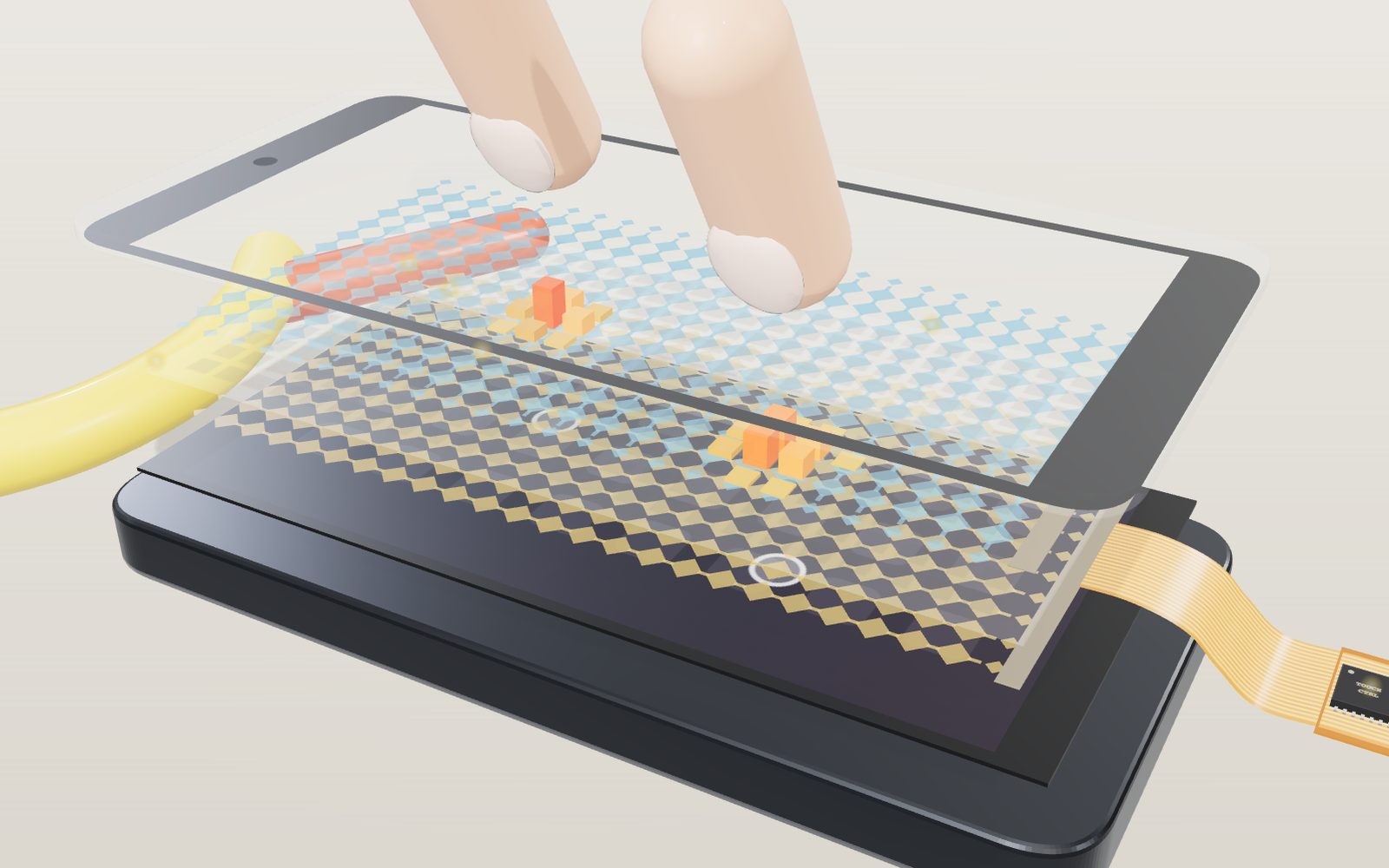
This device cannot show the 3D model. You can read the guide steps below as text.
1 / 10 A finger comes downA finger lowers toward the glass and the capacitance at the crossing under it drops, shown in the panel at the bottom of the stage. Then the screen comes apart into layers. Press the test screen, or switch on Press the glass and touch the model itself, with one or more fingers.
Drag to turn. Scroll or pinch to zoom.
How does a sheet of glass know where you pressed?
A capacitive touchscreen finds your finger by measuring changes in an electric field across transparent electrodes beneath the glass. A finger changes the coupling near the grid crossings, and the controller uses those readings to estimate its position. The glass itself contains no moving button.
Tap an icon on a phone and the right app opens, even though the glass you touched has no buttons, no moving parts and no wires you can see. Just under that glass there is a grid of transparent electrodes, and a small chip next to them measures the grid many times a second. Your finger does not press anything. It changes how much electric charge passes between two electrodes, and the chip notices.
The model above starts with a finger coming down on the glass: the field lines under it bend into the fingertip and the panel at the bottom of the stage shows the capacitance of the nearest crossing falling. Then the screen comes apart into its layers. Under it is a test screen you can press with a mouse or with your fingers, as many at once as you like, and Press the glass lets you touch the model itself. Each square on the test screen is one crossing of the grid, and its colour and number show what the controller measured there. The cross-hairs are the positions the controller works out from those numbers, and the dashed circles are where you actually pressed, so you can see how close the two are.
A phone screen, layer by layer
From the top down, the model has these parts.
- Cover glass. The only thing you touch. On phones it is usually 0.55, 0.75 or 1.1 mm thick, and kiosks use glass up to 3 mm. A thinner cover, or one with a higher dielectric constant, makes the screen more sensitive. Plastic can be used instead, but it has to be about half as thick as glass to work as well.
- Receive electrodes. Columns of diamond-shaped pads joined at their corners by narrow necks. The controller measures the charge that arrives on each column.
- Insulating layer. It keeps the columns from touching the rows. In the model this layer also carries the node map, the coloured squares that show what was measured at every crossing.
- Transmit electrodes. Rows of diamonds, turned 90 degrees to the columns. The controller drives these with a switching voltage, one row at a time.
- Display. The OLED or LCD panel that makes the picture. It sits right under the touch layers and is also their noisiest neighbour.
- Flexible cable and controller. A printed ribbon carries every row and column line to the touch controller chip. Barrett and Omote note that most controllers sit on this tail, close to the sensor, so that the lines pick up less noise.
The electrodes are made of indium tin oxide (ITO), a material that conducts electricity and lets light through. 3M's design brief gives its sheet resistance as typically 30 to 150 ohms per square and explains the trade-off: a thinner layer passes more light but has a higher resistance. The diamond pattern is the most common layout. Barrett and Omote, writing in Information Display in 2010, put the size of the diamonds at 4 to 8 mm depending on the maker. In the model the electrodes are 5 mm apart, the same spacing Microchip uses in its worked example, and the active area is 120 by 60 mm. That makes 12 rows, 24 columns and 288 crossings, which engineers call nodes.
The thicknesses in the model are wildly exaggerated. The real ITO films are much thinner than anything drawn here, and at true scale the whole touch sensor would look like a single line.
Why a finger lowers the reading
Where a row crosses a column, the two electrodes form a tiny capacitor. When the controller switches the row's voltage, a little charge flows onto the column through that capacitance, and the controller measures it. Not all of the field stays inside the sandwich. Near the edges of the diamonds some field lines bulge upward through the cover glass and come back down. Step 4 of the tour shows these as arcs. Microchip's design guide notes that with a mutual sensor the touch is dominated by these edge fields between the electrode pair and the fingertip, and that a wider gap between the two electrodes lowers their resting capacitance but also shortens the edges that face each other.
A finger is a conductor attached to a large body. Put it on the glass above a node and it intercepts those bulging field lines and leads them away, so less charge reaches the column. Infineon's design guide states it plainly: when a finger is placed between the transmit and receive electrodes, the mutual capacitance decreases, and so does the charge received on the receive electrode. Microchip describes the finger as a "capacitively coupled ground path" that steals some of the injected current.
The changes are tiny. In Microchip's TB3064 note, an electrode presents about 100 pF to the measuring circuit. A strong touch directly over it changes that by 0.5 to 1.0 pF, and a touch on the electrode next door by about 0.05 pF. Barrett and Omote write that a projected-capacitive screen has to sense changes as small as a few femtofarads, which is why the design is so sensitive to electrical noise.
On the test screen the numbers are already turned the right way round. They are counts above a no-touch baseline, so a finger shows up as a positive number even though the capacitance itself went down. In the model a bare finger pressed squarely on a node gives 100 counts, and the controller counts a node as touched from 30 upward.
Reading 288 crossings one row at a time
The controller cannot read every node at once. It drives one row and measures all the columns that cross it, then moves to the next row, over and over. Barrett and Omote call this an "all points addressable" scan and give rates of roughly 20 to 200 complete frames per second for controllers of the time.
Set Scan speed to its slowest setting and the model does the same thing, slowly. The driven row lights up in orange, and the node map on the test screen fills in a row at a time. At 3 rows per second a full frame of 12 rows takes 4 seconds, so a finger you move is only noticed when the scan reaches its row. At the model's full speed of 120 frames per second, each row gets 1/1,440 of a second, about 0.69 ms.
The raw numbers mean little on their own, because every node starts with a slightly different capacitance. So the controller keeps a baseline, a stored image of the screen with nobody touching it, and subtracts it. Microchip's note writes this as Normalized = Raw - Baseline, and its example firmware takes a new baseline about every 800 ms when there is no touch activity. Slow drifts, such as the screen warming up, are folded into the baseline and do not look like touches.
A position finer than the grid
With electrodes 5 mm apart, the crude answer is "somewhere near row 6, column 12", which is not good enough to hit a letter on a keyboard. But a fingertip is wider than the gap between electrodes, so it shows up on several nodes at once, most strongly on the nearest. The controller uses the ratio between them.
The test screen does this with a three-node weighted average, the centroid, along each axis. Here is one case from the model: a finger at x = 59.2 mm, lying on a row, with the nearest columns at 52.5, 57.5 and 62.5 mm.
| Column position | Value |
|---|---|
| 52.5 mm | 14 |
| 57.5 mm | 88 |
| 62.5 mm | 62 |
x = (14 × 52.5 + 88 × 57.5 + 62 × 62.5) ÷ (14 + 88 + 62) = 9,670 ÷ 164 = 58.96 mm
That is about 0.24 mm off, on a grid with 5 mm spacing. The box beside the test screen prints this same calculation, with your own numbers, for the strongest touch, together with the error against where you really pressed.
Microchip's TB3064 uses a closely related formula: the peak electrode's position, plus half the pitch times the difference between the right and left neighbours, divided by the peak. Its worked example has a peak of 100 at position 384, neighbours of 25 and 75, and 128 steps between electrodes: 384 + 64 × (75 - 25) ÷ 100 = 416. The weighted average gives the same 416, (25 × 256 + 100 × 384 + 75 × 512) ÷ 200, because in this example the two neighbours add up to exactly the peak. With 128 steps between neighbouring electrodes, a layer of nine electrodes resolves 1,024 positions. Infineon gives a similar figure for its sliders, where five segments resolve at least 100 positions, and Barrett and Omote put the usual resolution of a projected-capacitive screen at 1,024 by 1,024 or more.
Infineon adds a design rule worth knowing. The answer is only linear if, wherever the finger sits between two segment centres, two sensors report a usable signal. If the touch is too small to reach a neighbour, the reported position snaps toward the nearest node.
Two fingers and the ghost points
There is a cheaper way to scan: measure each whole row and each whole column against ground, which is called self-capacitance. The model's grid of 12 rows and 24 columns then needs only 36 measurements instead of 288. 3M's brief works through a larger case, a 40 by 60 sensor with 100 electrodes but 2,400 nodes, a 24 to 1 difference in touch density.
The catch shows up with a second finger. Turn on Self-capacitance scan and press with two fingers on a diagonal. The controller sees two rows and two columns over the threshold, and those cross at four points. Two are real and two are ghost points, and the measurements cannot tell which is which. A review from Kyung Hee University puts it as a formula: touches at (x1, y1) and (x2, y2) also produce ghost locations at (x1, y2) and (x2, y1). In the mutual mode every crossing has its own number, so the two fingers appear as two separate hills and nothing else.
Microchip's note describes a way to combine the two methods. It first measures every electrode by self-capacitance, which is quick, to find the rows and columns involved. Then it measures mutual capacitance only where those cross. In its two-finger example the four candidate nodes read 20, 130, 110 and 15, and the two large values mark the real touches.
Measuring every node has a further use. Barrett and Omote quote Apple's patent application for the iPhone screen, in which the controller supports 15 touches, "10 fingers, 2 palms, and 3 others", partly so that the hand holding the phone can be recognised and ignored.
When it is not a bare finger
Change Touching with to see what the screen does with other things, and add a glove, a screen protector, water and charger noise with the sliders below it. The panel at the bottom of the stage shows the signal, the noise and their ratio; the bars standing on the insulating layer are the same node values in 3D.
A glove keeps the finger further from the electrodes and puts a poor conductor in between. The model treats the cover glass, a protector and a glove as layers in series: 0.7 mm of glass with a relative permittivity of 7 counts like 0.1 mm of air, a glove like its thickness divided by 2. A 1 mm glove gives a peak of 25 counts, 2 mm gives 14 and 3 mm gives 10, against a threshold of 30. High sensitivity (glove mode) lowers the threshold to 12, so the 1 mm and 2 mm gloves work and the 3 mm glove does not. These are model values. Barrett and Omote note that the sensing range of a projected-capacitive screen can be extended for cotton or surgical gloves. The same extra sensitivity makes a bare finger register before it lands: in the model a finger 2 mm above the glass already gives 39 counts. The glove setting applies only to a finger. A stylus, a banana or a sausage is held in the hand and its own tip touches the glass, so the glove slider is locked while one of them is chosen.
A screen protector works the same way. In the model a 0.5 mm plastic protector (relative permittivity 2) leaves 40 counts and a 1 mm one leaves 25, below the ordinary threshold, and every peak also spreads by 0.6 mm per millimetre of added layer.
A water drop can act in two ways. Infineon explains that a droplet lying over the sensor and also covering a grounded area lowers the mutual capacitance just as a finger does. A droplet that covers only the transmit and receive electrodes raises it instead, so the reading moves the other way. The model shows both: a loose drop reads about −18 counts, blue on the test screen, and the controller ignores it; once a finger comes within about 9 mm, the drop is grounded through the finger and reads +50, so the reported position is pulled toward it. In self-capacitance scan with high sensitivity, a few drops on the same row and column are enough to report a touch where there is no finger at all. The Kyung Hee review lists water among the contaminants that capacitive screens can mistake for touches.
A passive stylus is a conductive tip that imitates a finger. The review notes that its contact area has to be comparable to a finger's, and that the screen cannot tell it from a finger. In 2009 Atmel announced a controller that could follow a conductive stylus with a 2 to 3 mm tip, after raising its signal-to-noise ratio from 25:1 to 80:1. Barrett and Omote point out that this was still much wider than the 0.8 mm tips of older PDA styluses. In the model a rubber tip 6 mm wide gives about 72 counts and a 2.5 mm tip only about 24, so the fine stylus needs high sensitivity. Active pens send their own signal into the grid. They are listed in the catalogue on the stage but are not simulated.
A banana or a sausage held in the hand behaves like a slightly blunter finger, because it is moist, conducts well enough and is about as wide as a fingertip (model peaks 88 and 80 counts). In February 2010 Engadget reported that South Korean iPhone users were tapping their screens with snack sausages instead of taking off their gloves. A wooden pencil gives almost nothing. The graphite lead does conduct, but the dry wood around it insulates it from your hand, and the tip touching the glass is tiny.
Charger noise is different from the small random flicker on every node. EDN explains that a cheap charger lets the phone's power and ground swing together against earth, and that this only matters when an earth-coupled finger touches the screen: the finger injects the noise into the electrodes under it. In the model the noise therefore appears along the columns under the finger, and at 85 % it makes ghost touches above and below the real one. Cypress patented controllers that listen for this noise and hop to a quieter operating frequency; Noise filter (frequency hopping) cuts the model's charger noise to 12 %.
What the model leaves out
- Thickness and scale. Every layer is drawn hundreds of times too thick so that you can see it. The node map and the bars are drawn on the insulating layer only for the model's sake.
- The signal itself. Each object is modelled as a smooth bell-shaped bump of counts, 100 at the peak and 3.4 mm wide for a finger, scaled down by a glove or protector with the series-layer rule above. Real profiles depend on the glass, the pattern and the finger. A random noise of two counts either way is added so that the numbers flicker the way a real readout does.
- Picofarads. The panel at the bottom of the stage turns counts into a mutual capacitance with a fixed rule, 1.50 pF untouched and 0.002 pF less per count, and a self capacitance of 20 pF plus 0.01 pF per count. Both are model values chosen to show the direction and rough size of the change, not measurements of a phone.
- Noise from the display and the charger. Charger noise is modelled only as extra random counts along the columns under the touching object, and the filter only as a smaller amplitude. The Kyung Hee review also lists display noise and mains hum, and describes fixes such as measuring during the display's blank interval. Some designs add an unpatterned ITO shield layer at the bottom of the stack, and in-cell designs build the touch electrodes into the display itself. Display noise is not modelled.
- Tracking and filtering. Real firmware follows each finger from frame to frame, smooths its path and rejects palms. The test screen reports what a single frame shows, so a noisy frame can show a ghost that firmware would discard.
- The timing chain. 3M notes that most users are comfortable with a touch response of 20 ms or less, but experienced users may notice delays of 10 ms, and the operating system and graphics add their own delay on top of the controller's.
From radar consoles to phones
The first finger-operated touchscreen came out of air defence and air traffic control. At the Royal Radar Establishment in Malvern, Eric Arthur Johnson stretched thin copper wires across a cathode-ray tube and built circuits that sensed when they were touched, so that an operator could pick choices straight off the screen. His US patent, Touch displays, was granted on 2 December 1969.
At CERN, Bent Stumpe proposed a capacitive touch screen in a handwritten note dated 11 March 1972, for the control room of the new Super Proton Synchrotron. Its capacitors were fine copper lines on glass, 80 µm wide and 80 µm apart so that they could not be seen, under a lacquer coating that kept fingers off them. Frank Beck and Stumpe described it in a CERN report in 1973, and when the SPS started up in 1976 its control room was equipped with these screens. The first version had 16 fixed buttons. In 1977 Stumpe developed an X–Y screen with two layers of capacitors, one for each coordinate, the same row-and-column idea the model uses.
Projected capacitance stayed a specialist technology for decades. Barrett and Omote describe it rising from obscurity in 2006 to the second most common touch technology in 2009, carried by the iPhone.
How much charge does a small touch change?
The word picofarad can hide the size of the electrical problem. MIT's capacitance notes define charge by Q = CV. For a worked example, assume that the measuring circuit sees 100 pF and applies a 3 V voltage step. These are illustrative circuit conditions, not specifications for the model or for a particular phone. The charge associated with that step is 100 pF × 3 V = 300 pC. If a touch changes the effective capacitance by 0.5 pF, the charge change at the same voltage is only 1.5 pC, or 0.5% of the starting amount. A 1.0 pF change gives 3 pC, or 1%. The capacitance range comes from Microchip's TB3064; the voltage was chosen for this calculation.
Do not read that example as saying that every mutual node has a resting capacitance of 100 pF. The capacitance presented to a measuring circuit includes its electrode and parasitic couplings. Nor does a finger supply a fixed quantity of charge like a battery. It changes the network of electric fields around the driven electrodes. The controller repeatedly applies a known excitation and looks for the resulting difference. In mutual sensing the relevant coupling decreases; in self sensing the coupling to ground increases.
There is a second small number on the screen: the position is printed to 0.1 mm. With 5 mm electrode spacing, that is 50 displayed intervals per pitch, not 50 physical electrodes. The three-node calculation above gives 58.96 mm for a finger actually at 59.2 mm, an error of about 0.24 mm before considering the changing noise. Rounding the answer to one decimal place does not remove that error. Resolution means the spacing between possible reported values; accuracy describes how close those values are to the true position. Moving slowly across one gap is a way to see the difference. Near an edge the controller also loses a neighbouring sample, so an interpolation rule that behaves well in the middle need not behave equally well at the boundary.
Why 120 scans per second does not mean an 8 ms response
At the fastest setting the model scans 12 rows × 120 frames/s = 1,440 rows/s. A complete scan takes 1,000 / 120 = 8.33 ms. Suppose a stationary finger lands at a random time, each row is visited once per frame, and detection is immediate when its row is visited. Under those assumptions the wait for that row lies between nearly 0 and 8.33 ms, averaging 4.17 ms. This is a calculated scan wait, not a measurement of browser latency.
Now assume that firmware requires two consecutive positive readings before accepting a new touch. That would add one frame, making the wait about 8.33 to 16.67 ms, averaging 12.5 ms. This two-reading rule is an example of filtering, not a claim about this exhibit's detector. Rejecting a brief electrical spike can improve reliability while delaying a genuine touch. Barrett and Omote's historical range of 20 to 200 frames/s corresponds to frame periods of 50 to 5 ms; those periods alone do not specify the final response of a phone.
After detection, coordinates still have to reach the application, which has to draw a new picture. For another explicit assumption, a 60 Hz display begins a fresh refresh interval every 16.67 ms. Waiting for its next opportunity can add nearly that much time even before other processing. Scan frequency, display refresh frequency and touch-to-picture latency therefore describe different events. The exhibit slows its scan so that the row sequence is visible, but does not simulate the operating system or a display refresh pipeline. Its 3 rows/s setting takes 4 seconds to complete 12 rows; the middle setting, 3 frames/s, takes about 333 ms. Confusing rows per second with frames per second changes the answer by a factor of 12.
Four ways to find a finger
The BYU Design Review describes four sensor families. They can sit over similar displays while measuring quite different physical changes. A phone's projected-capacitive construction should not be taken as the explanation for every public kiosk.
| Sensor | What is measured | What can activate it | A practical limitation |
|---|---|---|---|
| Resistive | Voltage where two coated layers meet under pressure | A finger, glove or nonconductive stylus that presses the layers together | The top layer must flex; its condition matters |
| Projected capacitive | Electric coupling through the cover | A suitably coupled finger or conductive tip; active pens need compatible electronics | Gloves and water change the electrical conditions |
| Infrared | Interrupted light paths between emitters and detectors around the perimeter | An object that blocks the beams | Dust or strong ambient light can interfere |
| Surface acoustic wave | Loss of ultrasonic wave energy travelling over the surface | A contact that absorbs enough wave energy | Material on the surface can disturb the travelling waves |
A resistive panel does not need a conductive fingertip, because mechanical contact closes the gap between its layers. An infrared frame need not put a transparent electrode grid across the viewing area: the sensing paths cross above it. A surface acoustic wave panel uses transducers and the timing of disturbances in waves, rather than the capacitance of the user. None of these three alternative sensors is simulated by changing Touching with. That control changes the object presented to this exhibit's capacitive sensor, not the underlying sensing technology.
The history also needs its dates separated. USC Viterbi's historical overview dates Johnson's finger-driven work at RRE to 1965. The 1969 date above is the grant date of his US patent, not the date he first demonstrated the idea. CERN's 1973 report belongs to a later control-room development. Neither date is a claim that these early systems already provided the continuously tracked, many-finger gestures expected from a current phone.
Common misunderstandings
Pressing harder must create a stronger electrical signal. This sensor measures coupling, not force. A firmer press may flatten a fingertip and alter its contact area, but that is not a calibrated force measurement. The model's finger has a fixed profile and no pressure control. An application cannot obtain trustworthy force merely by renaming its touch amplitude.
Four candidate points mean four fingers were detected. In row-and-column self sensing, two active rows and two active columns produce four possible intersections. The missing information is which row belongs with which column. Lowering the threshold cannot restore that information and may admit more noise. Mutual measurements resolve the intersections individually. Two touches on the same row are also a different test from two diagonal touches, because the number of ambiguous intersections changes.
A blue water mark proves that real phones are waterproof. Blue here means a negative baseline-subtracted signal in the chosen floating-droplet model. Water reaching a grounded area can behave differently, as Infineon's guide explains. Waterproofing concerns liquid entering a device; reliable wet-finger operation concerns distinguishing electrical signals. Passing one requirement does not establish the other.
Try it on the screen
The challenges under the controls each start from a set-up state, and the badge on the stage counts how many you have solved. The experiments below use the same controls.
Set Touching with to Bare finger and enable Node values. Move a single touch slowly between neighbouring node centres. Compare the listed coordinate with the dashed real-position marker and the error beside the result. Record the largest error you see along that short path rather than treating one good reading as a specification.
Put two fingers on the test screen, or switch on Press the glass and put them on the model. On a phone, spread them apart: the dashed line between the touches shows the pinch ratio, and the two peaks move apart on the stage too. With a mouse, Shift-click two positions on a diagonal to leave both fingers in place, switch Self-capacitance scan on and count the candidate intersections, then switch it off without changing the fingers.
Set Glove thickness to 2 mm and press. Nothing is found until High sensitivity (glove mode) is on; at 3 mm even that fails. Do the same with a 1 mm Screen protector and with the Fine stylus, 2.5 mm tip. Then put five Water drops on the glass without touching anything, and look for the combination of scan and sensitivity that reports a touch from water alone.
Finally set Charger noise to 85 % and hold one finger still. Ghost touches appear along its columns. Switch on Noise filter (frequency hopping) and the count settles back to your real touches. These experiments use counts, not measured picofarads, and cannot test the glove, water or charger behaviour of the device on which you are reading this.
Questions
Why does a finger lower the capacitance instead of raising it?
In mutual capacitance the controller measures the coupling between a row and a column. A finger draws off part of the field that would have gone from one to the other, so the coupling falls. In self-capacitance the controller measures one electrode against ground, and the finger adds a path to ground, so that reading rises. The test screen shows both as positive counts above the baseline.
How far apart are the electrodes in a real phone?
Makers use different patterns and rarely publish them. The sources here give diamonds of 4 to 8 mm (Barrett and Omote) and use 5 mm as a worked example (Microchip), which is what the model uses.
If the electrodes are 5 mm apart, how can I hit a 2 mm target?
A fingertip covers several nodes, and the controller compares how strongly each of them responds. A weighted average of three neighbouring values gives a position in fractions of a millimetre. The box beside the test screen shows that calculation for your own touch.
What is a ghost touch?
A false position that appears when two fingers are measured with a row-and-column self-capacitance scan. Two touched rows and two touched columns cross at four points, and the controller cannot tell the two real ones from the two imaginary ones. Measuring each crossing separately, as mutual capacitance does, removes the problem.
Why does my phone ignore me when I wear gloves?
A thick glove keeps the finger too far from the electrodes and is a poor conductor itself, so the change stays under the controller's threshold. Phones with a glove mode raise the sensitivity, which also makes them react to a finger hovering just above the glass.
Why do water drops make a touchscreen misbehave?
Water conducts. Depending on whether a drop also reaches a grounded part of the sensor, it can lower the reading like a finger or push it the other way. Either way it disturbs the numbers the controller relies on, and the firmware has to recognise it and leave it out.
Why does a sausage or a banana work on a touchscreen?
Because it is held in the hand, conducts well enough and covers about as much of the grid as a fingertip, so the grid sees a slightly blunter finger. Engadget reported in February 2010 that South Korean iPhone users used snack sausages this way in the cold. A wooden pencil does nothing: its graphite conducts, but the wood keeps it apart from your hand and the tip is tiny.
Why does my phone misbehave on a cheap charger?
EDN explains that a poor charger makes the phone's ground swing against earth, and a finger touching the screen injects that swing into the electrodes under it. Controllers listen for this noise and change their operating frequency; the model shows the ghost touches it causes and the effect of the filter.
Why do I need a special stylus?
The tip has to conduct and has to be wide enough to cover a node the way a fingertip does. A plain plastic pen does not change the field at all. Fine-tipped drawing pens are active pens, which send their own signal into the grid.
Can a touchscreen sense a finger before it touches?
Yes. The bulging field reaches a little way above the glass. Most phones wait for a firm touch, but Barrett and Omote note that the sensitivity can be raised until a hand near the screen is detected, which they call proximity sensing. In the model a finger 3 mm above the glass gives 22 counts, just under the normal threshold of 30.
Does 0.1 mm on the readout guarantee 0.1 mm accuracy?
No. It is the display increment. The worked example has about 0.24 mm error despite finer printed digits; interpolation, noise and edge effects still matter.
Is the fastest scan setting the same as the display refresh rate?
No. Its 120 frames/s describes the touch sensor. A complete sensor scan takes 8.33 ms, but processing and display scheduling add delays that this model does not simulate.
Terms
- Projected capacitance: a touch technology that senses a finger through glass by measuring capacitance between electrodes patterned under it.
- Mutual capacitance: the capacitance between a transmit electrode and a receive electrode where they cross.
- Self-capacitance: the capacitance of one whole electrode to ground.
- Node: one crossing of a row and a column, the smallest unit a mutual-capacitance controller measures.
- ITO (indium tin oxide): a transparent material that conducts electricity, used for the electrodes.
- Baseline: the stored no-touch reading that the controller subtracts from every new measurement.
- Threshold: the value above baseline at which a node counts as touched.
- Centroid: the weighted average of several node values, used to find a position finer than the electrode spacing.
- Ghost point: a false touch position created when rows and columns are measured whole.
- Pitch: the spacing between neighbouring electrodes.
Sources
Microchip Technology, Todd O'Connor, TB3064: mTouch Projected Capacitive Touch Screen Sensing Theory of Operation (2010): ITO diamond electrodes, typical capacitance values, mutual and self measurement, baseline, interpolation formula and example, two-touch example. https://ww1.microchip.com/downloads/en/DeviceDoc/93064A.pdf (checked 16 October 2026)
Microchip Technology, AN2934: Capacitive Touch Sensor Design Guide (2020): mutual-capacitance sensor design and electrode spacing. https://ww1.microchip.com/downloads/aemDocuments/documents/TXFG/ApplicationNotes/ApplicationNotes/Capacitive-Touch-Sensor-Design-Guide-DS00002934-B.pdf (checked 16 October 2026)
Infineon Technologies, AN85951: PSoC 4 and PSoC 6 MCU CAPSENSE design guide: mutual capacitance falls under a finger, centroid calculation and linearity, liquid droplets on mutual-capacitance sensors. https://documentation.infineon.com/psoc6/docs/epf1667481159393 (checked 16 October 2026)
Infineon Technologies, AN234185: PSoC 4 CAPSENSE touchpad design guide: diamond patterns in ITO, centroid resolution. https://www.infineon.com/assets/row/public/documents/30/42/infineon-an234185-psoc-4-capsense-touchpad-design-guide-applicationnotes-en.pdf (checked 16 October 2026)
3M Touch Systems, Touch Technology Brief: Projected Capacitive Technology, hosted by MIT for its circuits course: ITO sensor construction and sheet resistance, ghost points, the 40 by 60 example, response time. https://circuits.mit.edu/_static/S25/labs/rc/3m_capsense.pdf (checked 16 October 2026)
Gary Barrett and Ryomei Omote, Projected-Capacitive Touch Technology, Information Display 3/10 (2010), hosted by Stanford University: cover lens thickness, diamond size, scan rates, resolution, glove and stylus limits, proximity sensing, controller on the flex tail, the 15-touch patent quote. http://large.stanford.edu/courses/2012/ph250/lee2/docs/art6.pdf (checked 16 October 2026)
Hyoungsik Nam and others, Kyung Hee University, Review of Capacitive Touchscreen Technologies: Overview, Research Trends, and Machine Learning Approaches, Sensors 21 (2021): self versus mutual capacitance, ghost touches, display and charger noise, passive and active styluses, water as a contaminant. https://pmc.ncbi.nlm.nih.gov/articles/PMC8309784/ (checked 16 October 2026)
Graham Roth, Capacitive Touch Screens, Stanford University coursework for PH250 (2012): overview of self and mutual capacitance. http://large.stanford.edu/courses/2012/ph250/roth2/ (checked 16 October 2026)
CERN, CERN becomes one of the touch-screen pioneers: Stumpe's 1972 note, 80 µm lines, the 1973 report, the SPS control room, the 1977 X–Y screen. https://timeline.web.cern.ch/cern-becomes-one-touch-screen-pioneers (checked 16 October 2026)
Bent Stumpe and Christine Sutton, The first capacitative touch screens at CERN, CERN Courier (2010). https://cerncourier.com/a/the-first-capacitative-touch-screens-at-cern/ (checked 16 October 2026)
Malvern Radar and Technology History Society, 1965: The Touchscreen: Eric Johnson's copper-wire touch display at RRE Malvern. http://mraths.org.uk/?page_id=531 (checked 16 October 2026)
Eric Arthur Johnson, US patent 3,482,241, Touch displays, granted 2 December 1969. https://patents.google.com/patent/US3482241A/en (checked 16 October 2026)
Calculations on this page: node value = A × exp(-d² ÷ 2s²) ÷ (1 + (h ÷ 1.6 mm)²), with A = 100 and s = 3.4 mm for a finger; position = Σ(value × position) ÷ Σ value over three neighbouring nodes.
MIT, Scott Hughes, 8.022 Lecture 6, Capacitance: Q = CV and the meaning of stored charge; used for the explicitly assumed 3 V example. https://web.mit.edu/sahughes/www/8.022/lec06.pdf (checked 23 October 2026)
Dylan Conover, BYU Design Review, Explained: How Touchscreens Work (2026): resistive, infrared and surface acoustic wave operating principles and limitations. https://www.designreview.byu.edu/collections/explained-how-touchscreens-work (checked 23 October 2026)
USC Viterbi, Illumin, Touchscreen: an Engineered Harmony between Humans and Machines: Johnson's 1965 RRE work; used for the date, not its simplified electric-field analogy. https://illumin.usc.edu/touchscreen-an-engineered-harmony-between-humans-and-machines/ (checked 23 October 2026)
Nilay Patel, Engadget, South Korean iPhone users turn to sausages as a cold weather 'meat stylus' (11 February 2010). https://www.engadget.com/2010-02-11-south-korean-iphone-users-turn-to-sausages-as-a-cold-weather-me.html (checked 27 October 2026)
EDN, Aggressively combat noise in capacitive touch applications (2013): charger common-mode noise injected through the finger, only when a finger touches. https://www.edn.com/aggressively-combat-noise-in-capacitive-touch-applications/ (checked 27 October 2026)
Petro Ksondzyk and Dennis Wavomba (Cypress Semiconductor), US patent 9,444,452, Frequency hopping algorithm for capacitance sensing devices (2016): listening for charger noise and hopping to another operating frequency. https://patents.google.com/patent/US9444452B2/en (checked 27 October 2026)
Jefferson Y. Han, Low-cost multi-touch sensing through frustrated total internal reflection, UIST 2005. https://dl.acm.org/doi/10.1145/1095034.1095054 (checked 27 October 2026)
Wacom, What is the EMR (Electro-Magnetic Resonance) method? and Our key technologies: battery-free EMR pens, Active ES pens sharing the finger sensor. https://support.wacom.com/hc/en-us/articles/1500006270401-What-is-the-EMR-Electro-Magnetic-Resonance-method-incorporated-in-a-pen-tablet and https://www.wacom.com/en-us/about-wacom/technologies (checked 27 October 2026)
Synaptics, Clear ID optical in-display fingerprint sensors featured on new vivo X21 UD smartphones (21 March 2018). https://www.synaptics.com/company/news/clear-id-vivo-x21-ud-smartphone (checked 27 October 2026)
Qualcomm, Qualcomm 3D Sonic Sensor (2019), Introducing Qualcomm 3D Sonic Sensor Gen 2 (2021: Gen 1 4 × 9 mm) and Force Sensing creates new waves for smartphone displays (2024: 3D Sonic Max 600 mm², two fingers). https://www.qualcomm.com/news/onq/2019/02/samsung-galaxy-s10-taps-qualcomm-3d-sonic-sensor-top-notch-security-and-accuracy , https://www.qualcomm.com/news/onq/2021/01/introducing-qualcomm-3d-sonic-sensor-gen-2 , https://www.qualcomm.com/news/onq/2024/05/force-sensing-creates-new-waves-for-smartphone-displays (checked 27 October 2026)
Model values on the stage: glove and protector as layers in series with the cover glass, k = 1 ÷ (1 + 0.6 × (protector ÷ 2 + glove ÷ 2) ÷ 0.1 mm); loose drop −18 counts, grounded drop +50; charger noise up to 46 counts along the touched columns, 12 % with the filter; 1.50 pF and 0.002 pF per count.
More exhibits
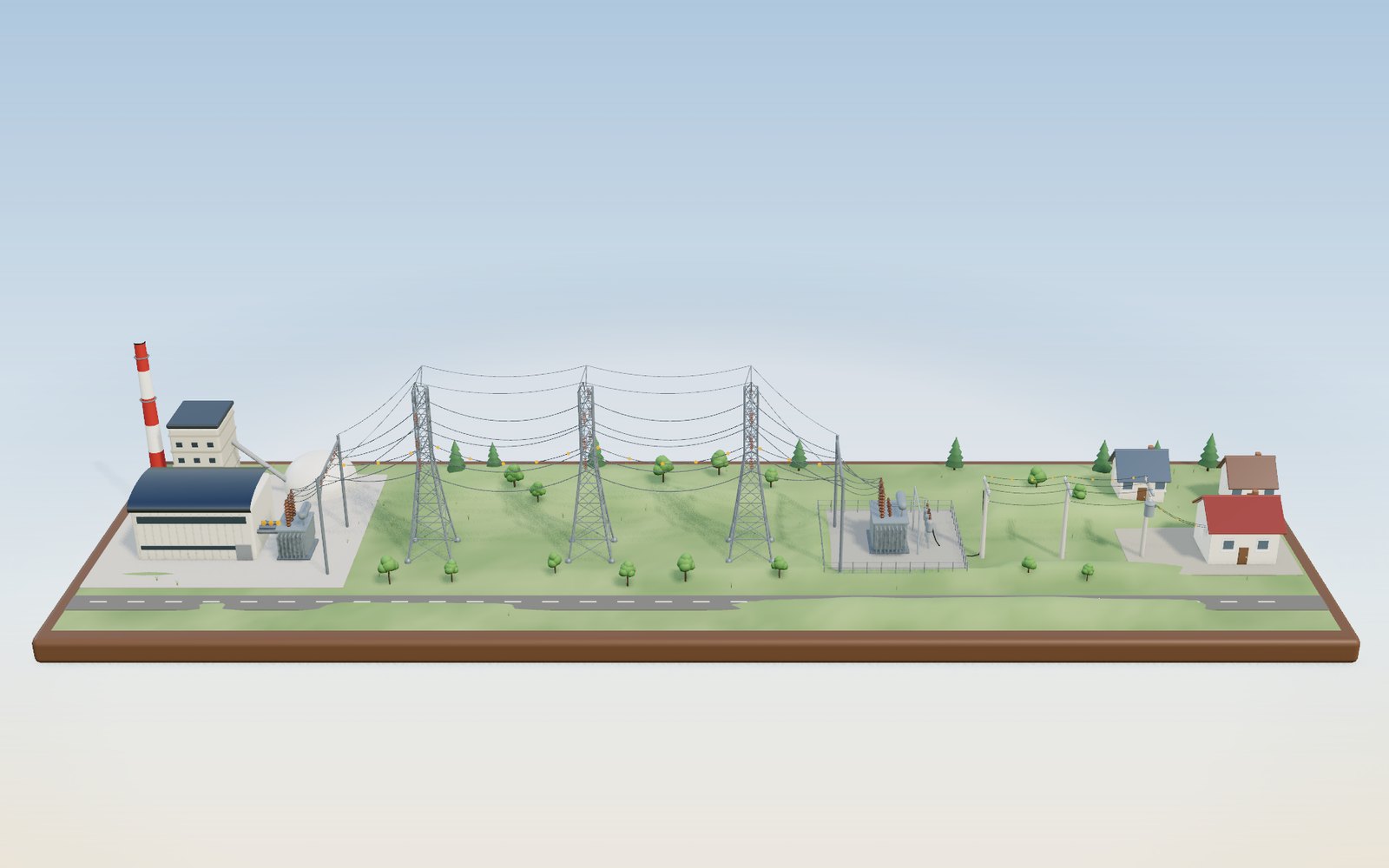
How electricity gets to your home
Electricity leaves the power station at 345,000 volts and reaches the outlet at 220, because high voltage keeps the current, and the heat lost in the wires, small.
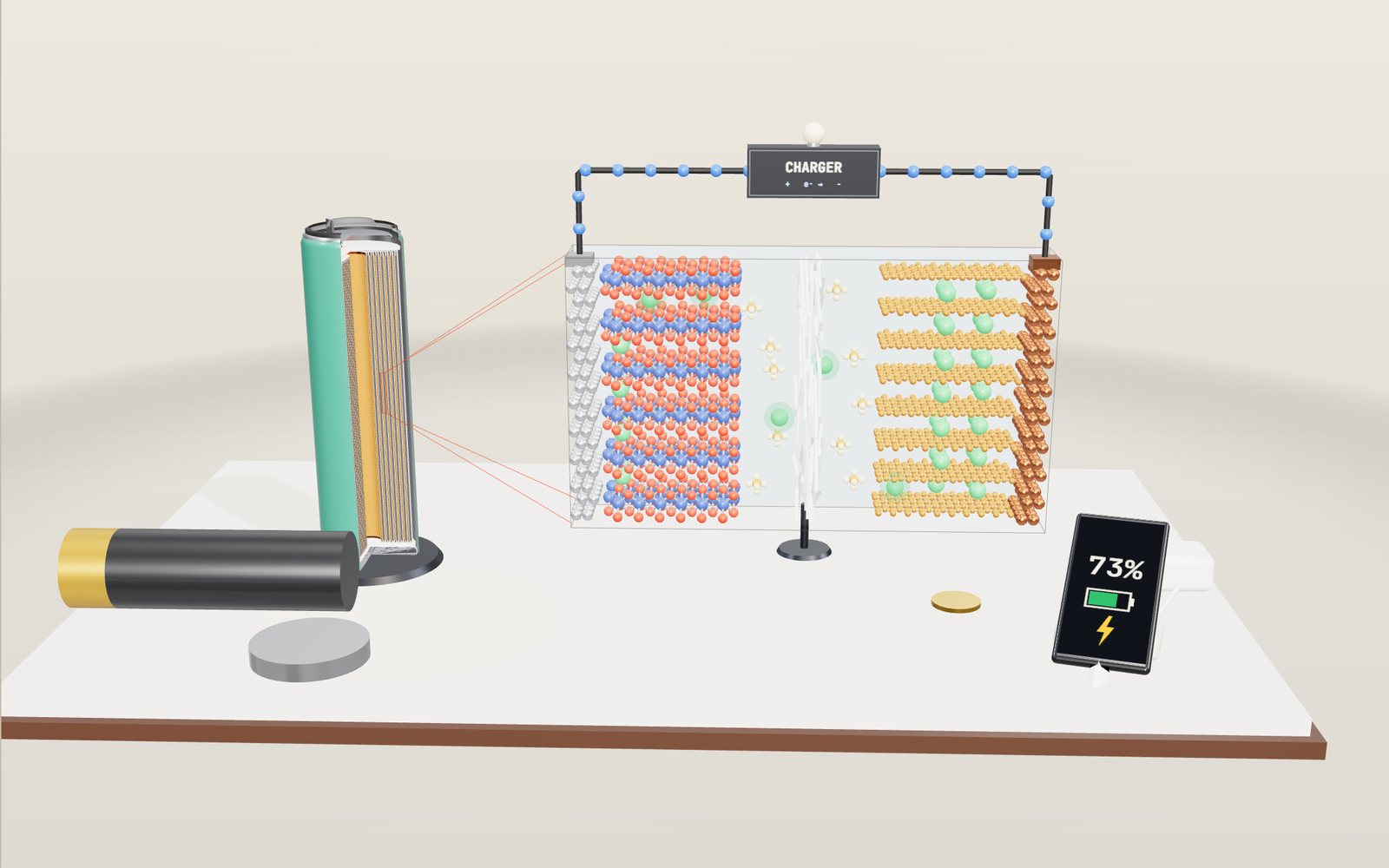
How a lithium-ion battery works: where the ions go on charge
Each time an 18650 cell charges, about 7 × 10²² lithium ions leave a metal oxide and squeeze in between sheets of graphite.
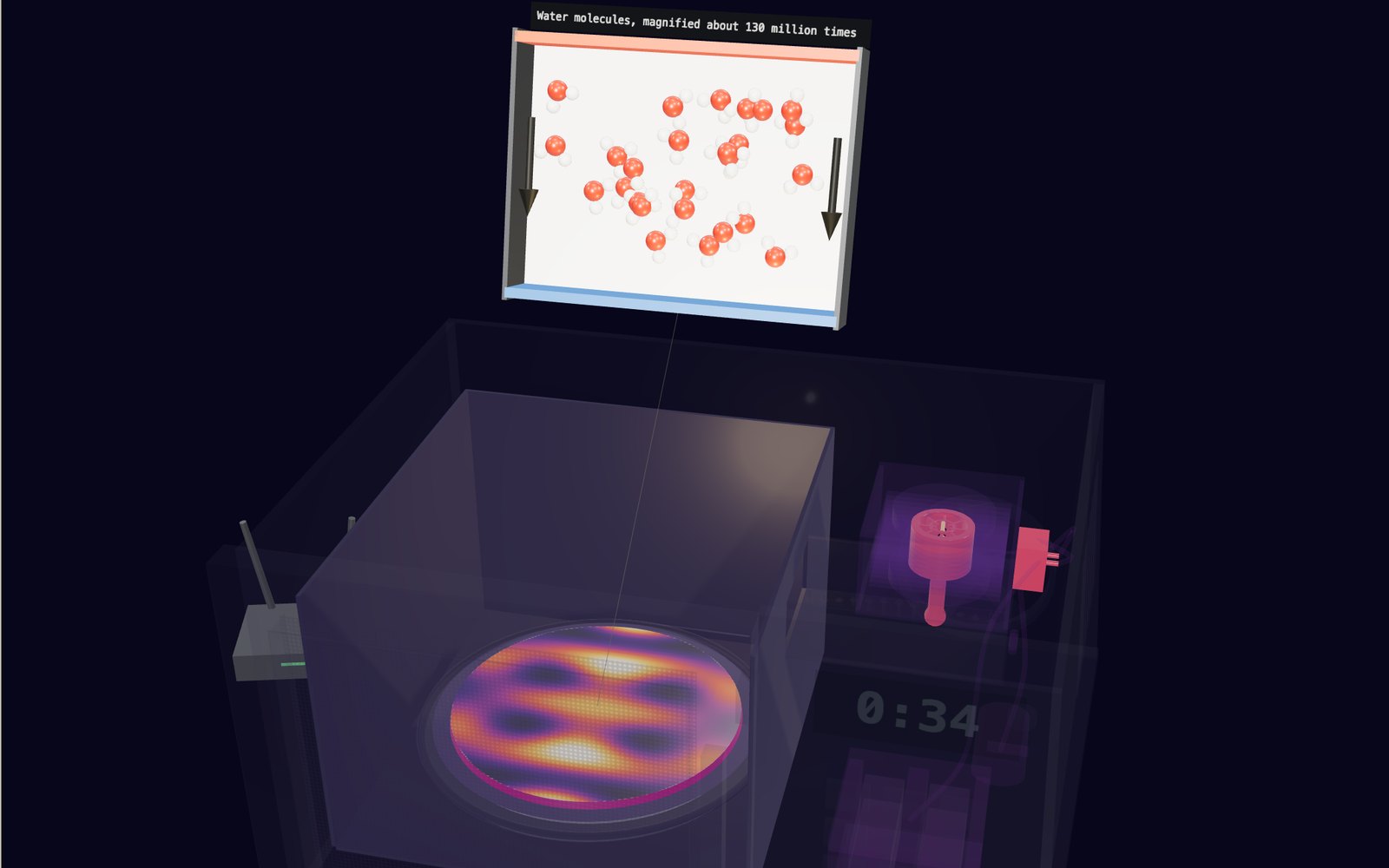
How a microwave oven works: the magnetron that makes the waves
The waves inside a microwave oven are 12.2 cm long, so without a turntable the hot spots in your food sit about 6 cm apart.
How a transistor works as a switch: the MOSFET gate
A chip with 16 billion transistors turns each one on and off with a few volts on a gate that never touches the silicon underneath.
How lightning and thunder work
A lightning channel heats the air to about five times the temperature of the Sun’s surface, and its thunder needs about 3 seconds to cover each kilometre to you.
How to do CPR, use an AED, help someone choking and use a fire extinguisher
Push 100 to 120 times a minute, about 5 cm deep: with a bystander doing that, survival in Korea in 2024 was 2.36 times higher.
How a QR code is read
Cover 30 % of a QR code with your hand and a phone still reads it. Cover one corner and it does not.
How a 3D printer works, layer by layer
A 20 mm cube printed in 0.2 mm layers is exactly 100 layers, each drawn by a nozzle 0.4 mm wide.
How a phonograph works: from tinfoil to cassette and CD
Edison's first phonograph cut a voice into tinfoil in 1877, and the same needle played it back from a groove 2.54 mm apart.
What is under the street
Korean road rules put a water main at least 1.2 metres under the road and a main sewer at least 3 metres down, so four kinds of pipe and cable all lie within the top 2 metres.
How a solar panel works
In full sun a 60-cell rooftop panel makes about 300 watts, and all of it comes from an electric field sitting inside each slice of silicon.
Walk down the Grand Canyon rock layers
Walk 1,360 m down the Bright Angel Trail through 13 rock layers, from a 270-million-year-old sea floor on the rim to 1.75-billion-year-old schist by the river.